
Web headers, titles and content samples
This section of the page handles how to login, make changes to content and even adding images and documents to your respective pages.
Emails, and subject lines
Email Address:
mailto:my-email@felician.edu
Email address with prefilled Subject
mailto:my-email-address@felician.edu?Subject=Your subject line
Headers / Titles
(H1) Heading Sample:
The quick brown fox jumped over the lazy brown dog.
(H2) Heading Sample:
The quick brown fox jumped over the lazy brown dog.
(H3) Heading Sample:
The quick brown fox jumped over the lazy brown dog.
(H4) Heading Sample:
The quick brown fox jumped over the lazy brown dog.
(H5) Heading Sample:
The quick brown fox jumped over the lazy brown dog.
(H6) Heading Sample:
The quick brown fox jumped over the lazy brown dog.
Paragraphs / Content
(Paragraph) Sample:
The quick brown fox jumped over the lazy brown dog.
(Paragraph - Bolded) Sample:
The quick brown fox jumped over the lazy brown dog.
(Paragraph - Italics) Sample:
The quick brown fox jumped over the lazy brown dog.
(Paragraph - Italics & Bolded) Sample:
The quick brown fox jumped over the lazy brown dog.
(Bullet list - Italics & Bolded) Sample:
- The quick brown fox jumped over the lazy brown dog.
- The quick brown fox jumped over the lazy brown dog.
- The quick brown fox jumped over the lazy brown dog.
(Bullet list Numbered - Italics & Bolded) Sample:
- The quick brown fox jumped over the lazy brown dog.
- The quick brown fox jumped over the lazy brown dog.
- The quick brown fox jumped over the lazy brown dog.
(Bullet list with indentation) Sample:
- The quick brown fox jumped over the lazy brown dog.
- The quick brown fox jumped over the lazy brown dog.
- The quick brown fox jumped over the lazy brown dog.
Web editing and content management
This section of the page handles how to login, make changes to content and even adding images and documents to your respective pages.
Logging in and user information
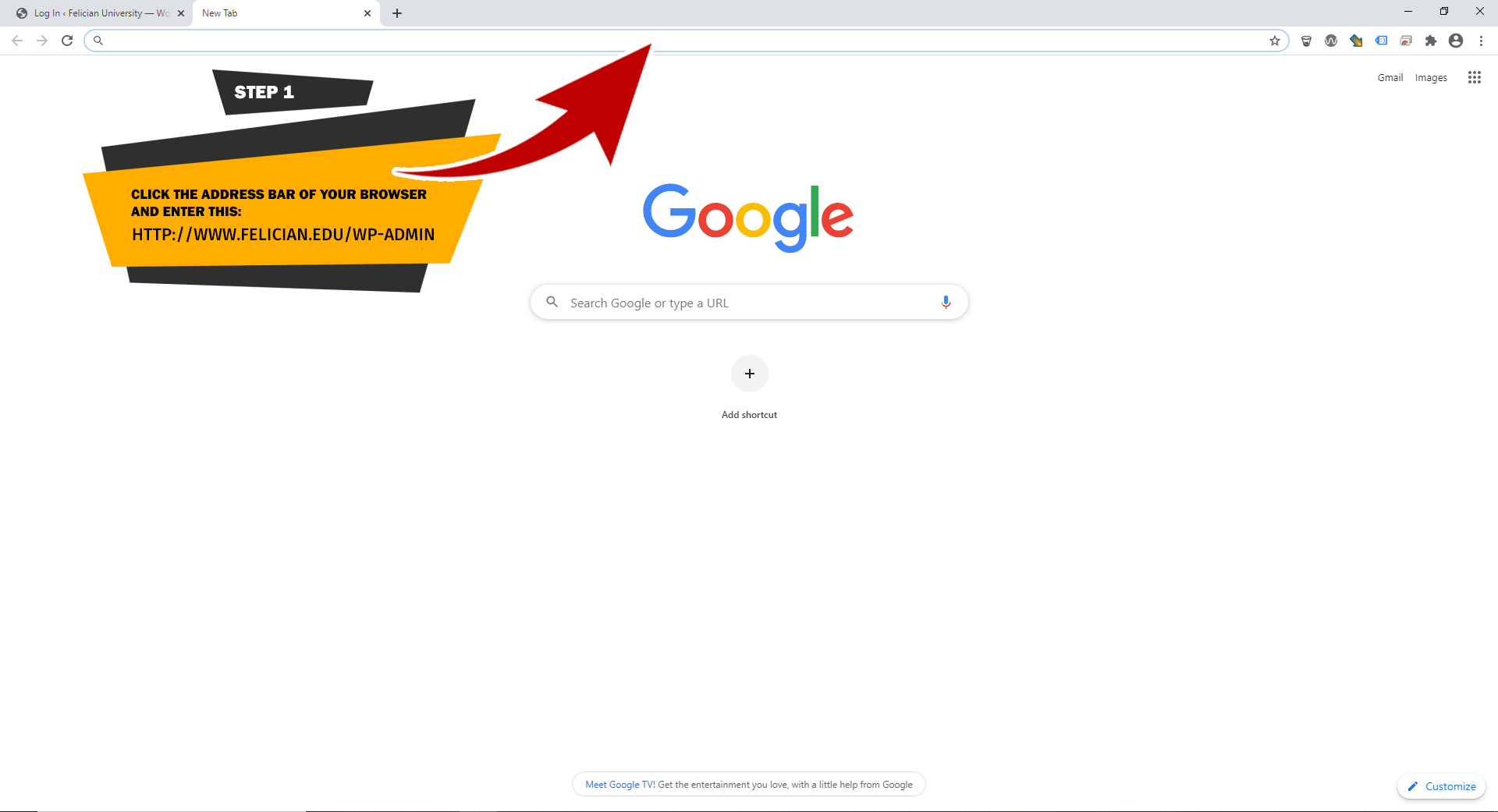
STEP 1
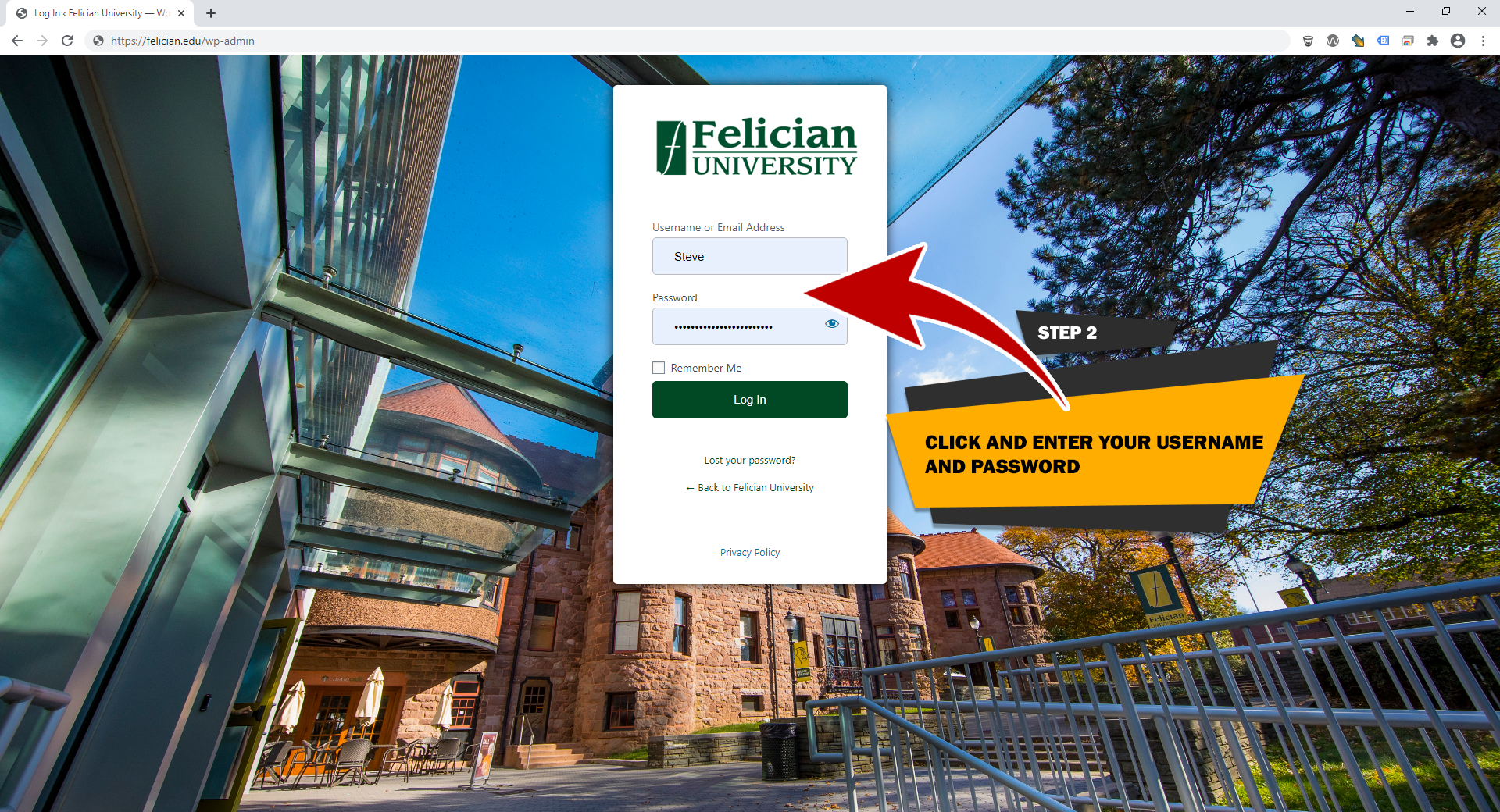
STEP 2
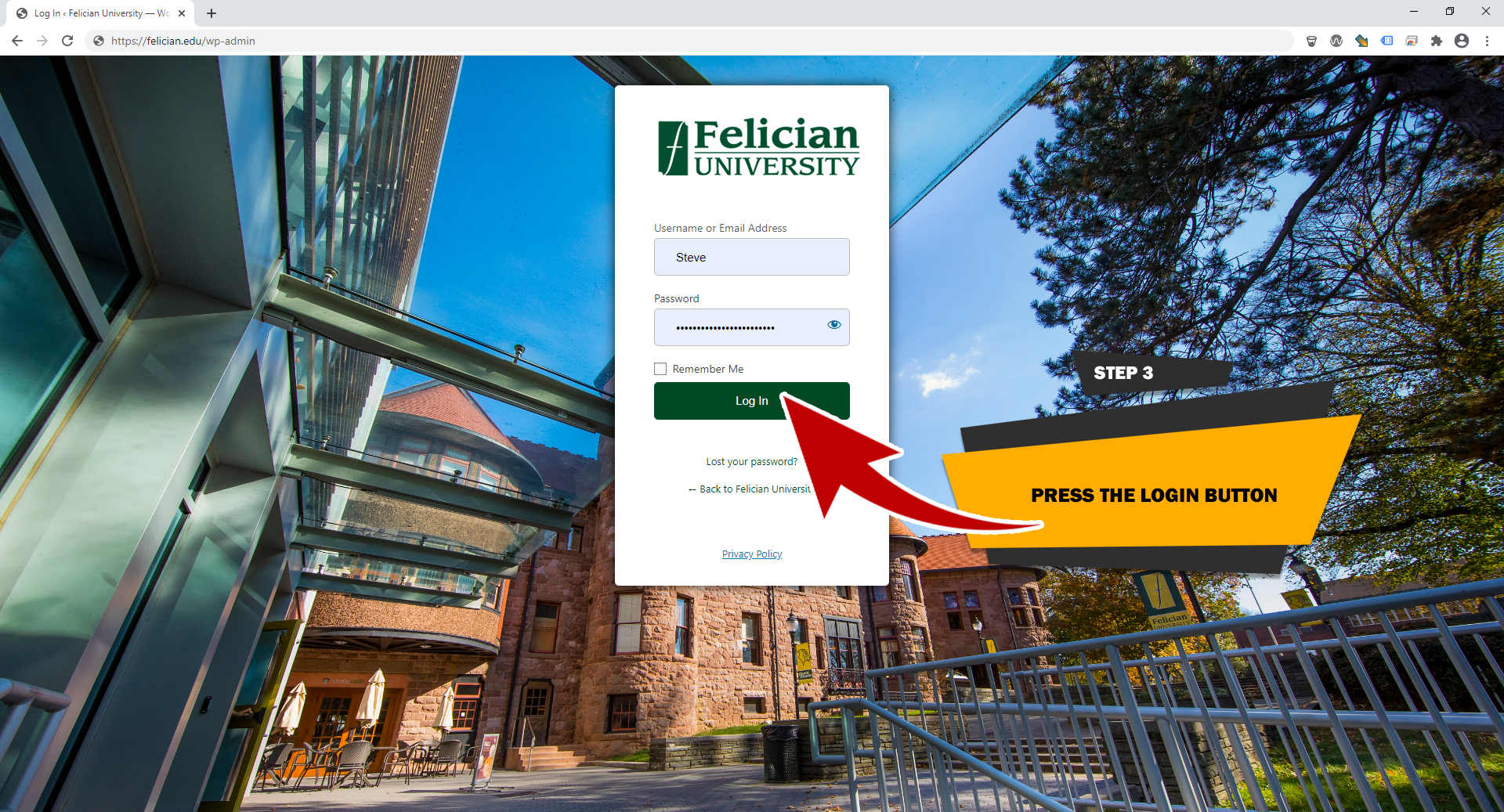
STEP 3
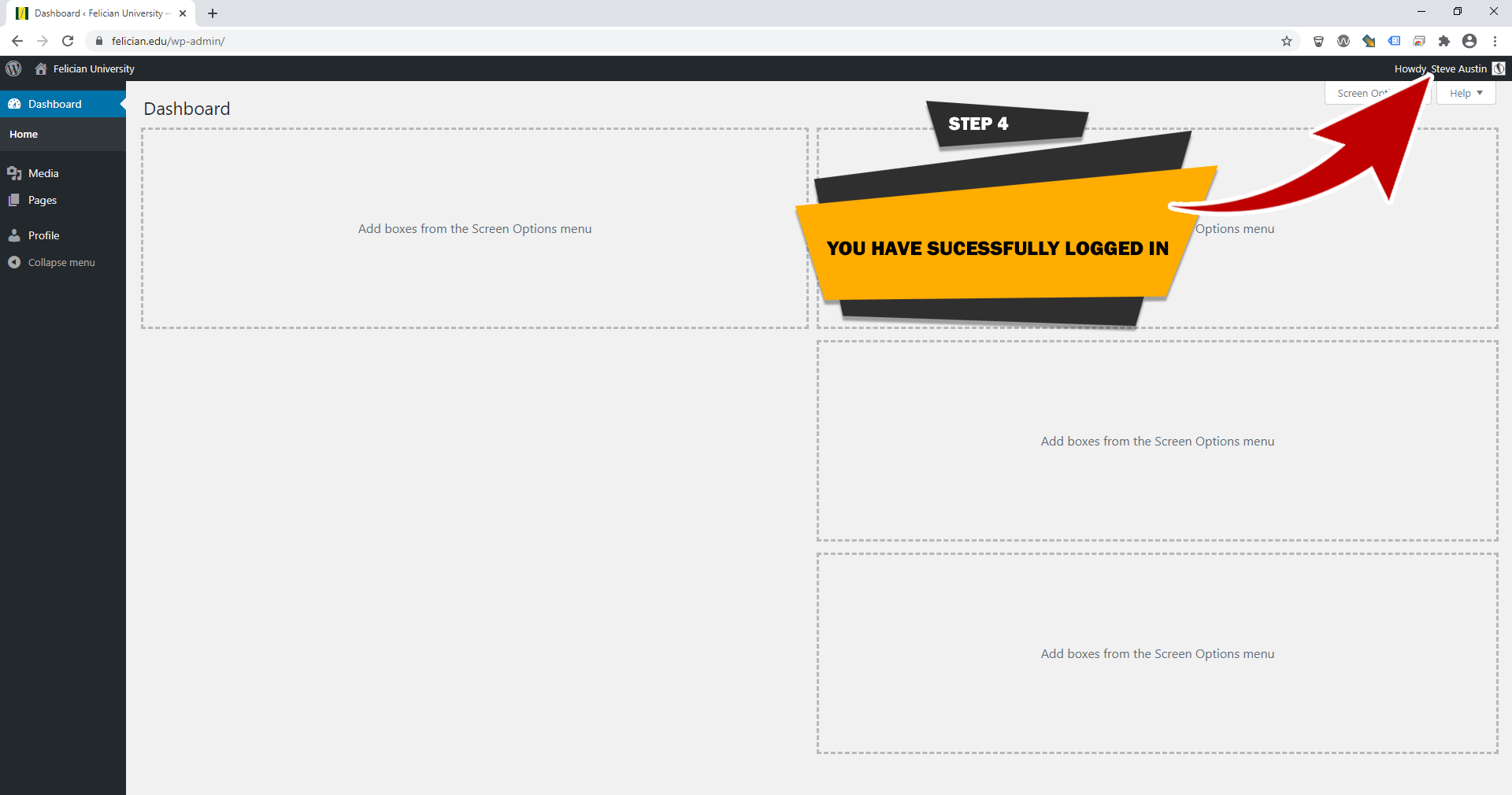
STEP 4
STEP 1
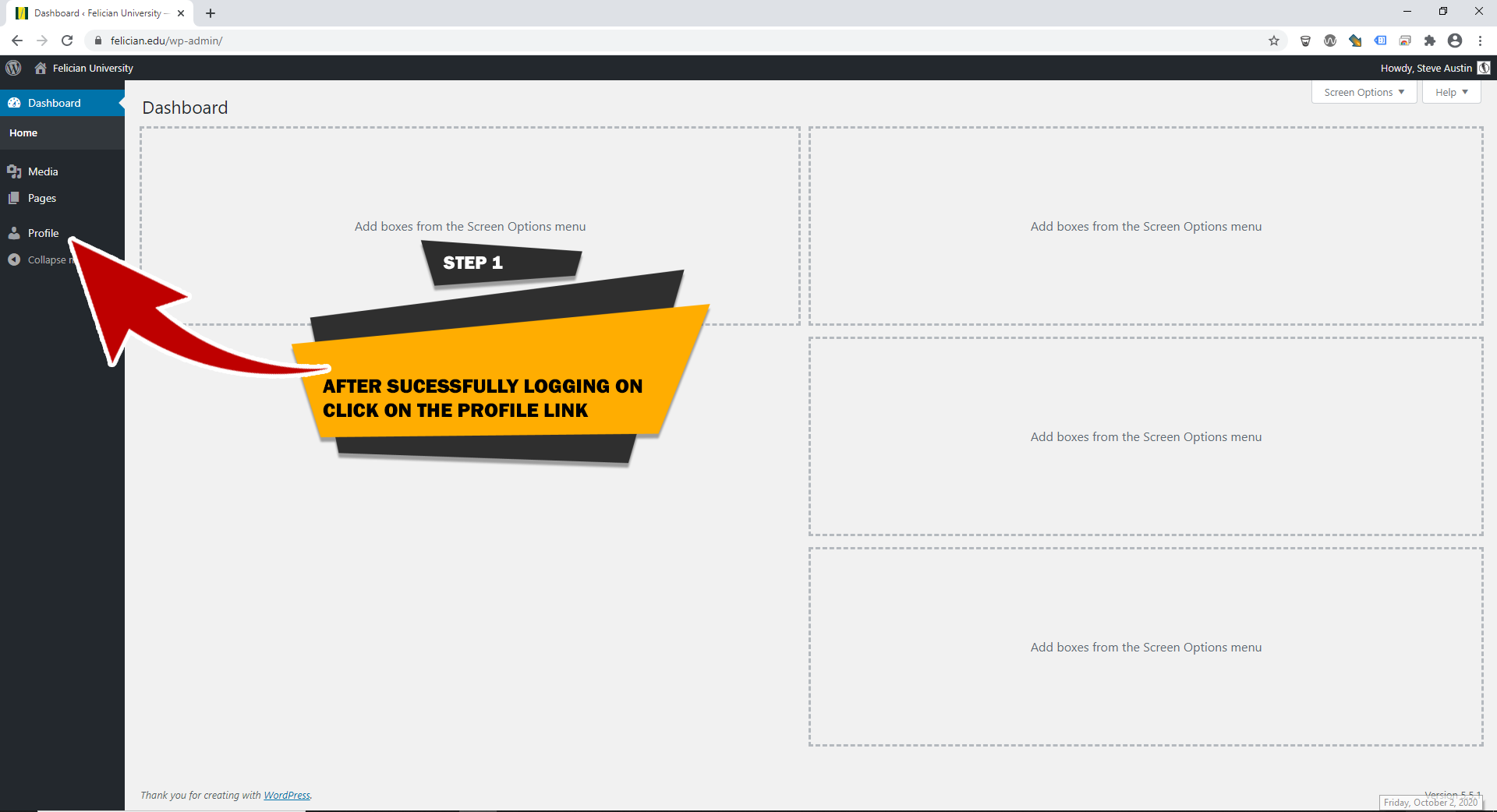
STEP 2
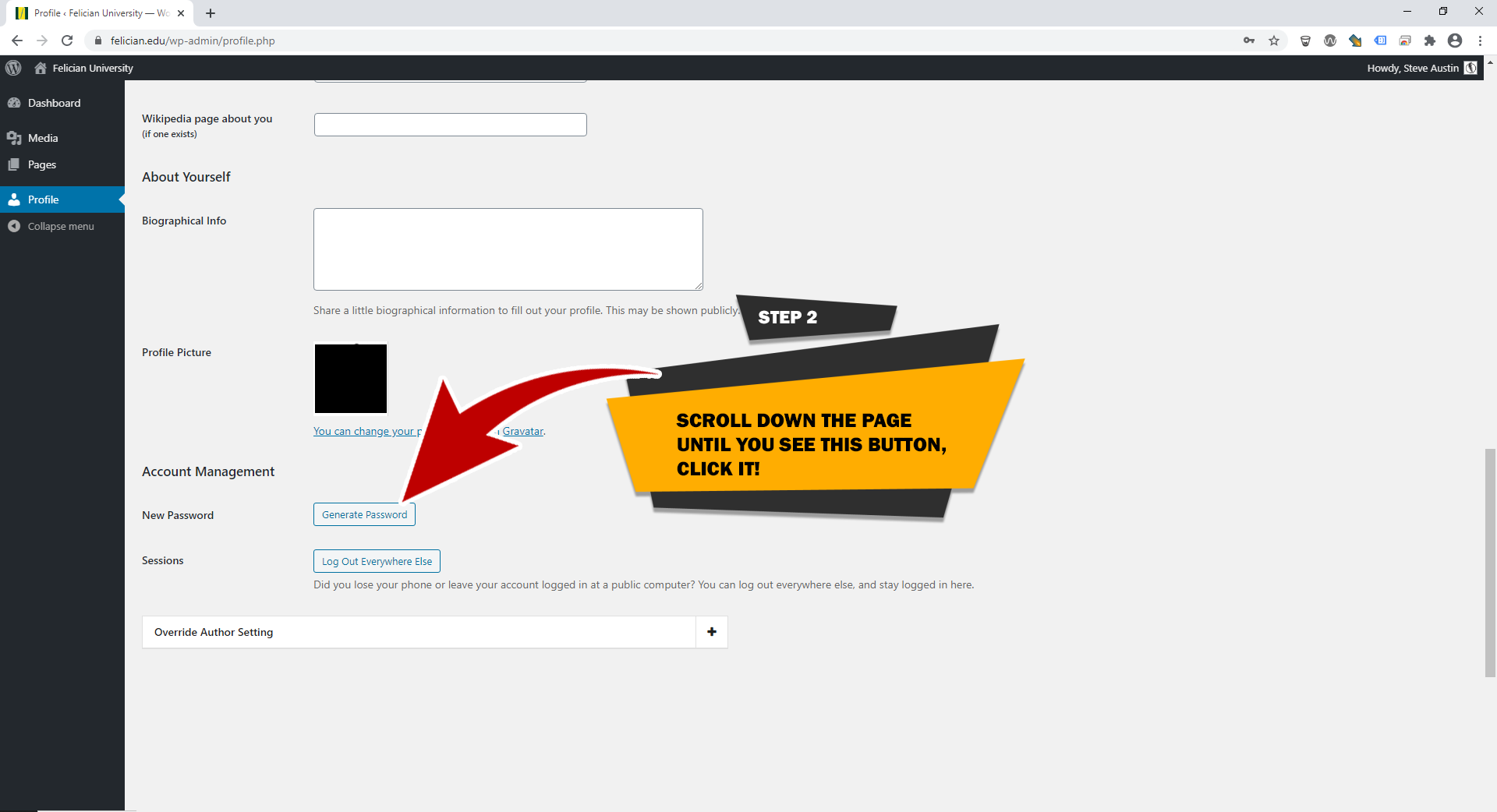
STEP 3
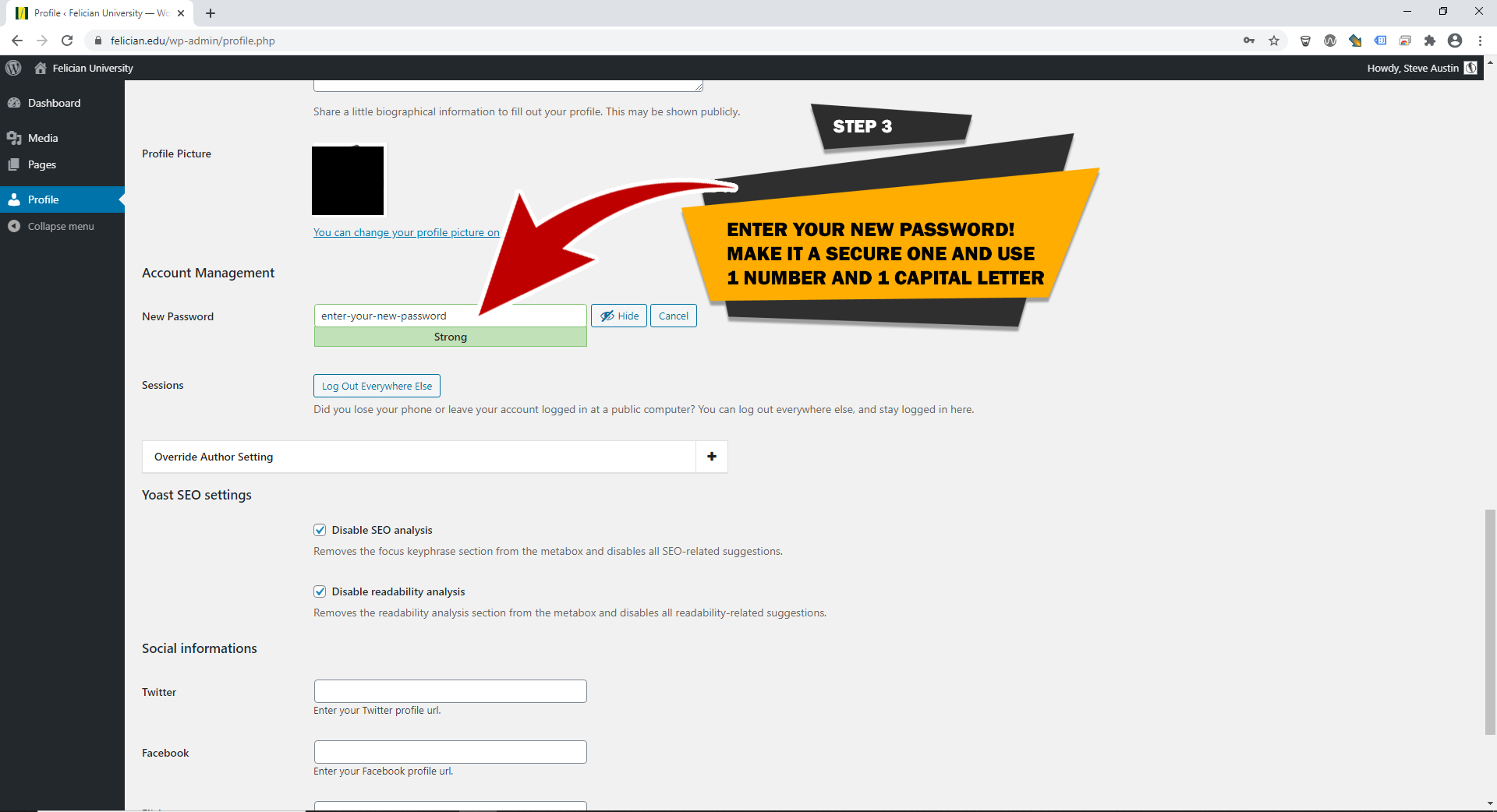
STEP 4
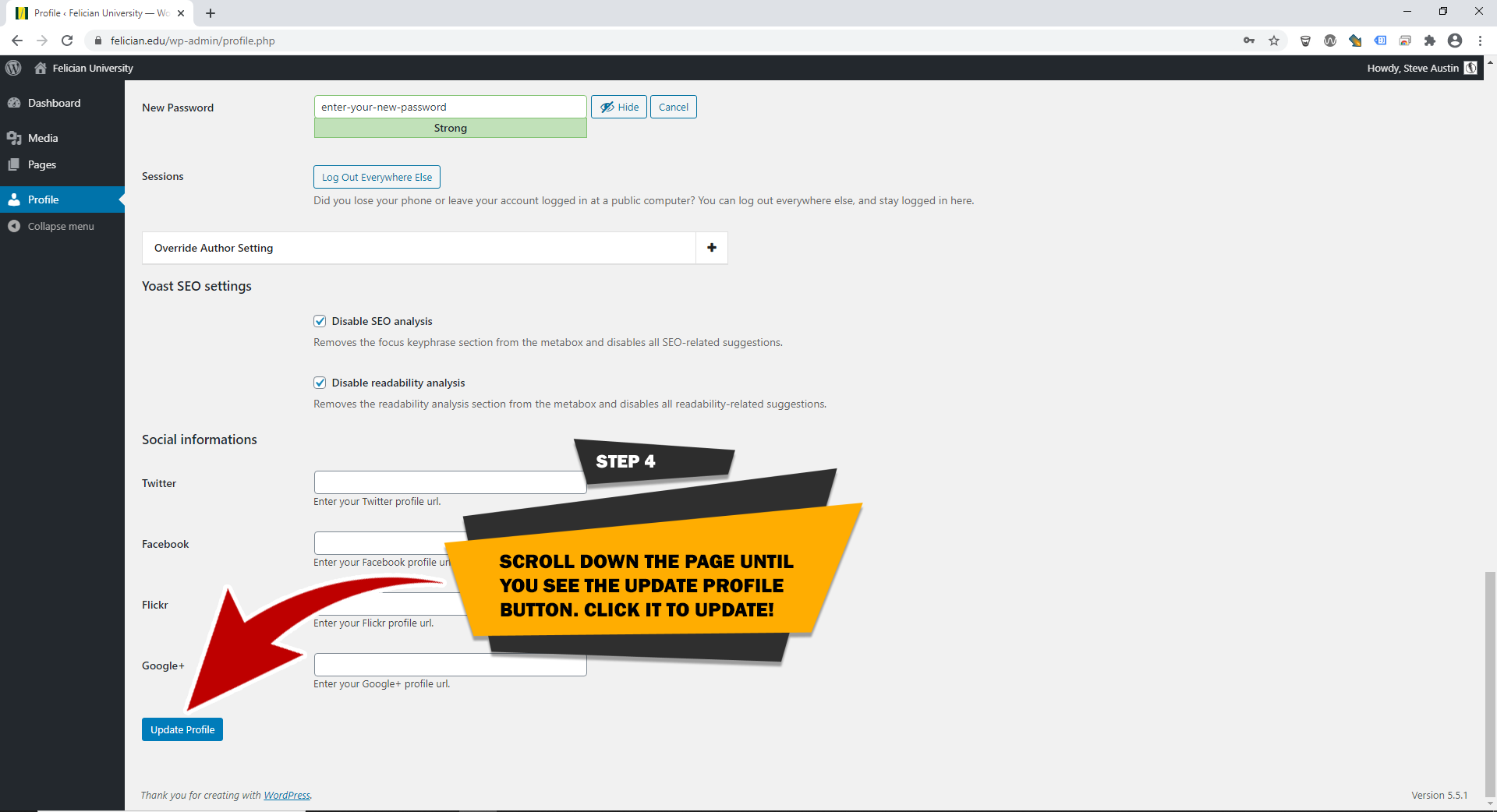
Web text changes and links
STEP 1
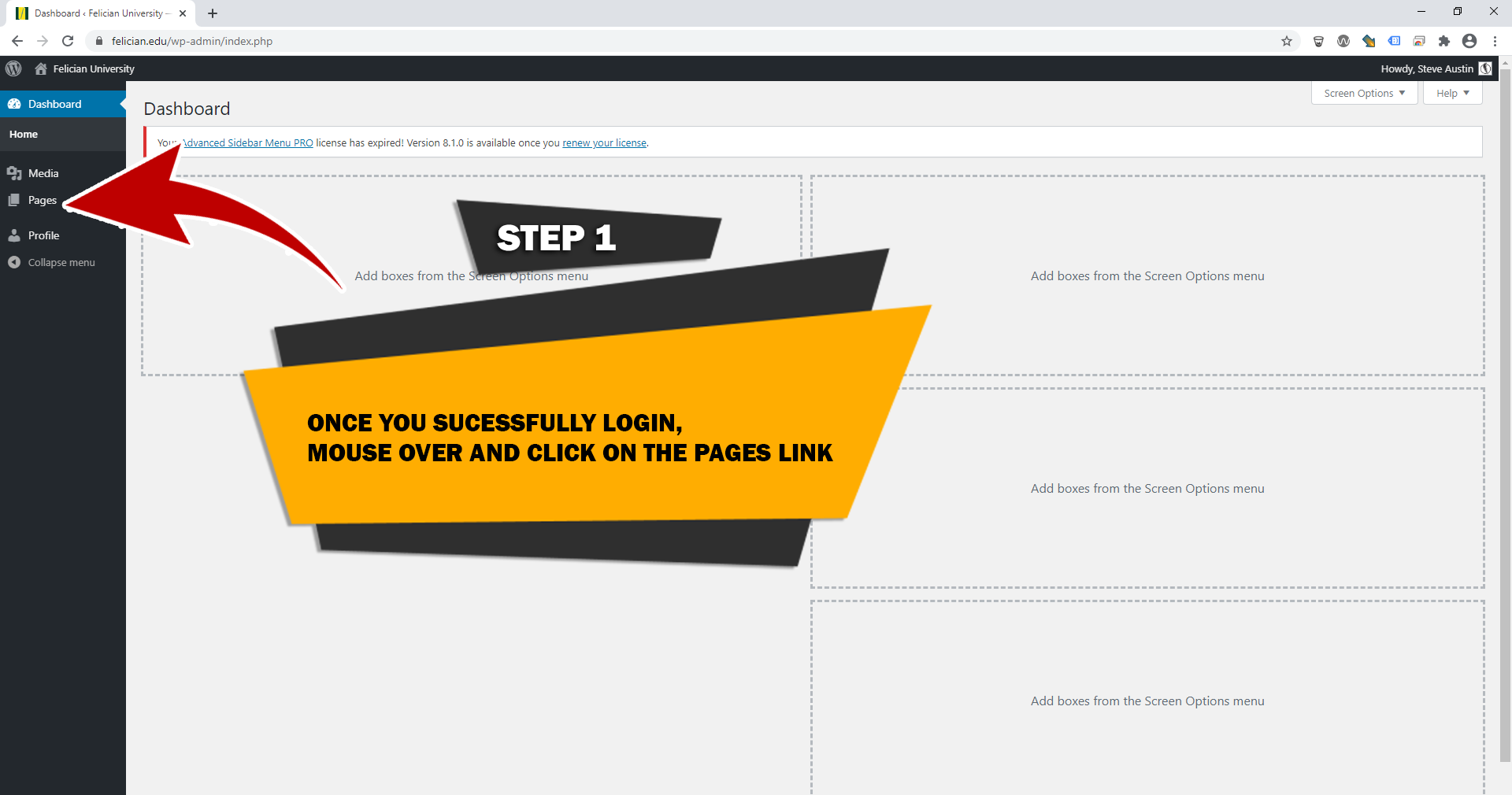
STEP 2
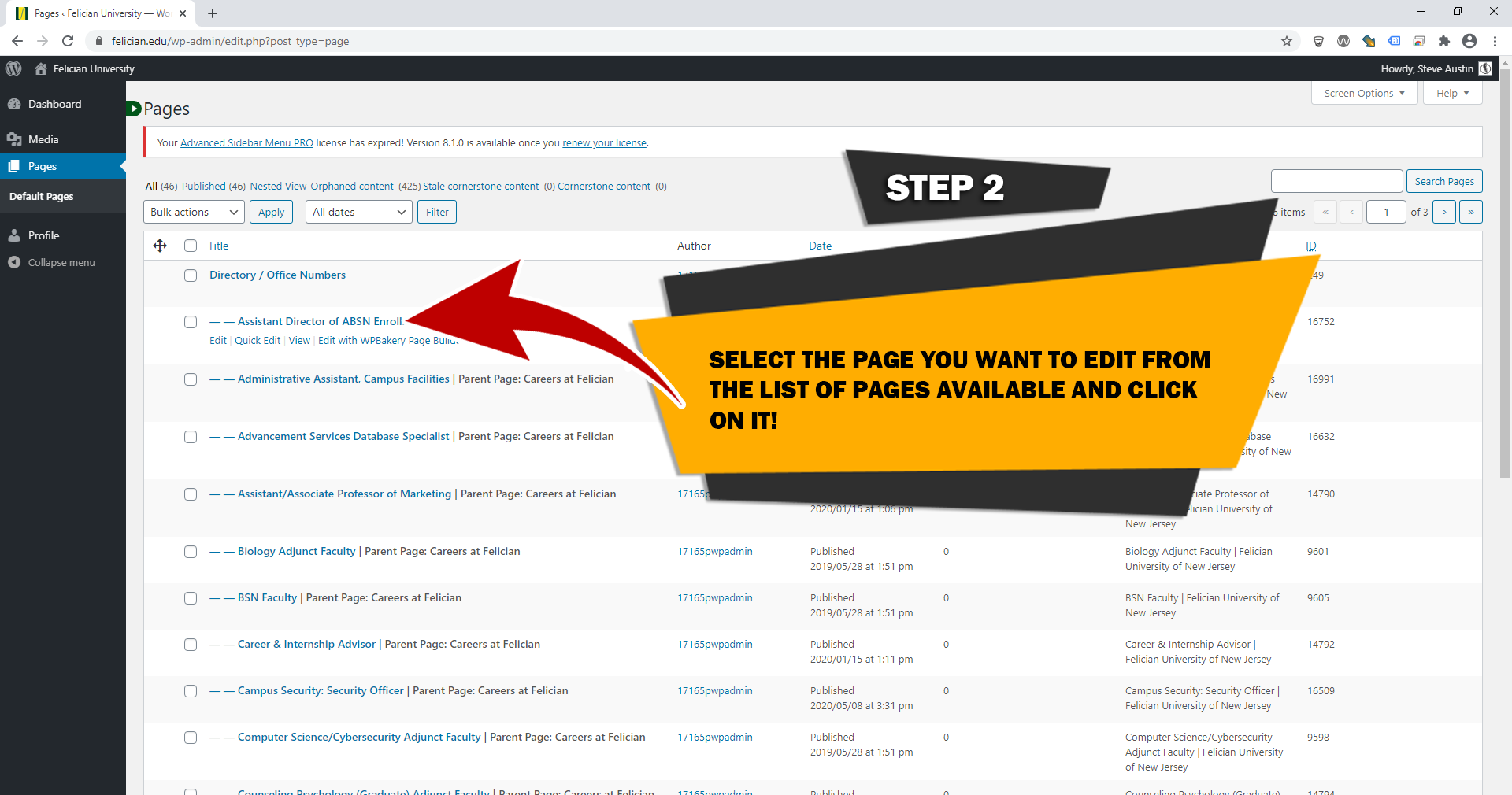
STEP 3
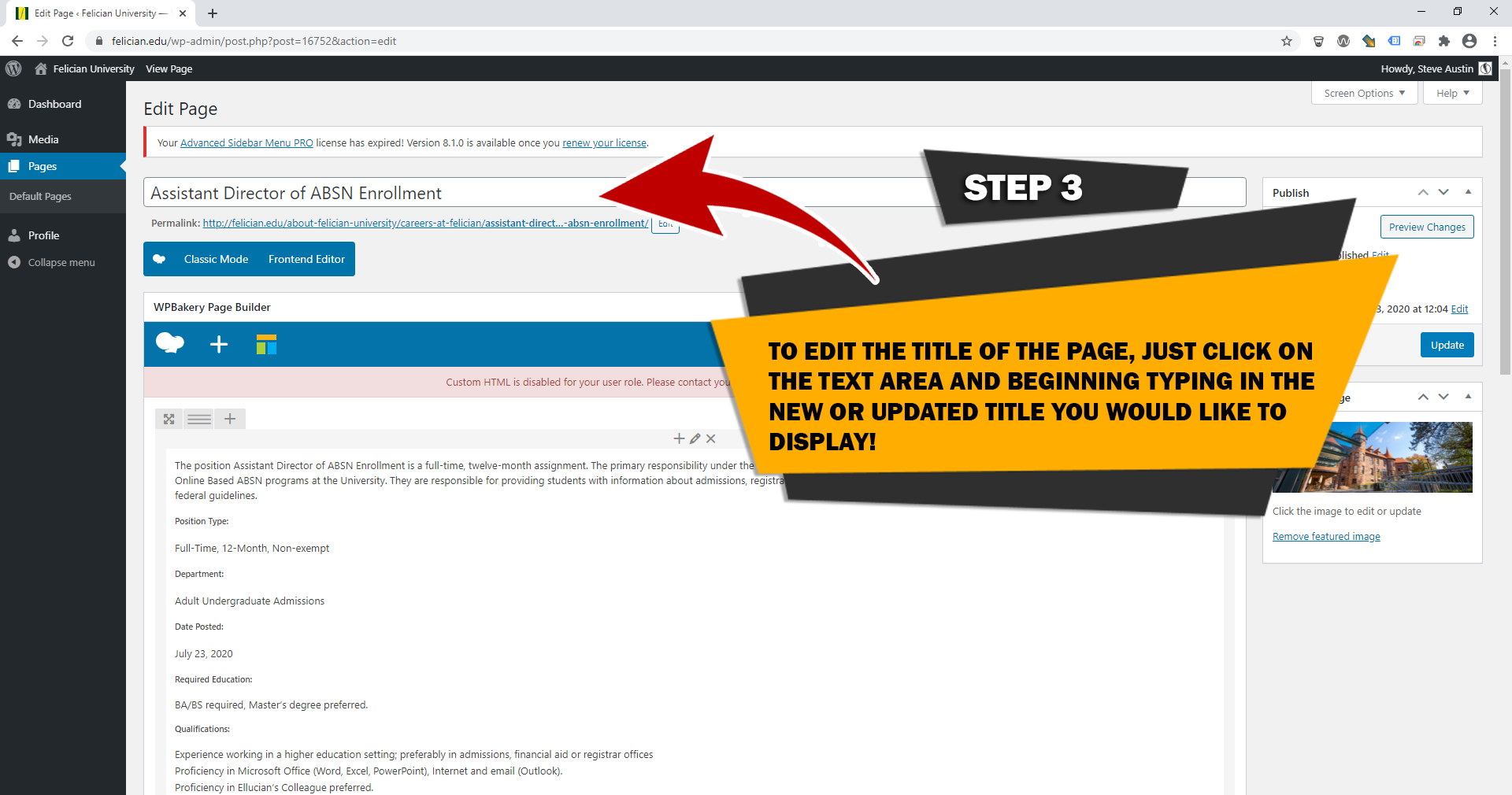
STEP 4
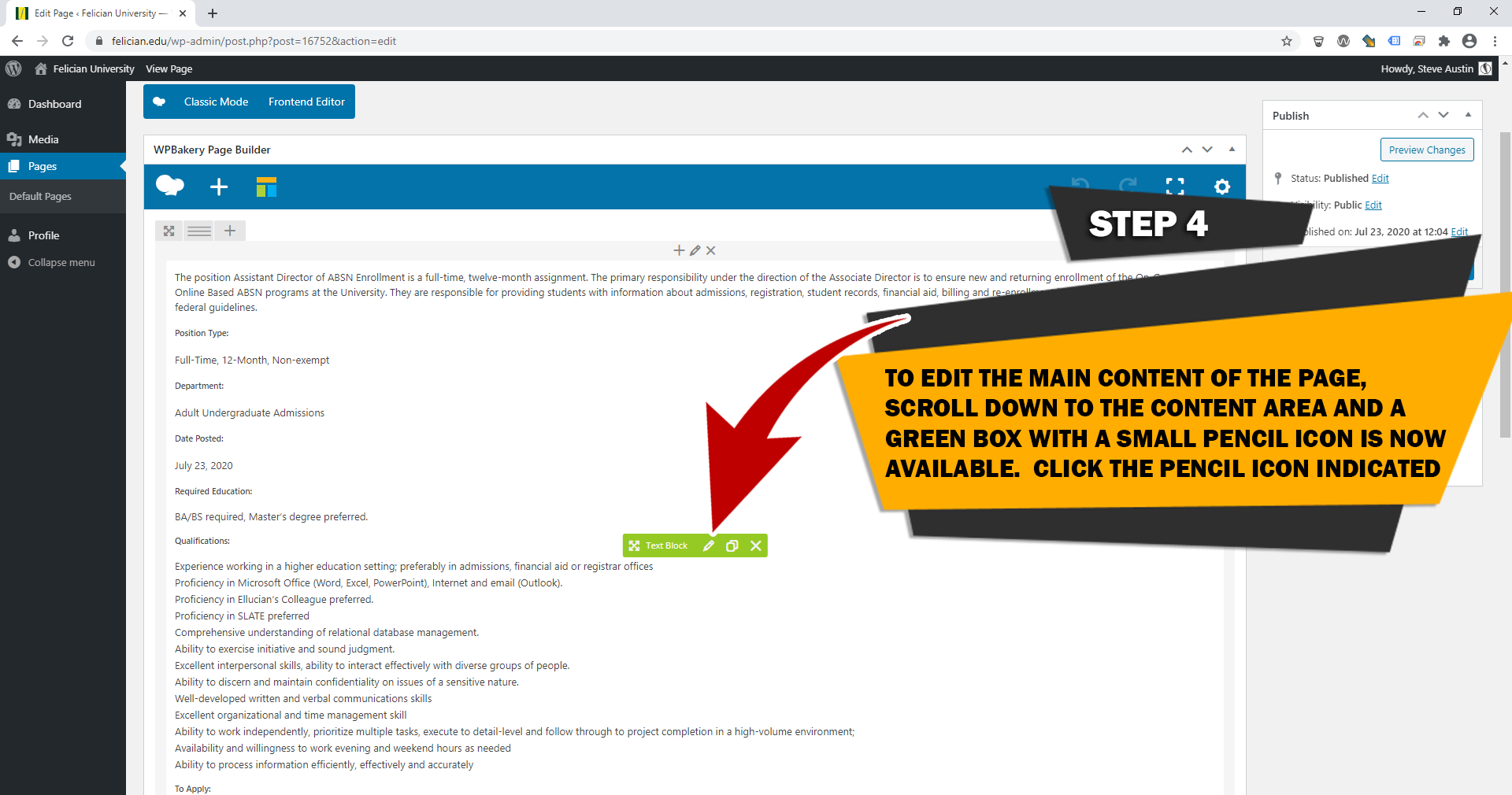
STEP 5
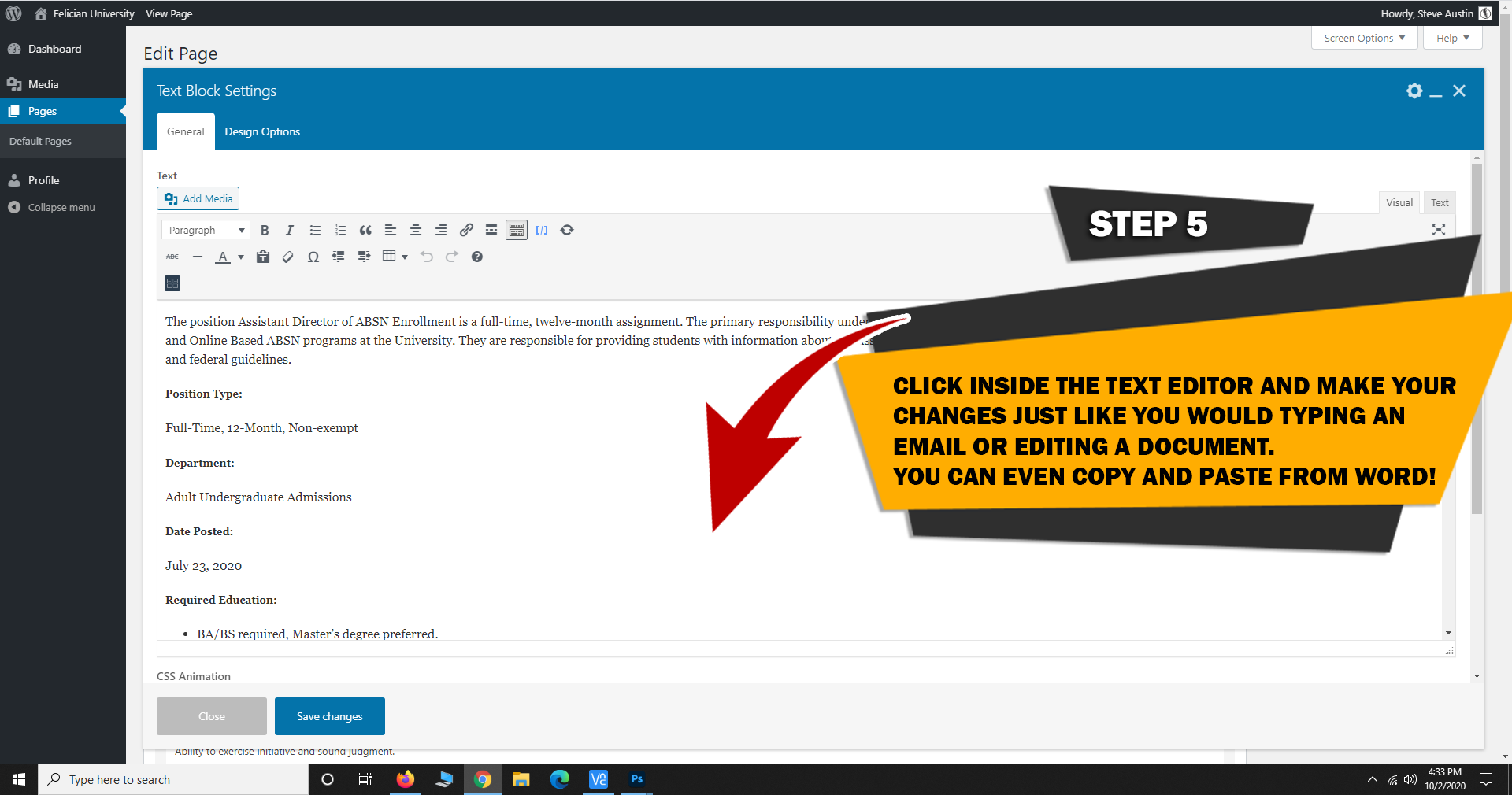
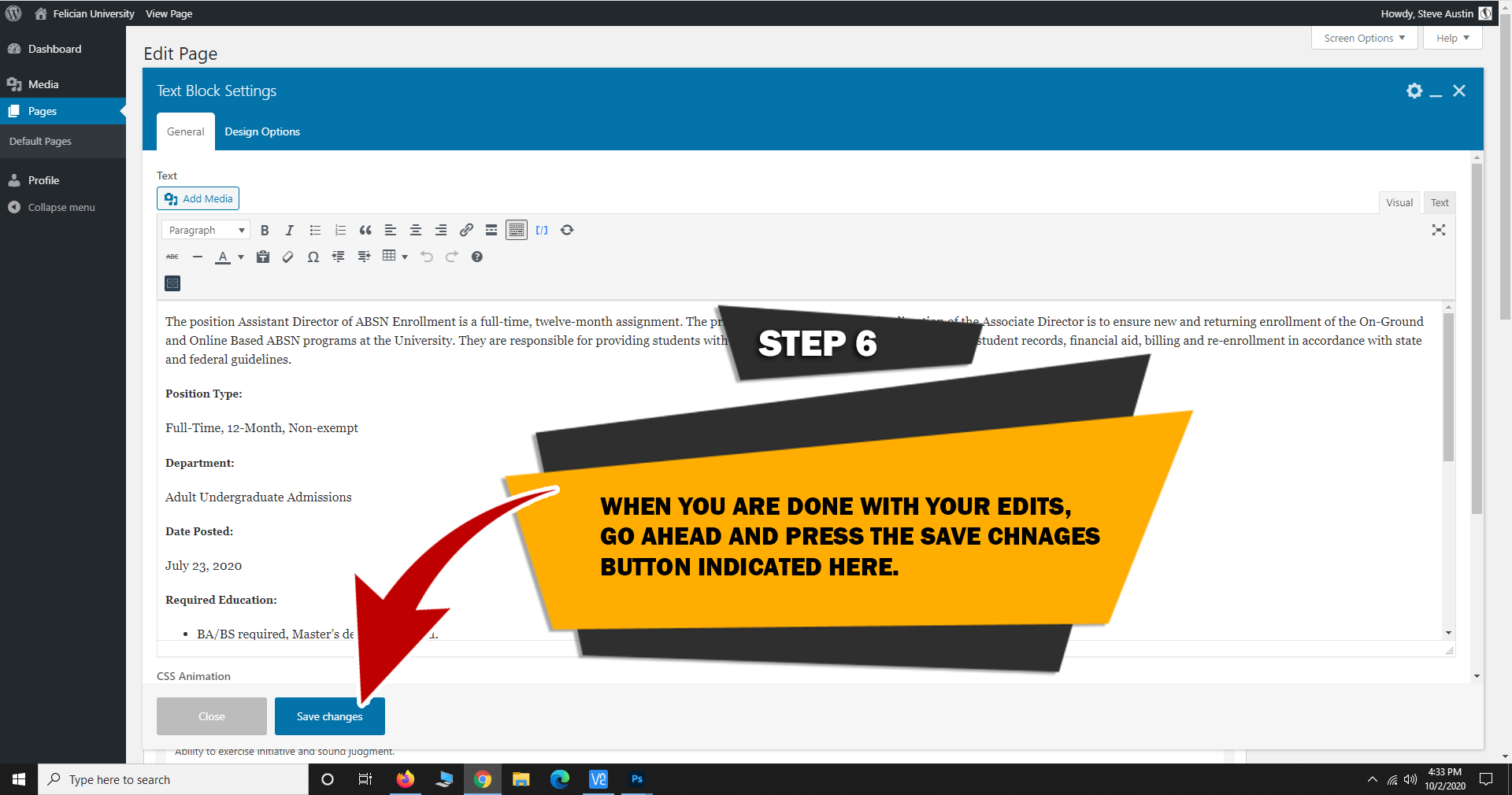
STEP 6
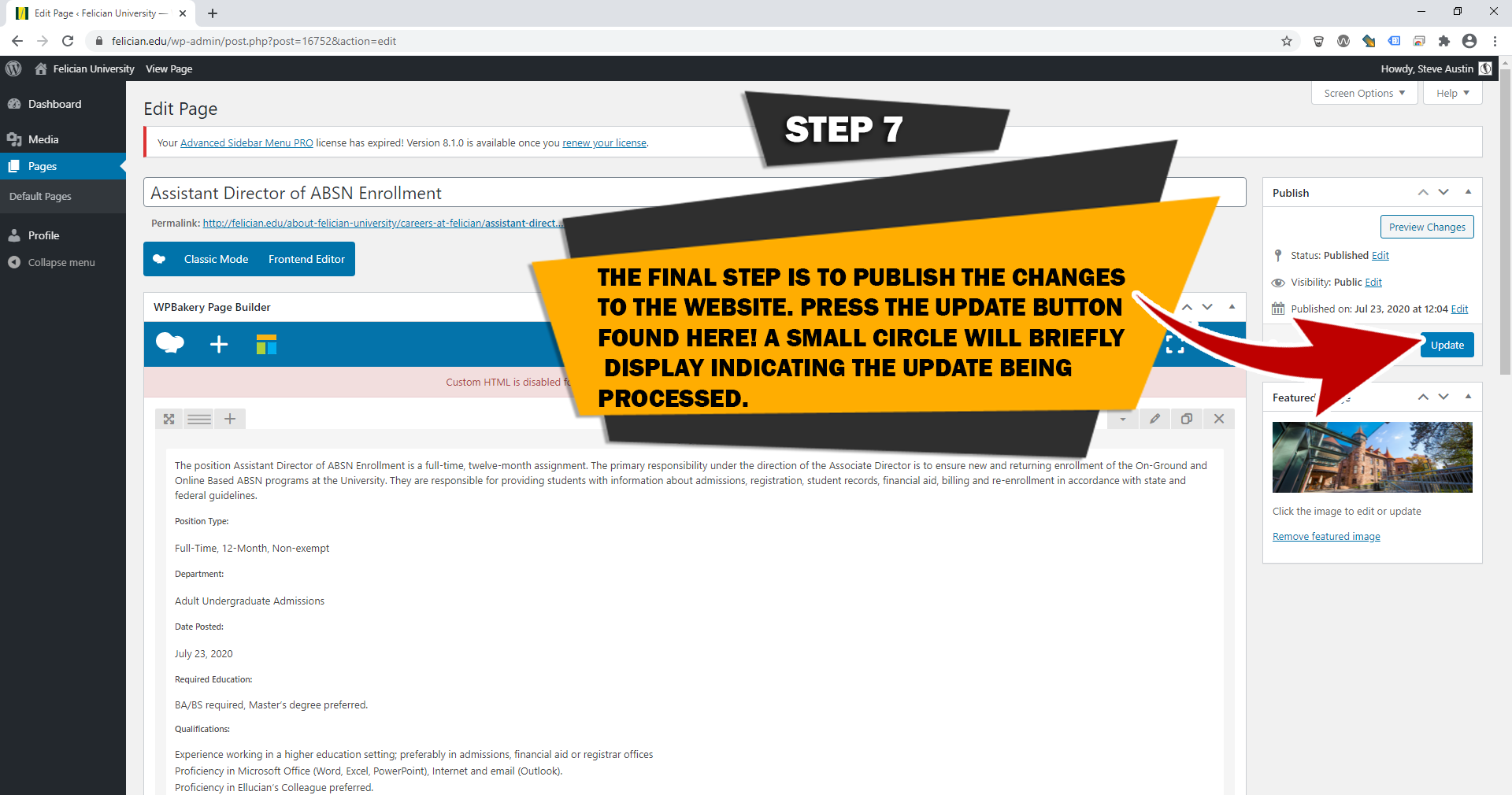
STEP 7
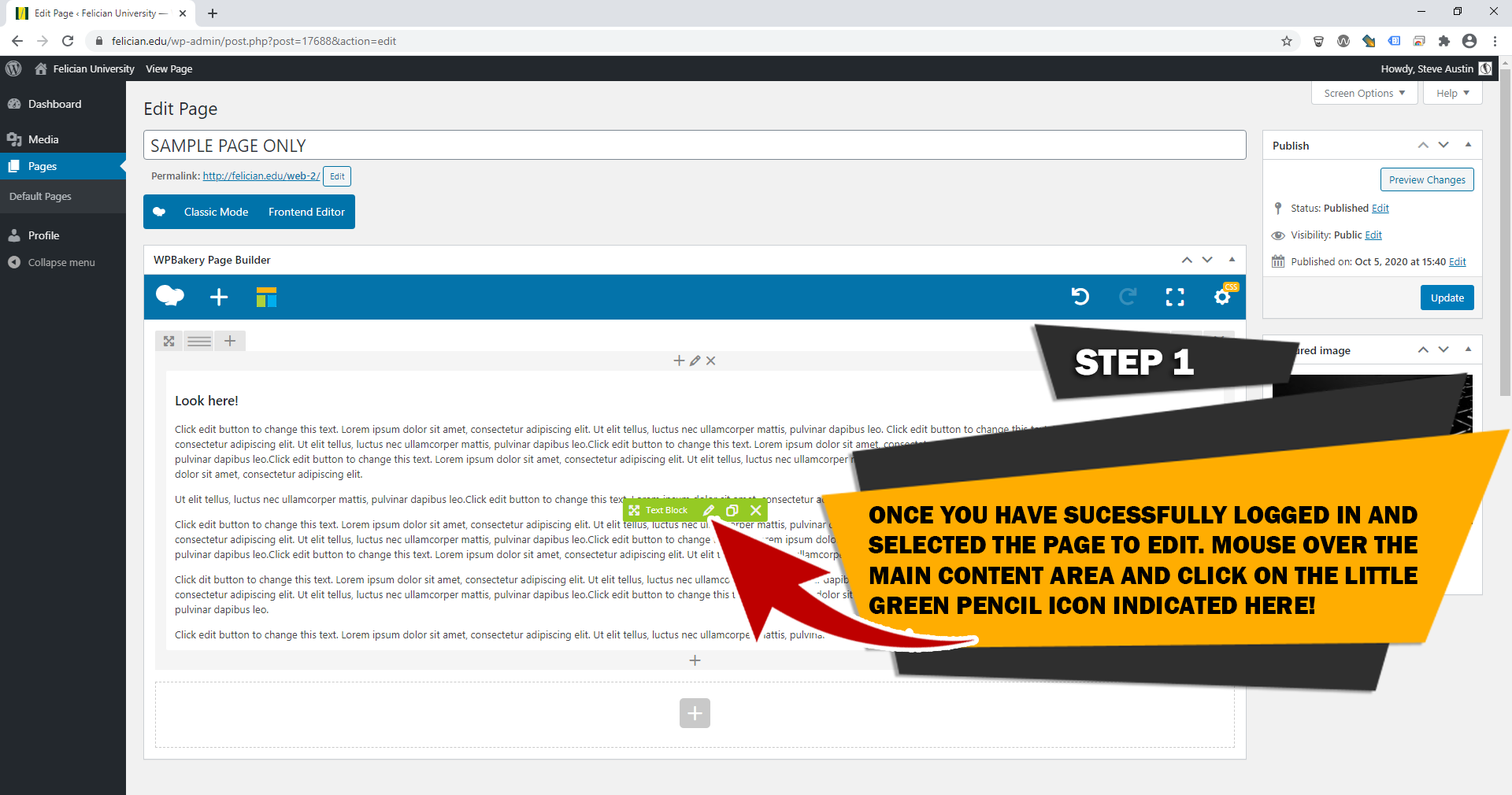
STEP 1
STEP 2
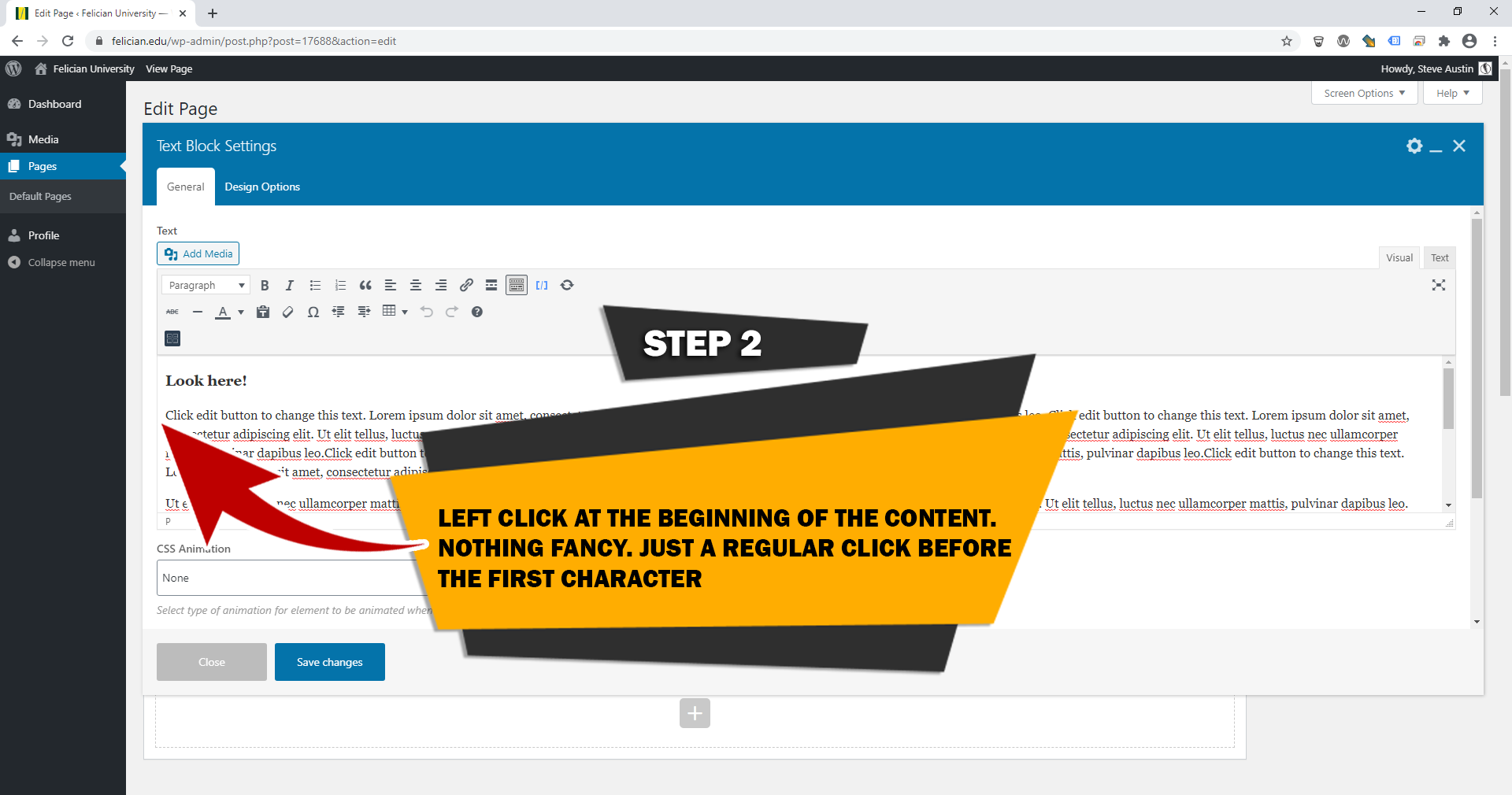
STEP 3
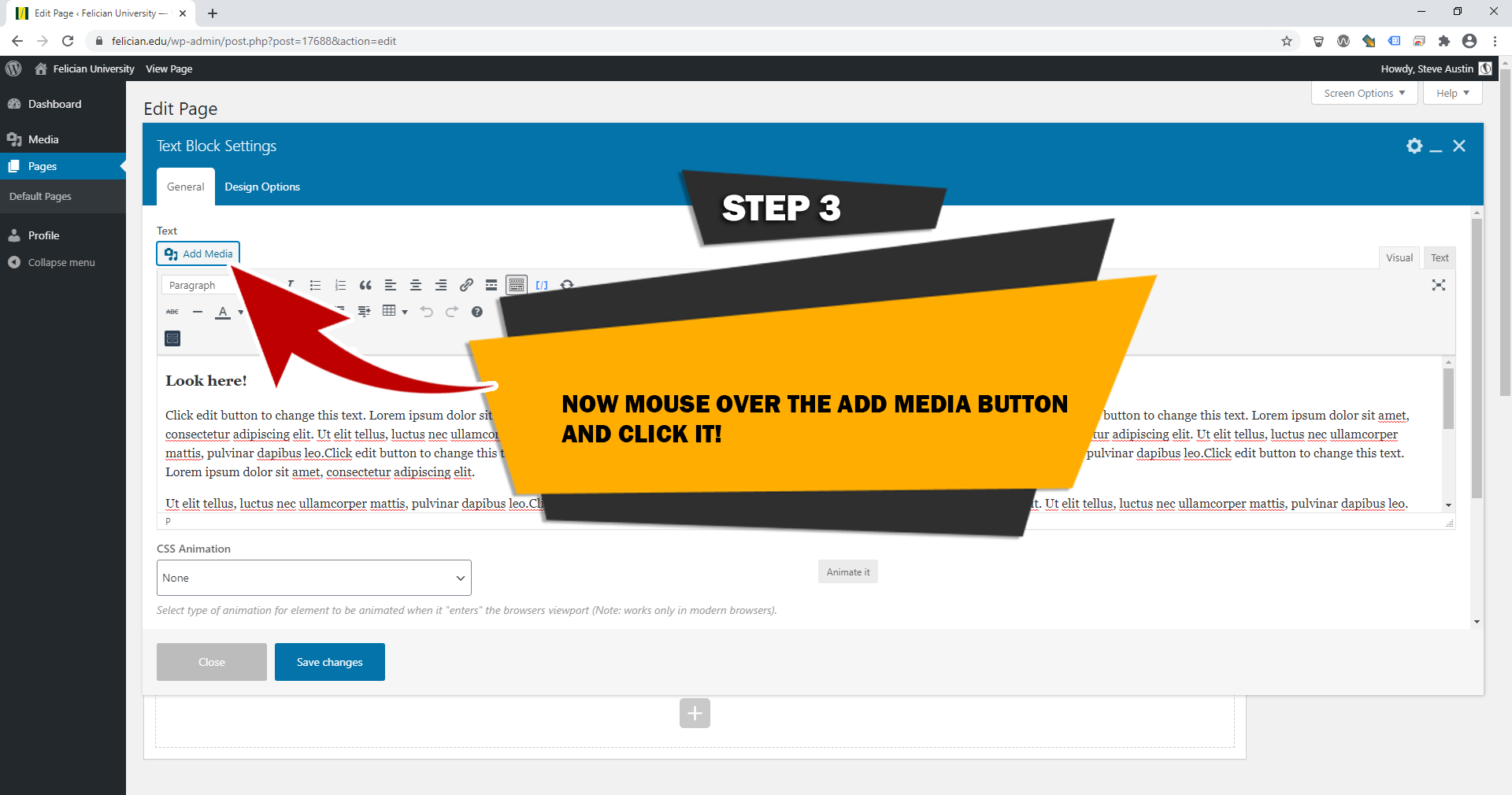
STEP 4
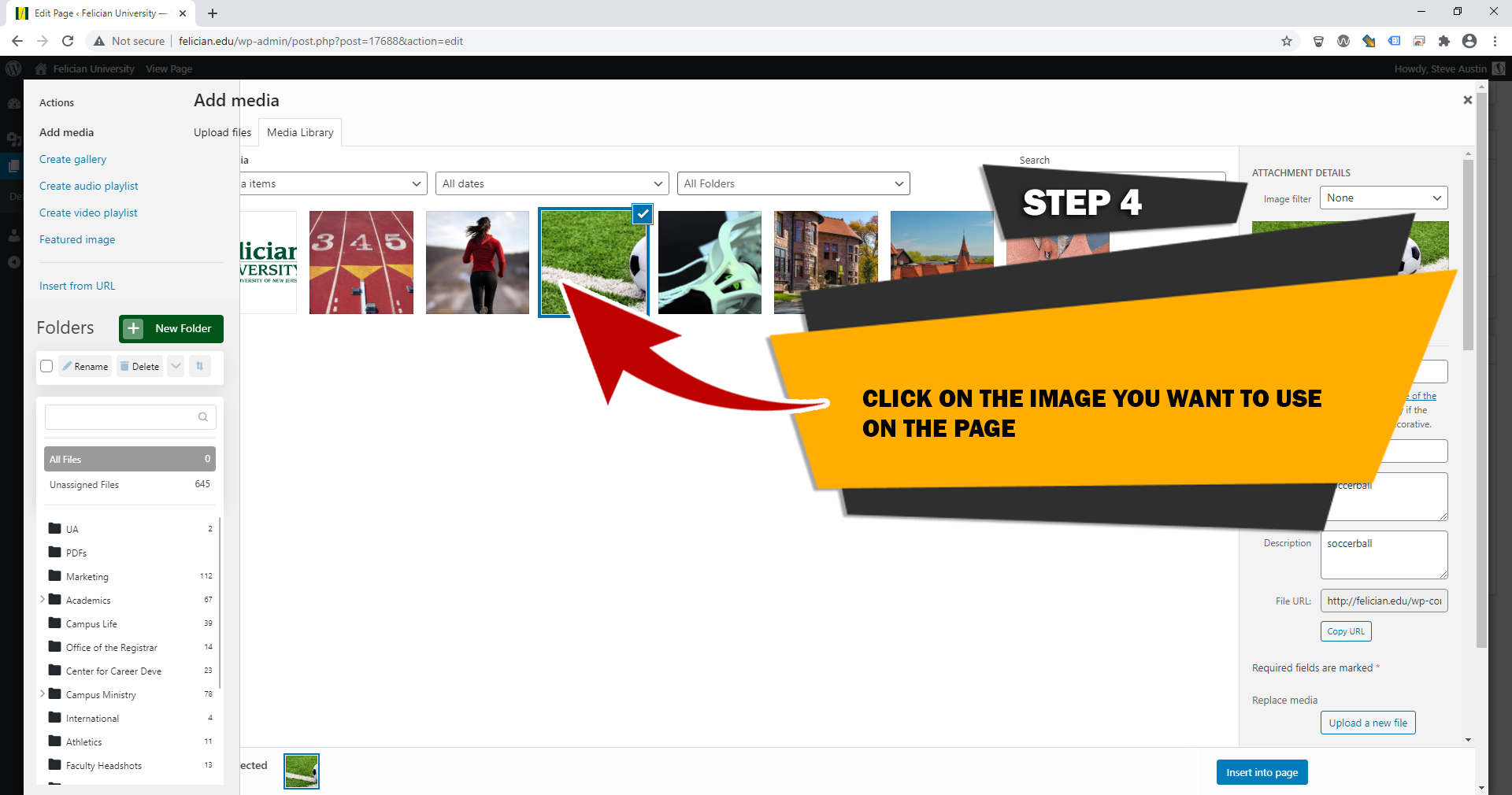
STEP 5
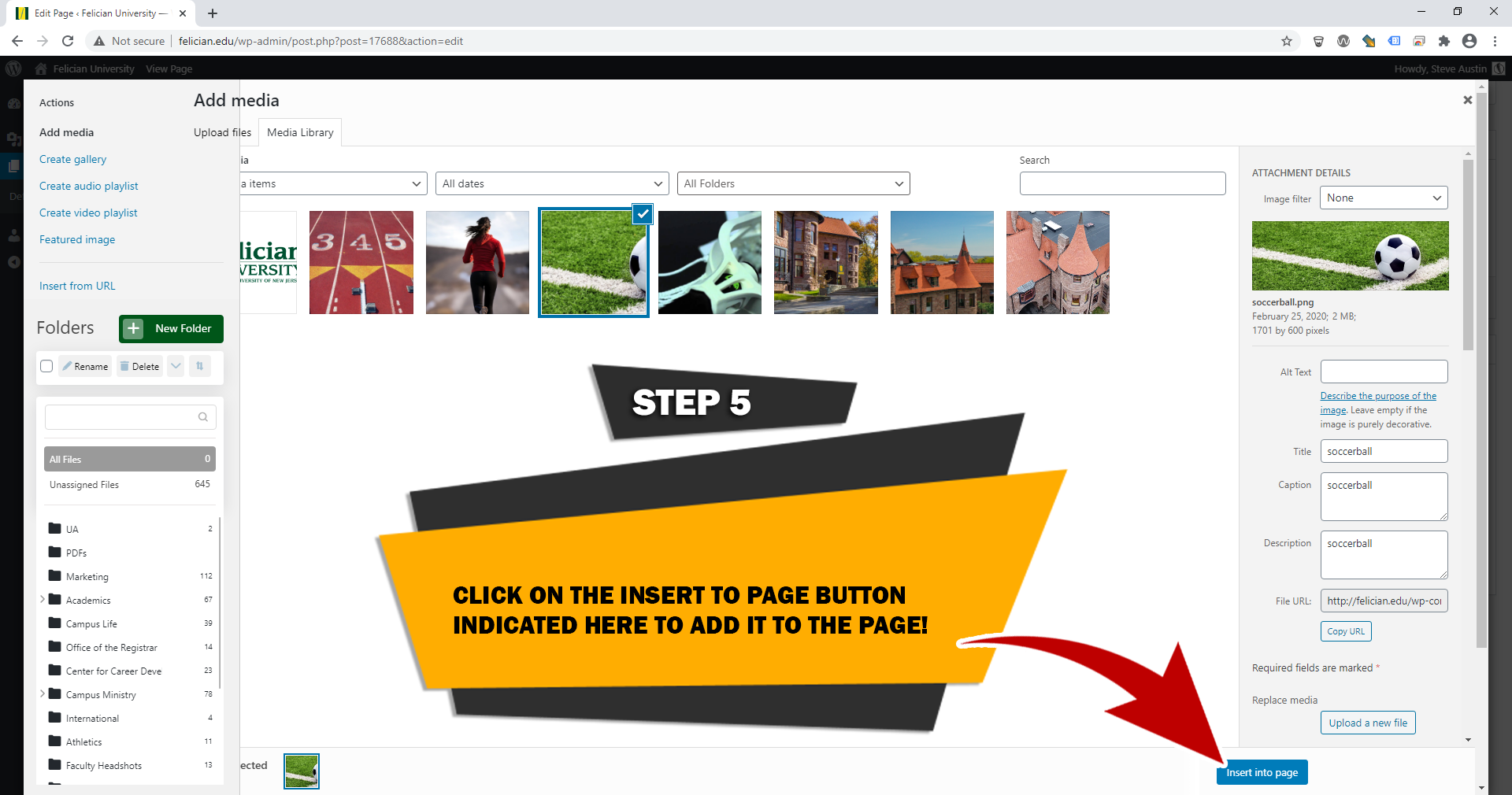
STEP 6
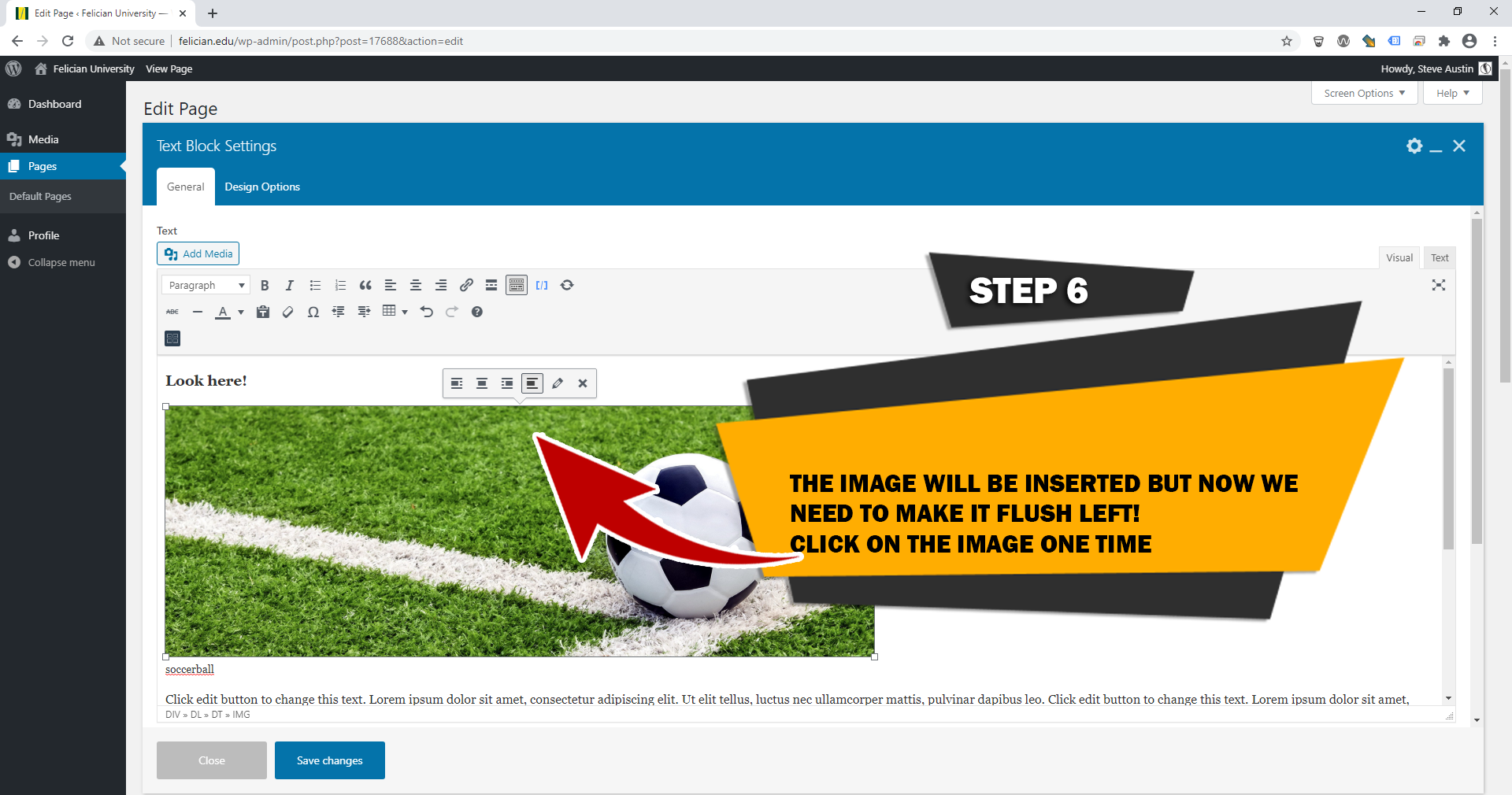
STEP 7
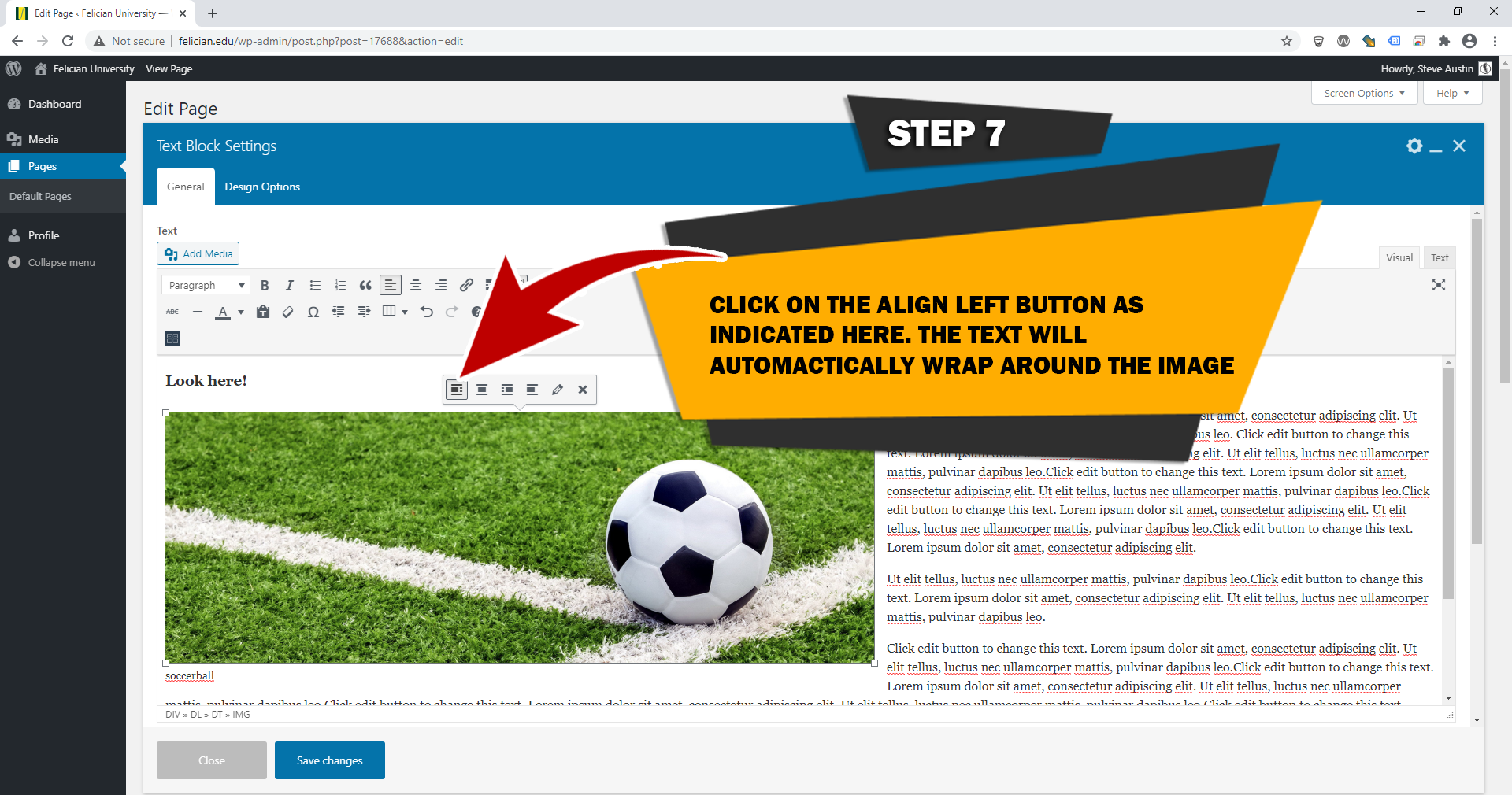
STEP 8
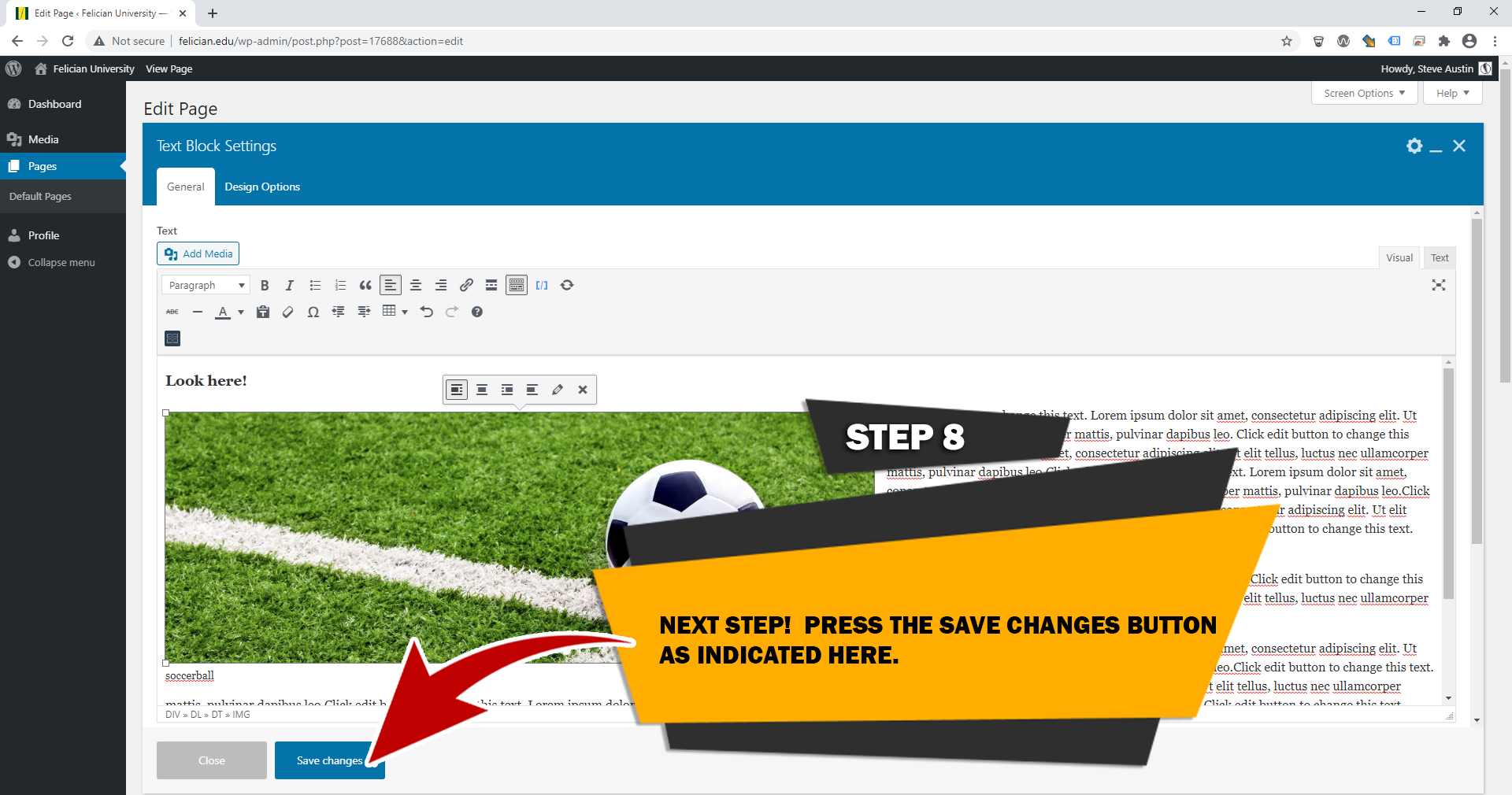
STEP 9
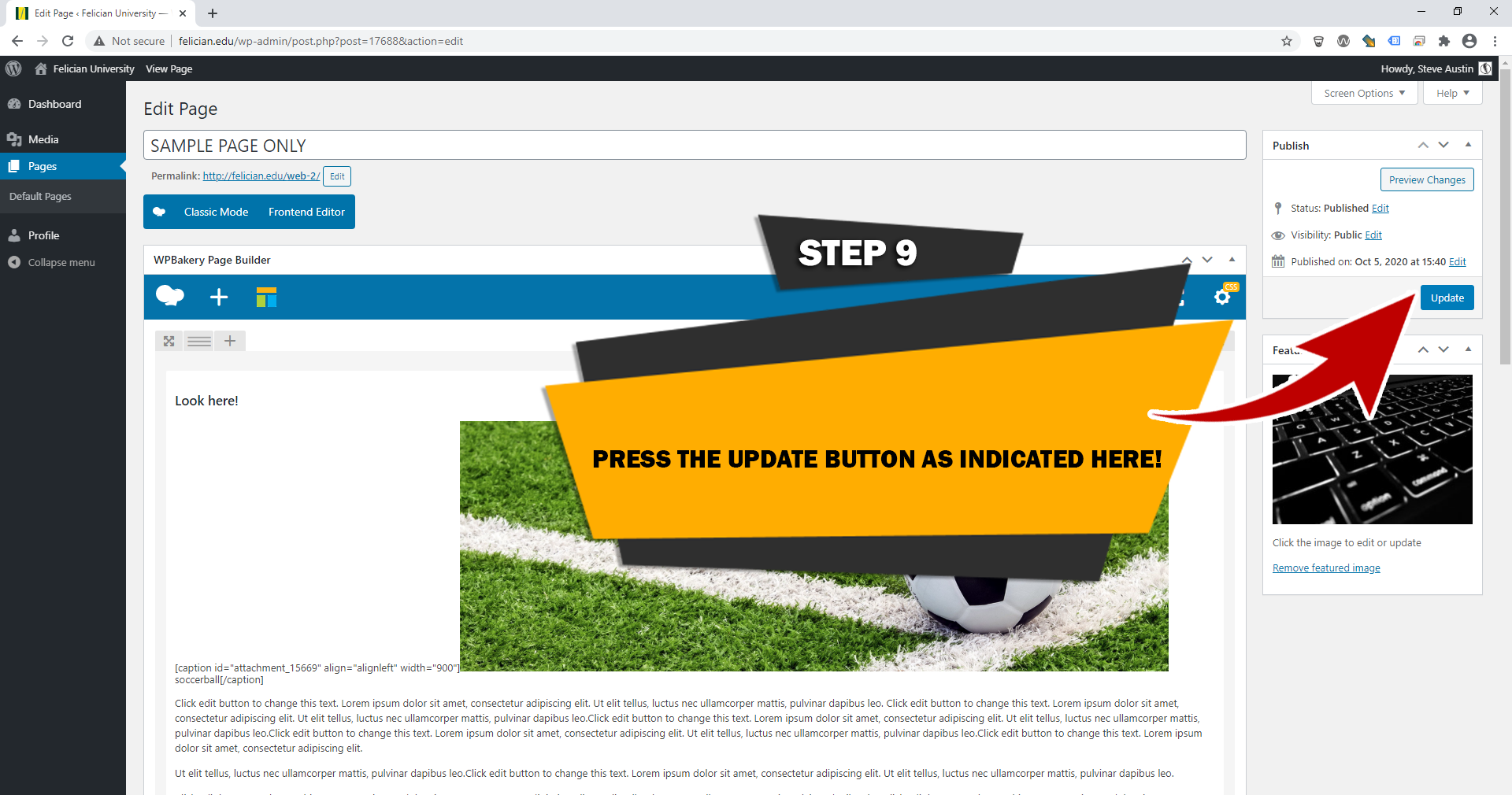
STEP 1
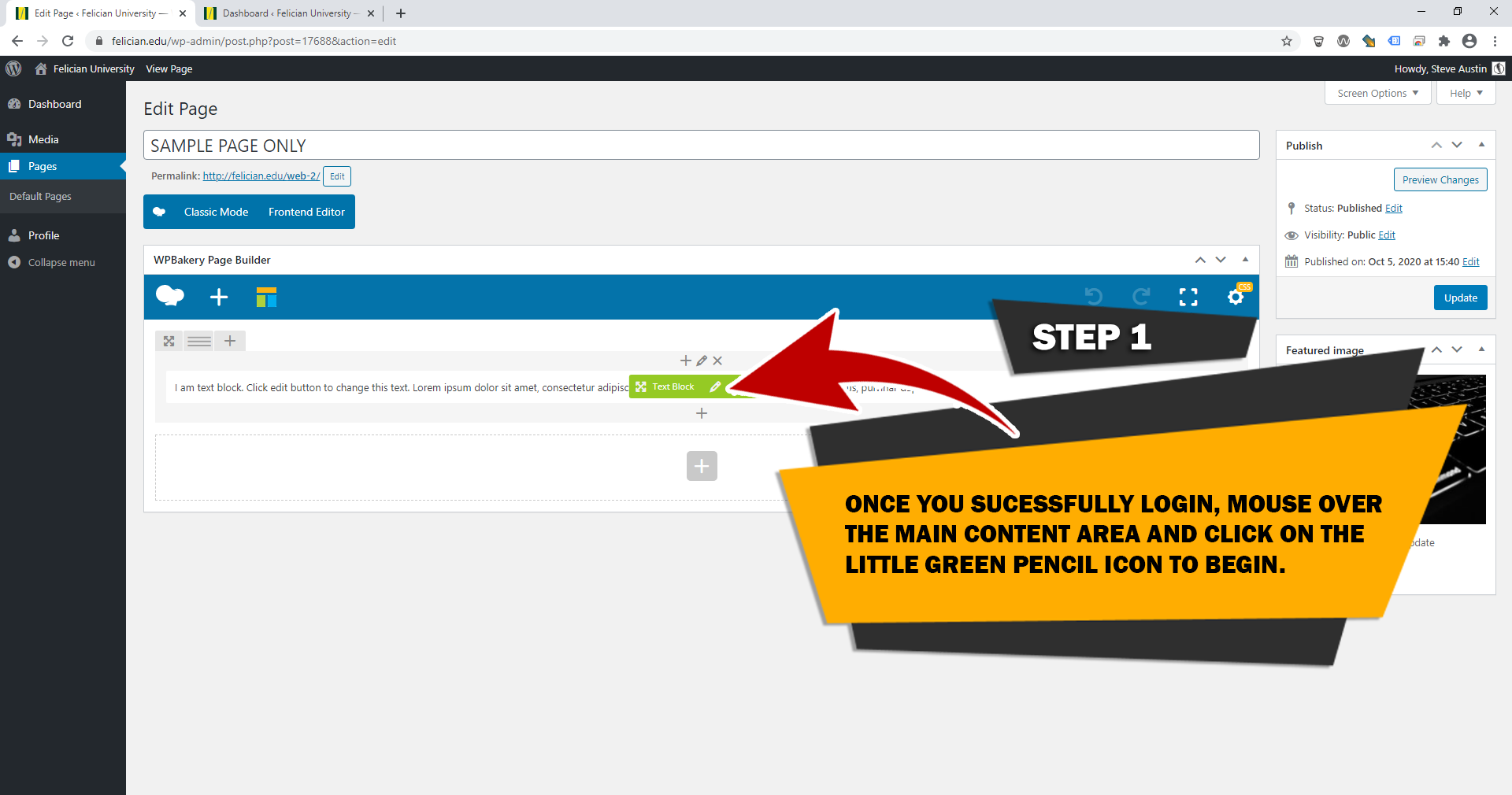
STEP 2
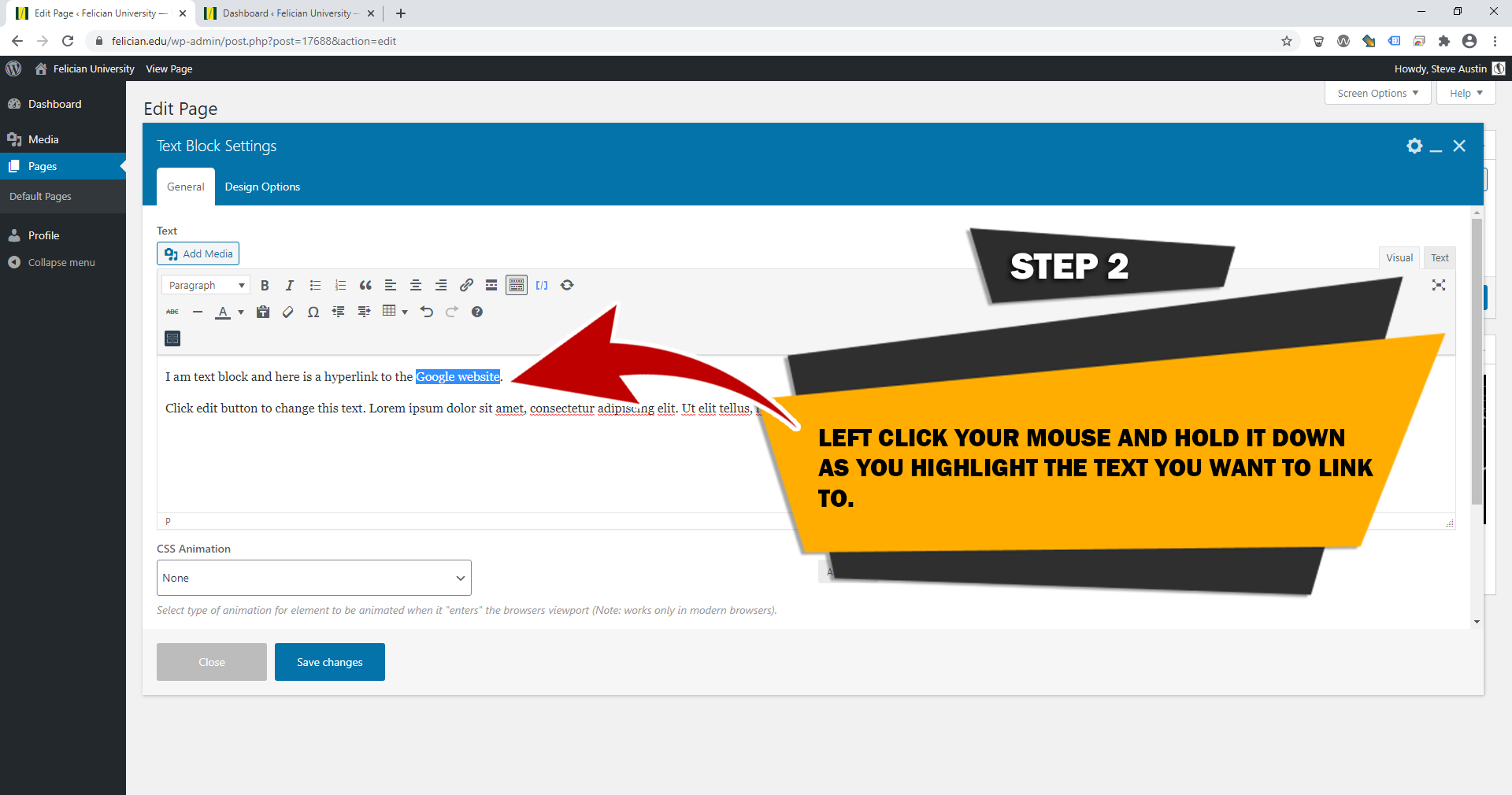
STEP 3
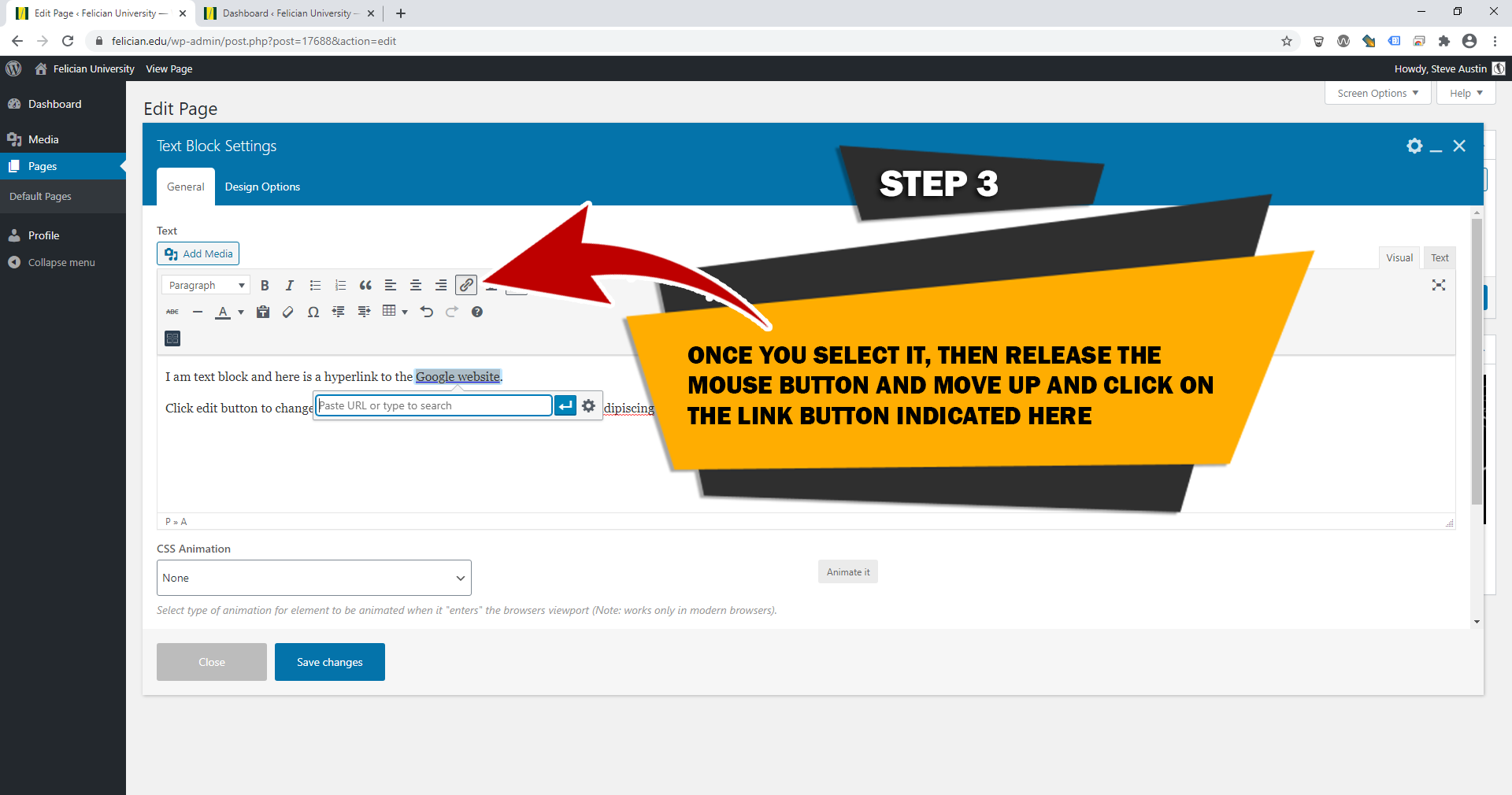
STEP 4
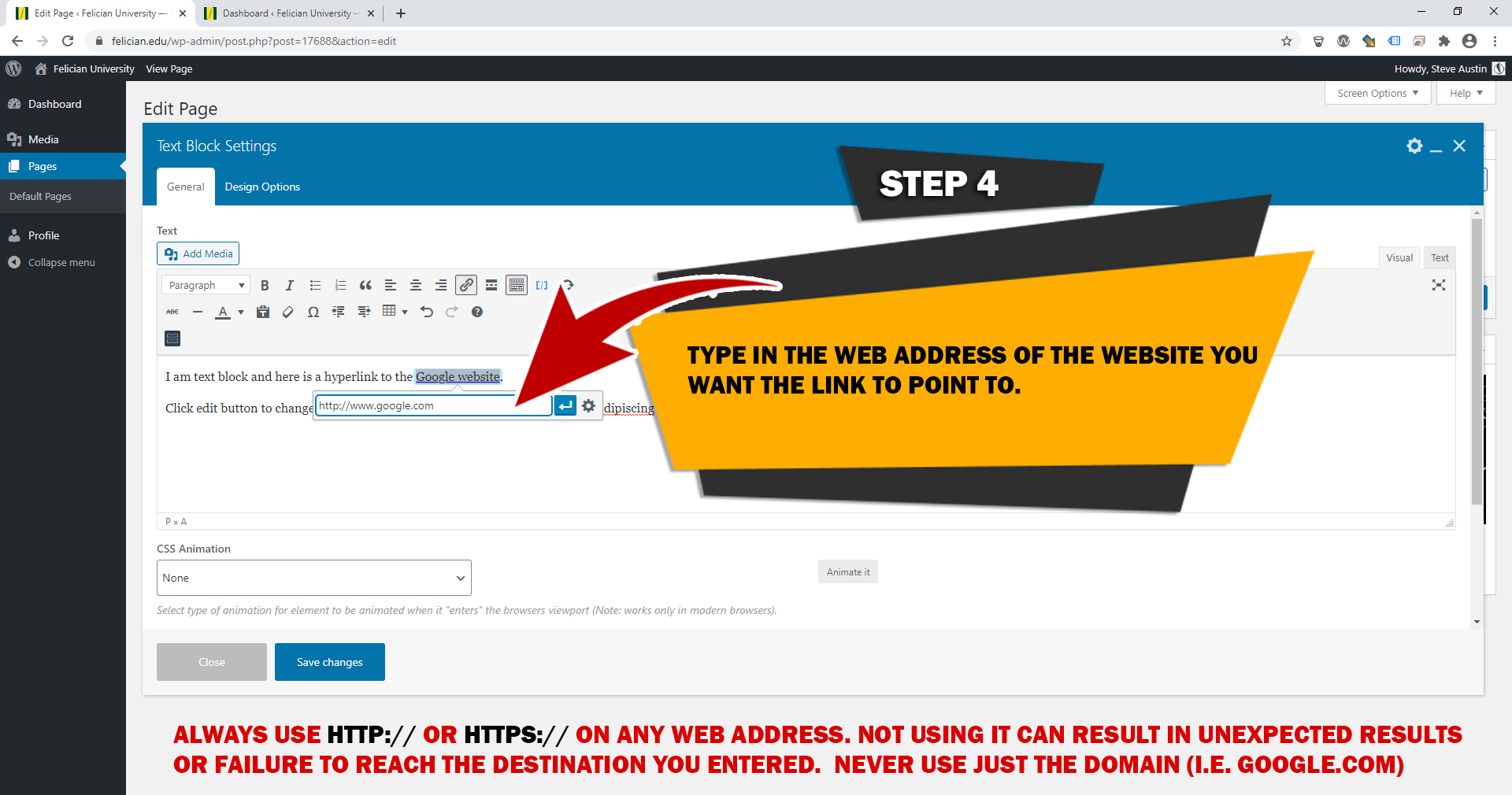
STEP 5
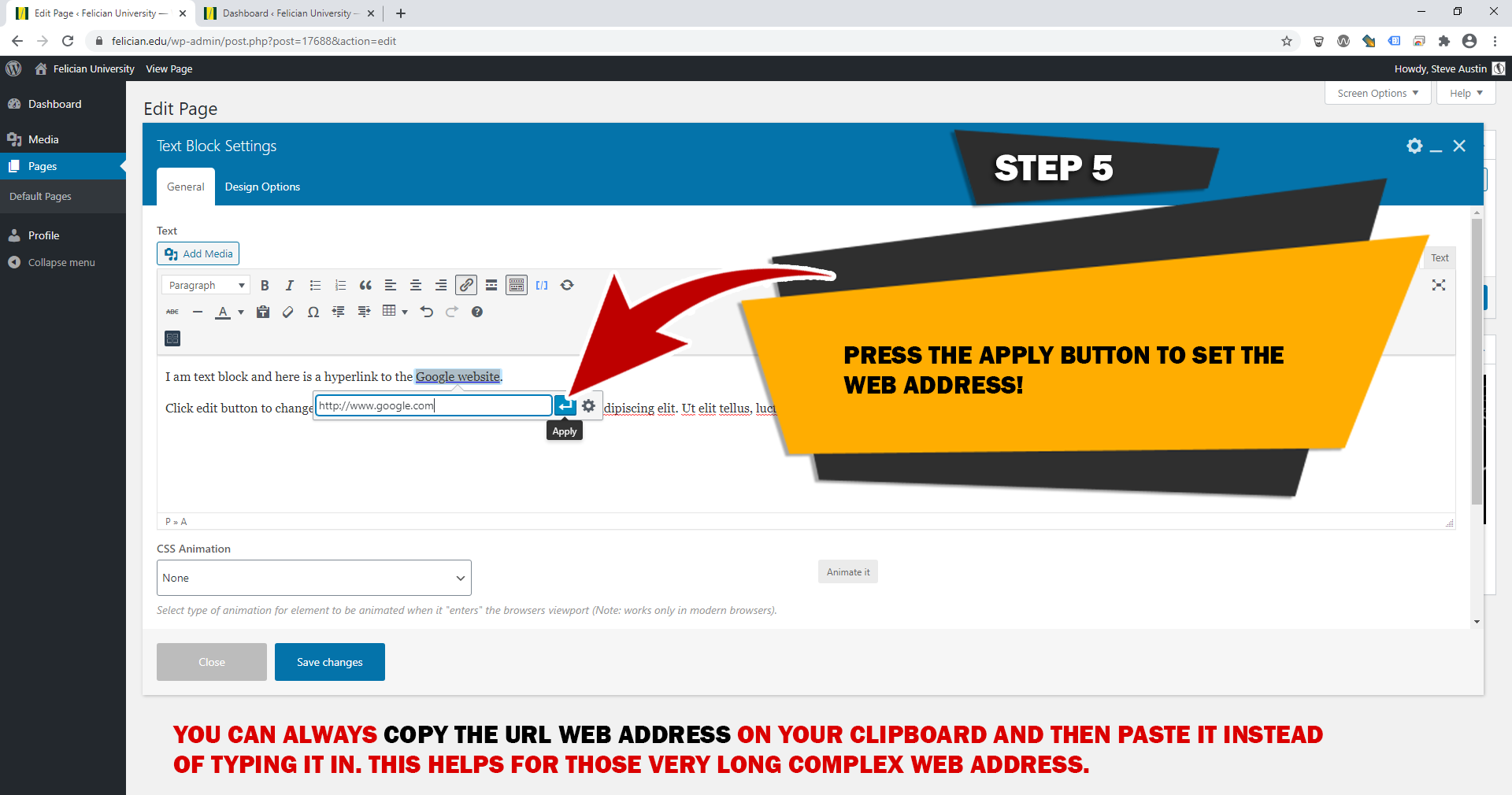
STEP 6
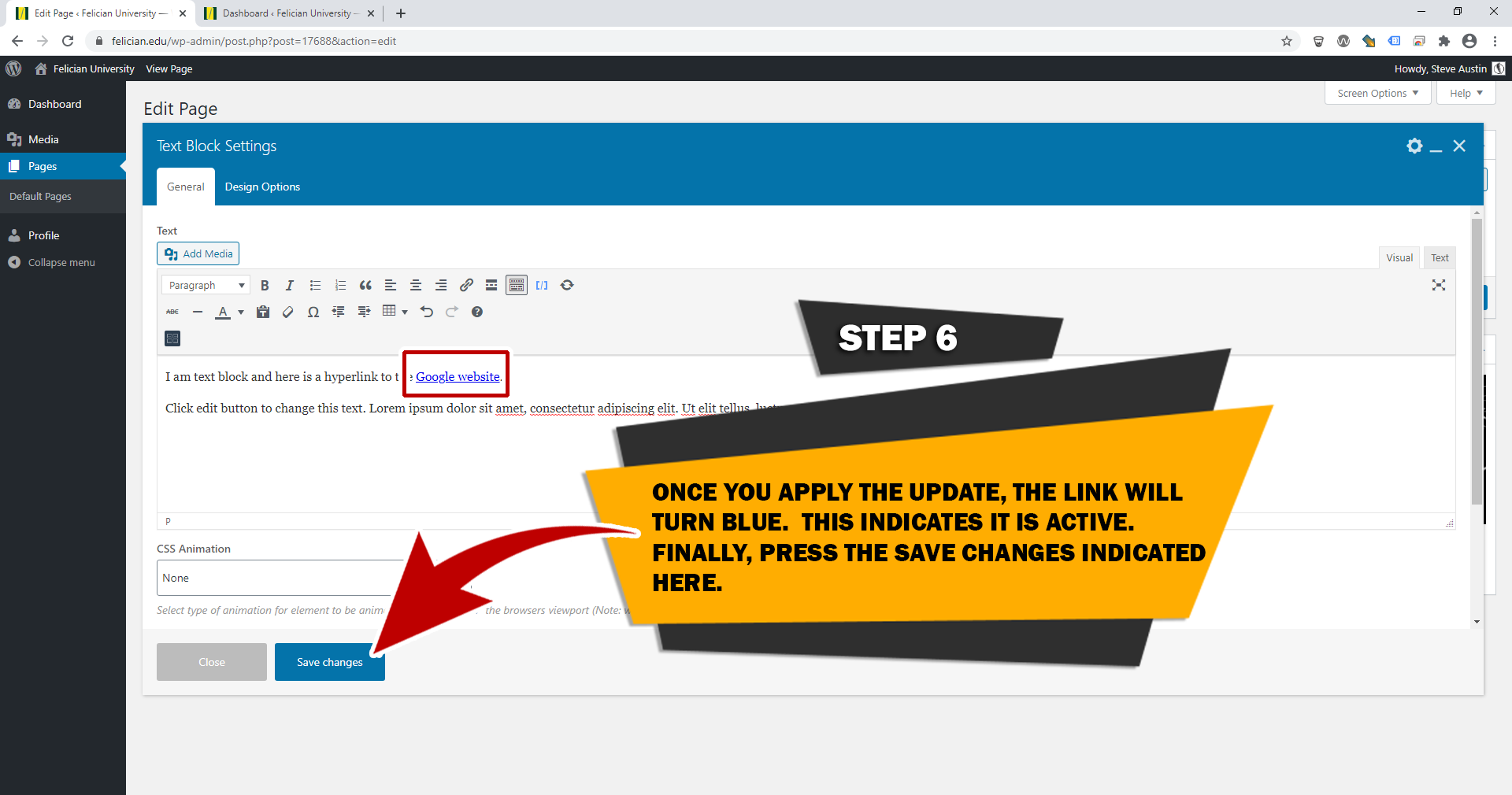
STEP 7
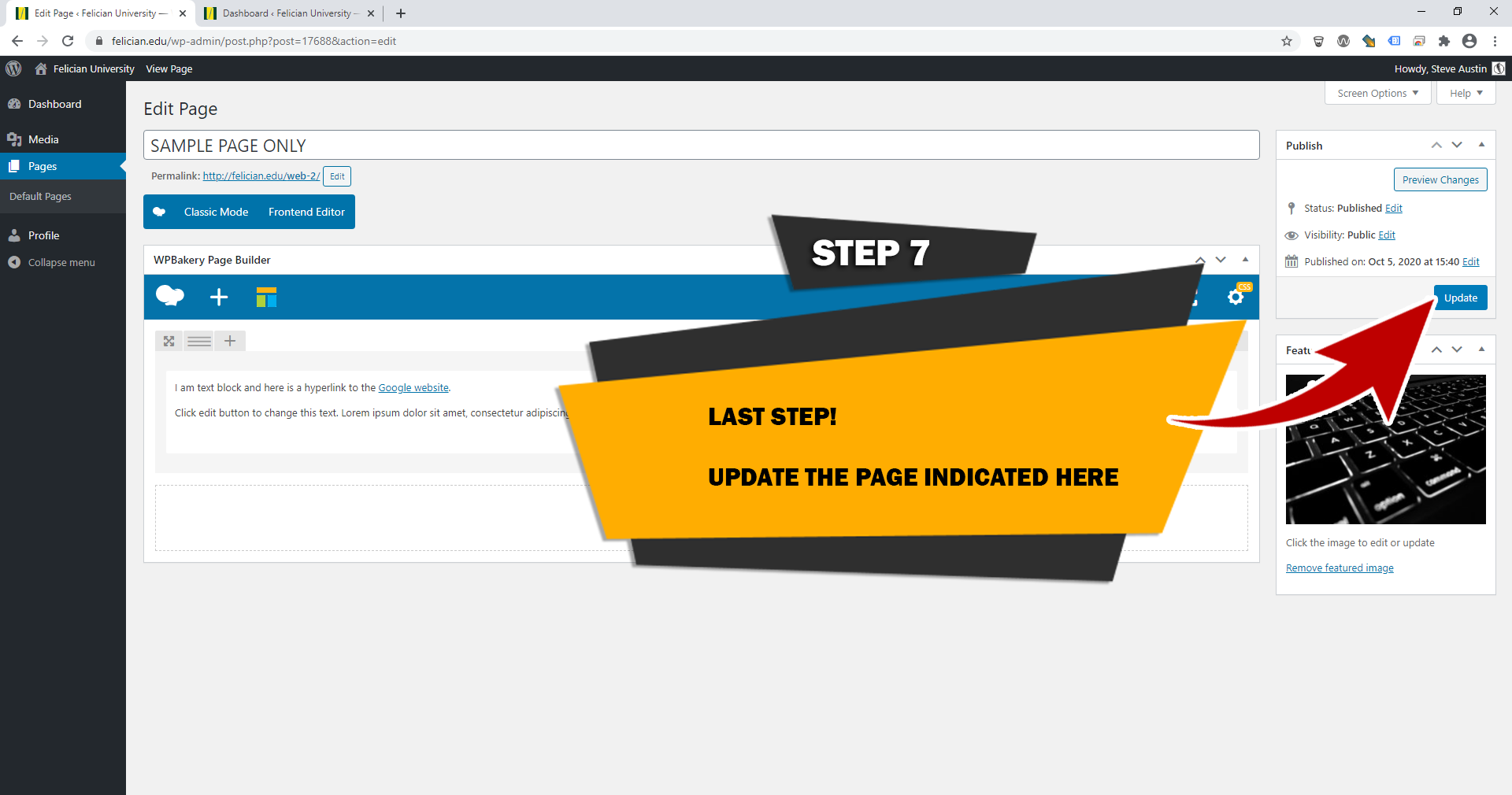
STEP 1
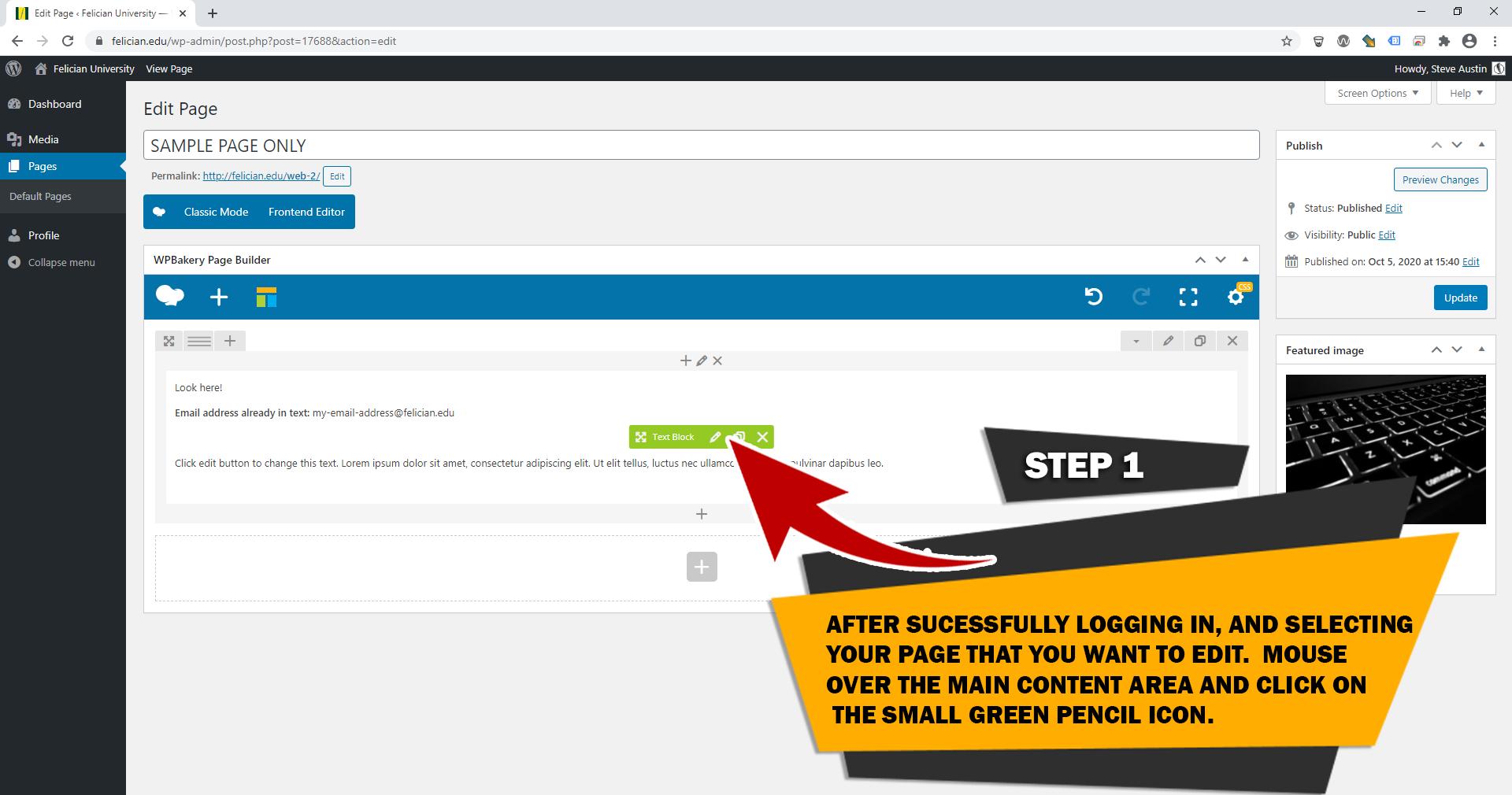
STEP 2
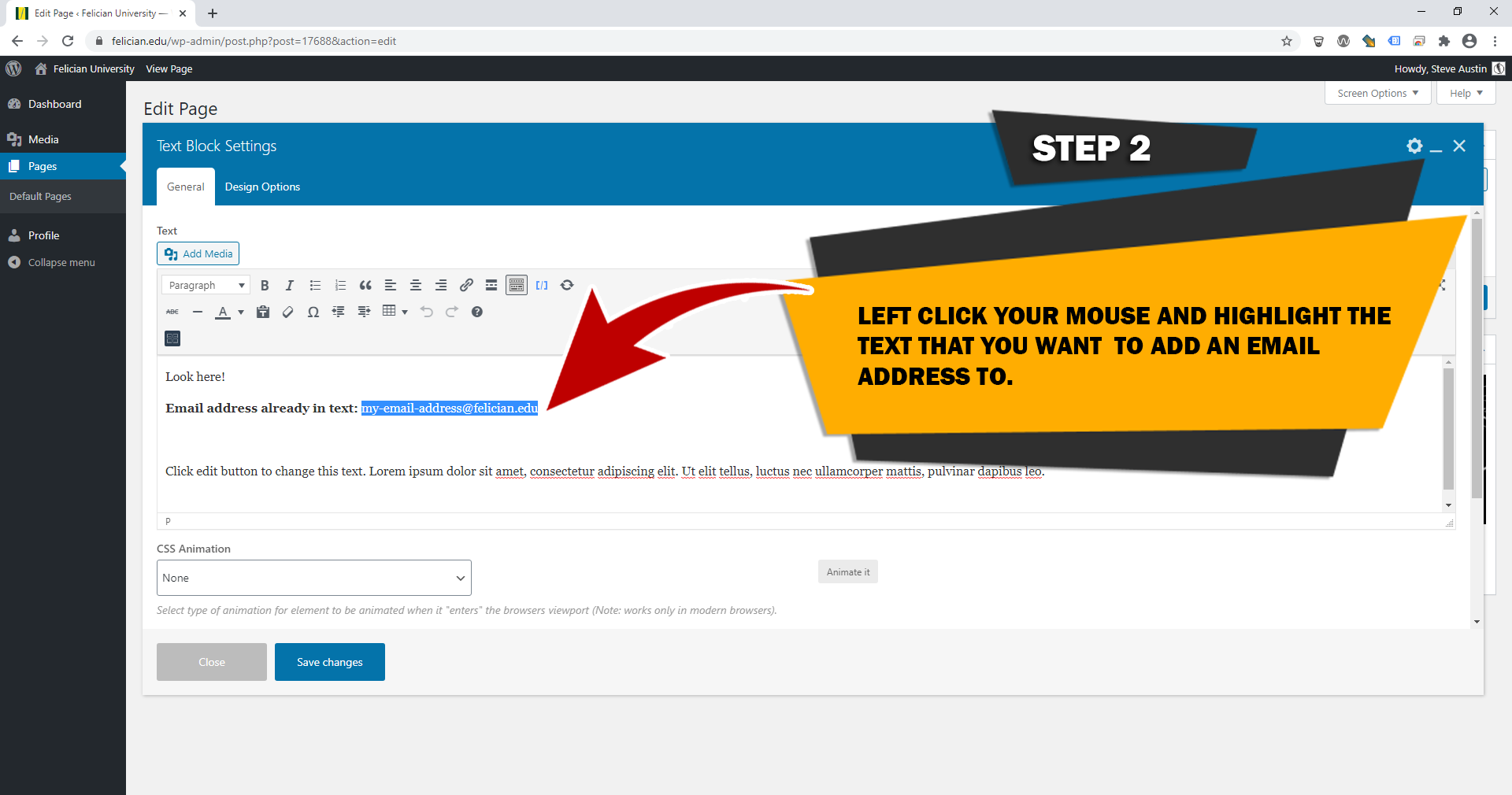
STEP 3
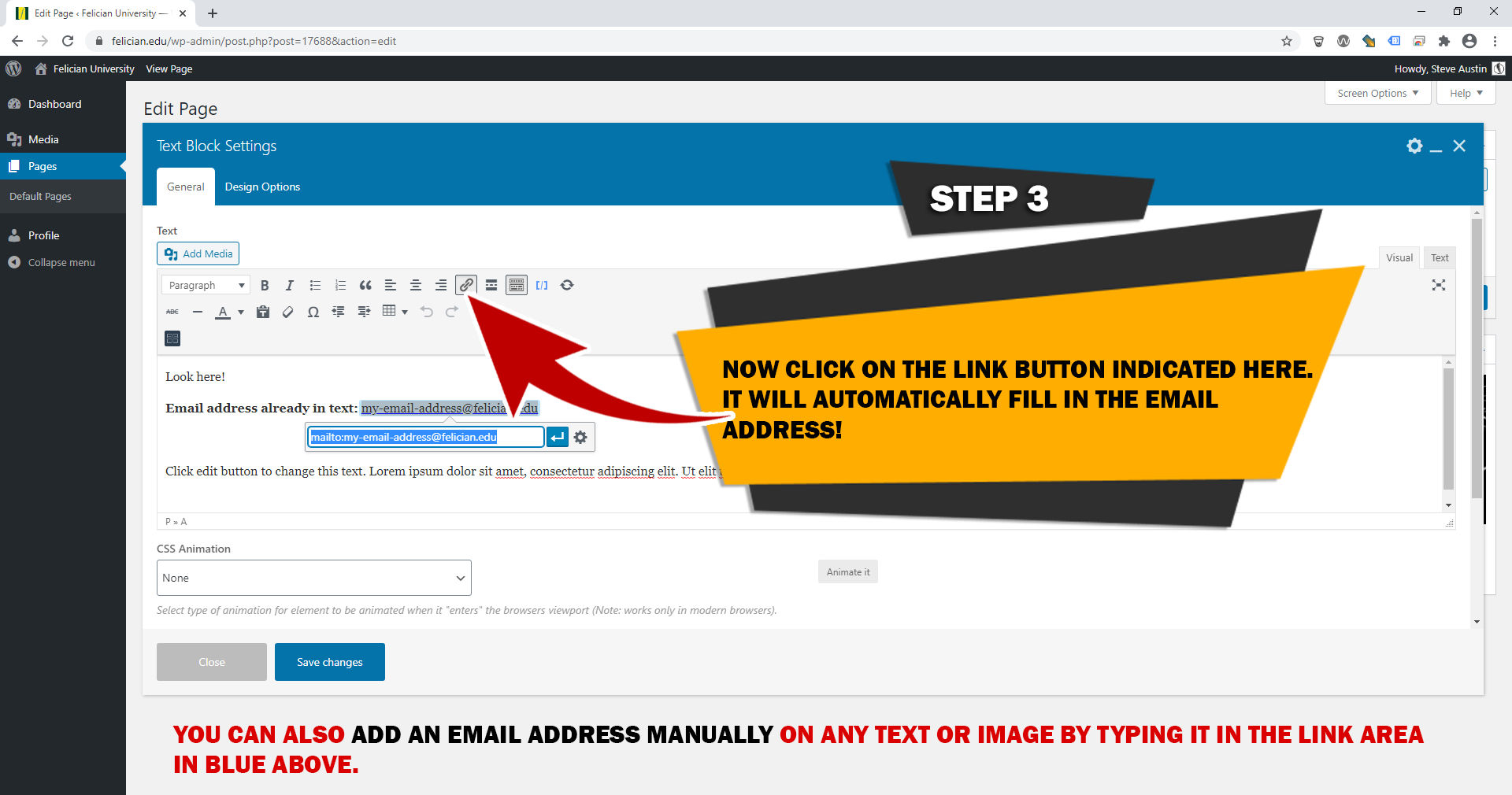
STEP 4
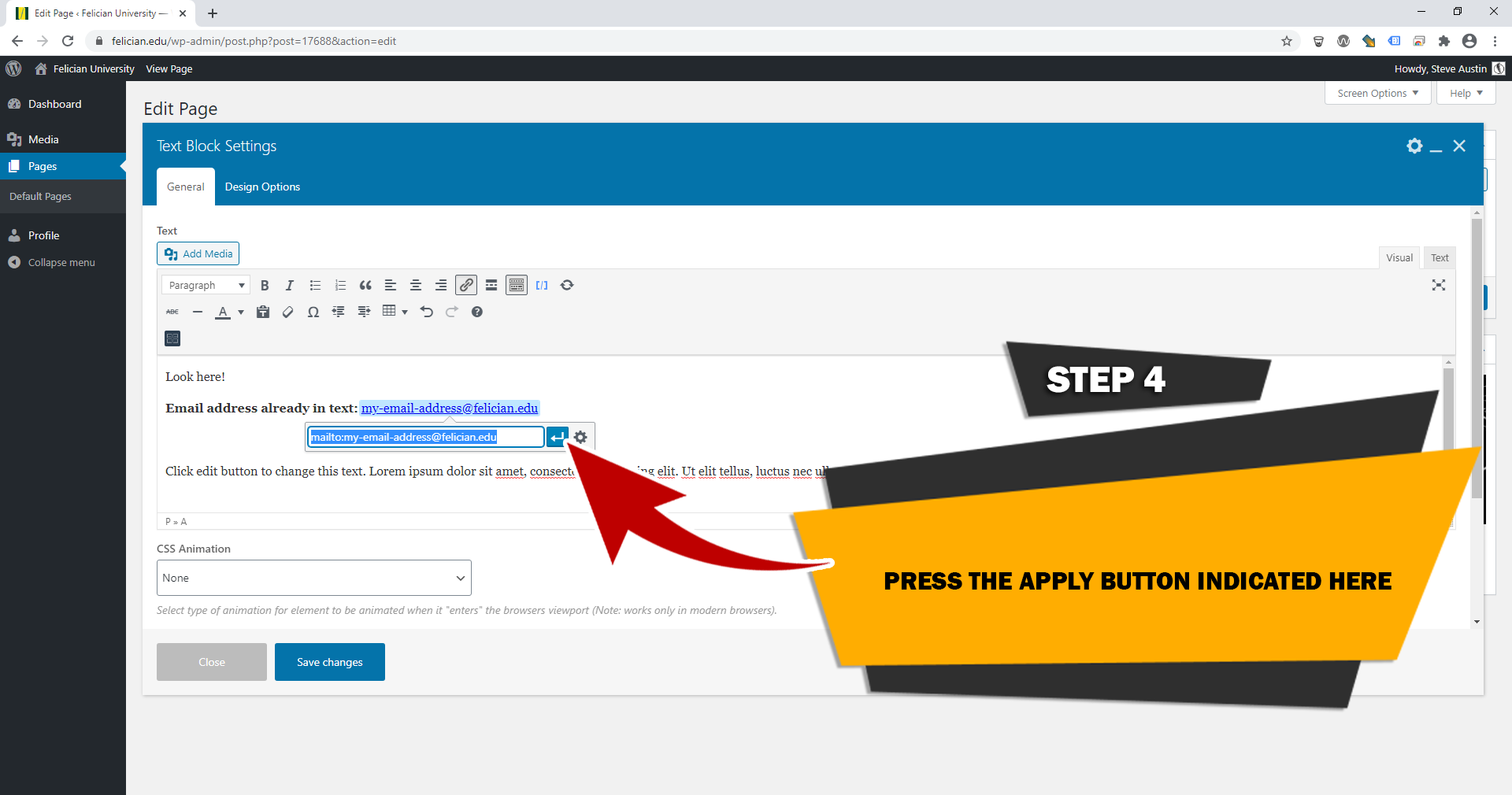
STEP 5
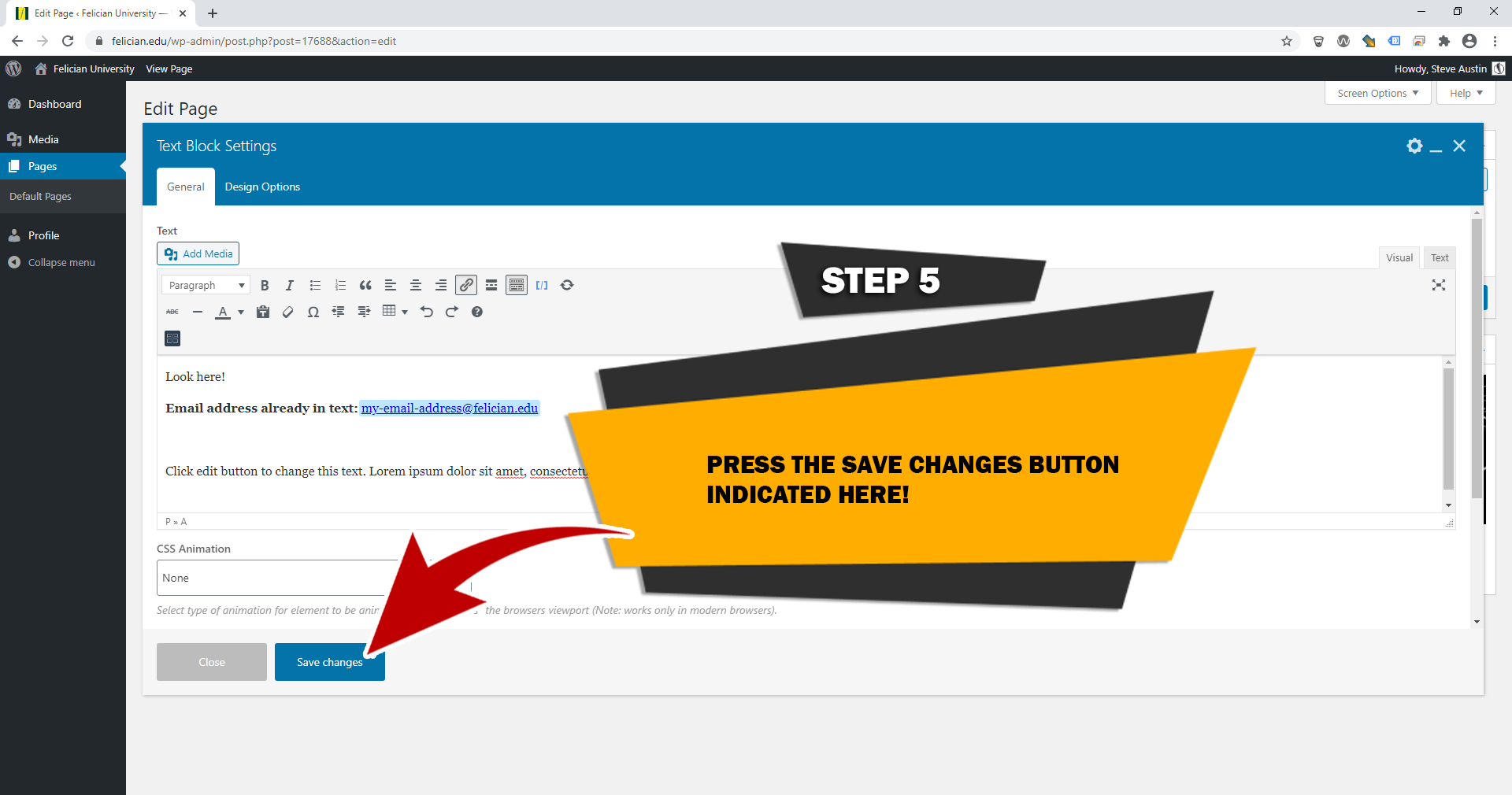
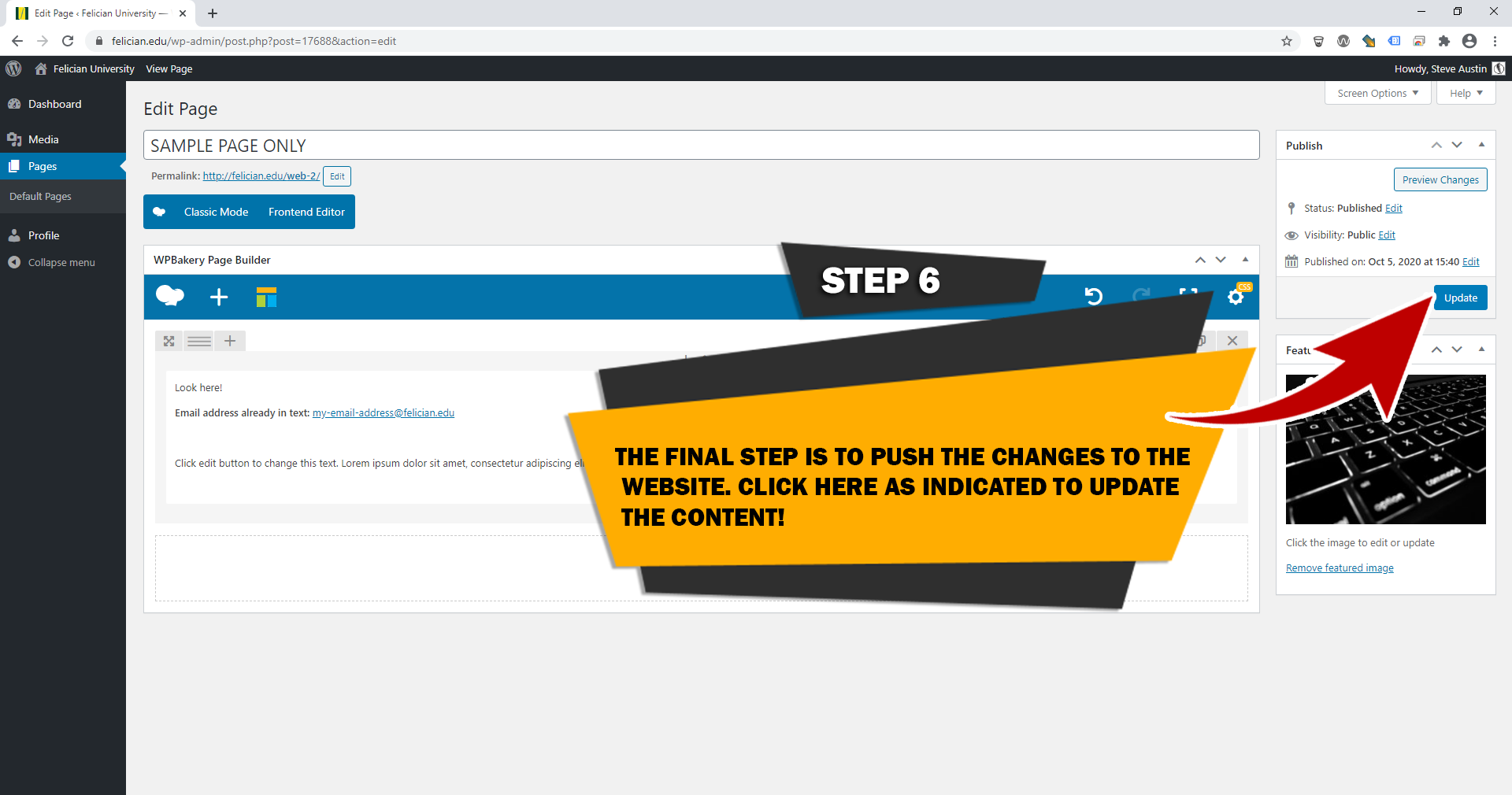
STEP 6
Web images
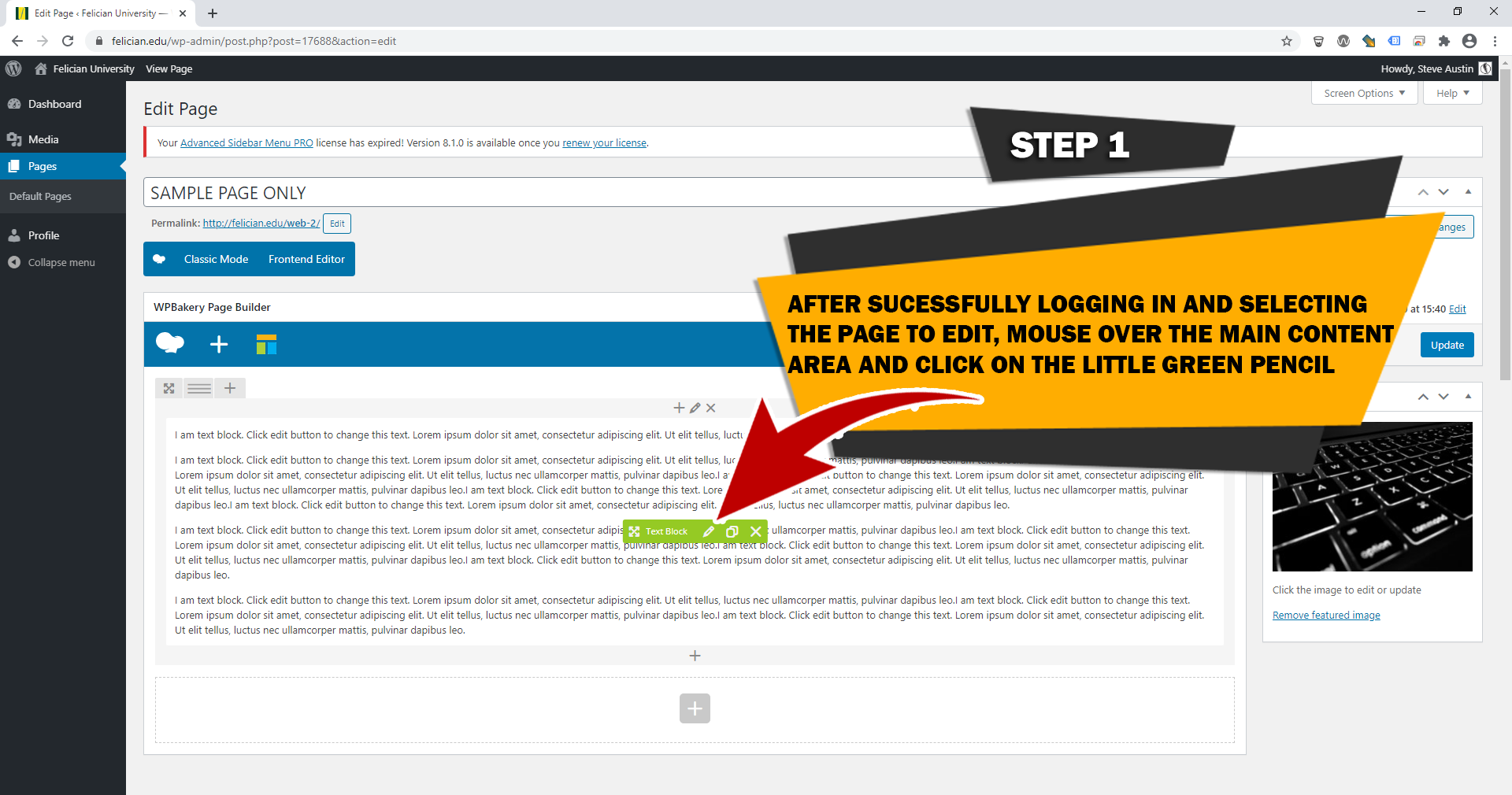
STEP 1
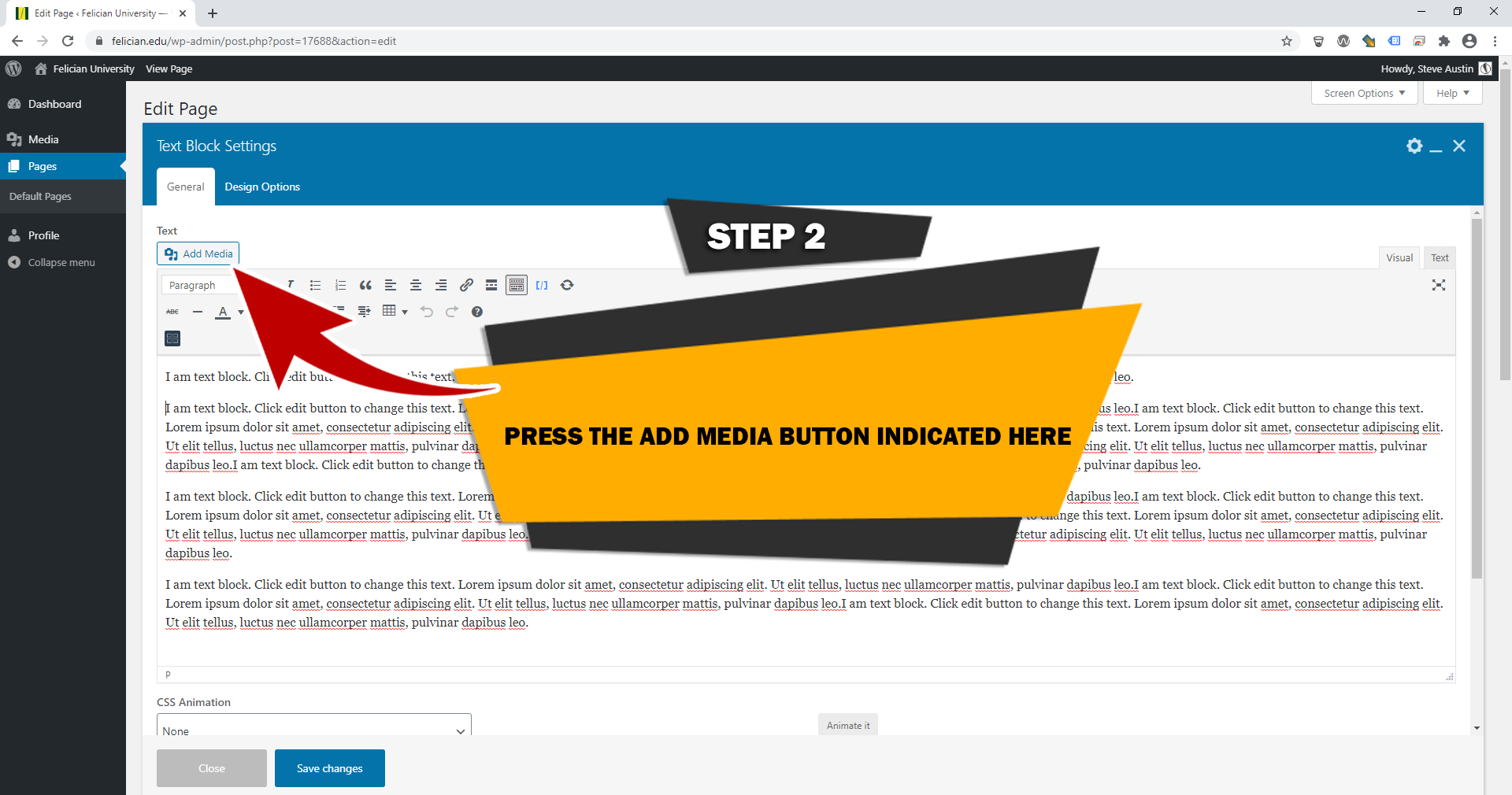
STEP 2
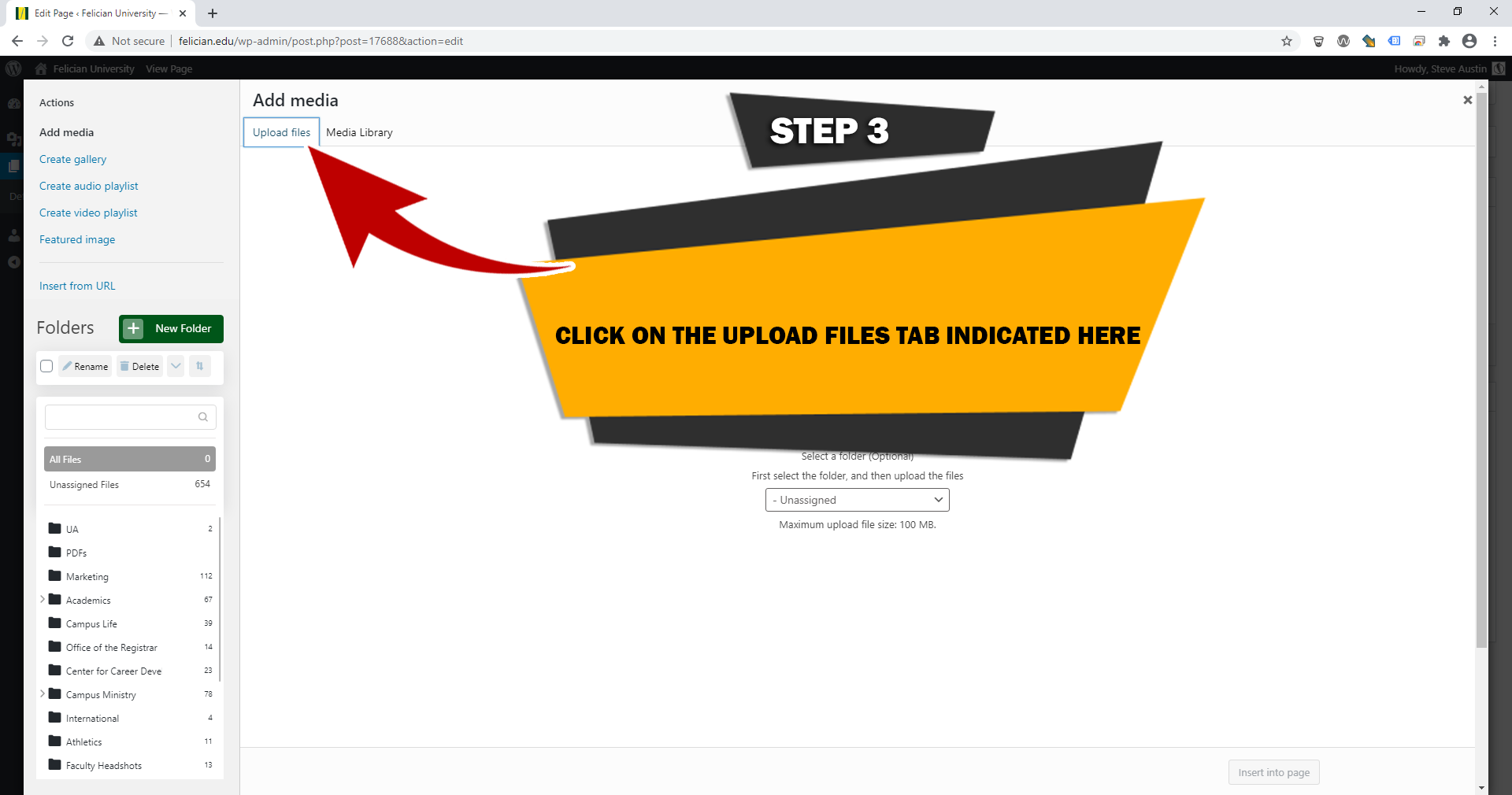
STEP 3
STEP 4
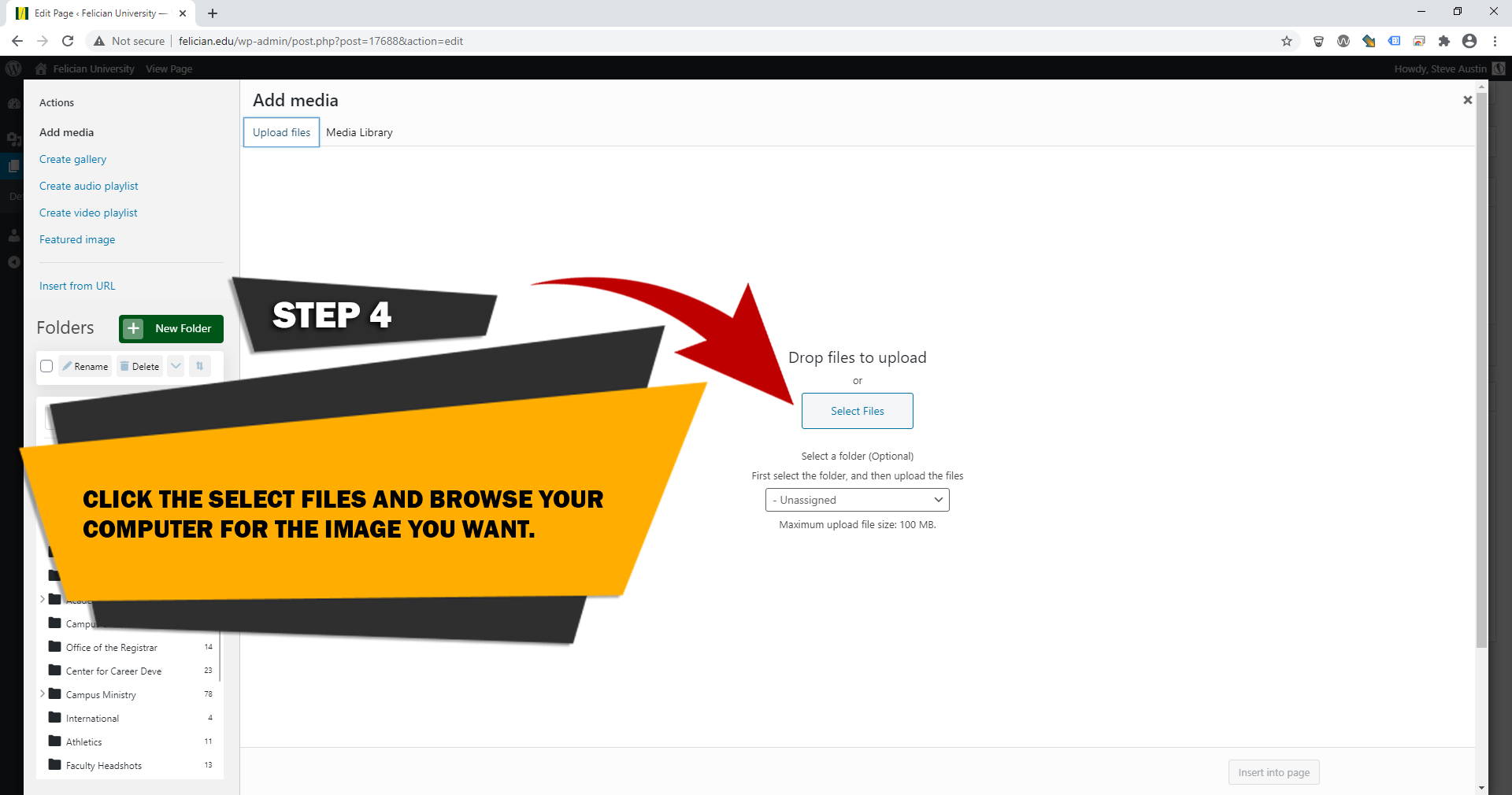
STEP 5
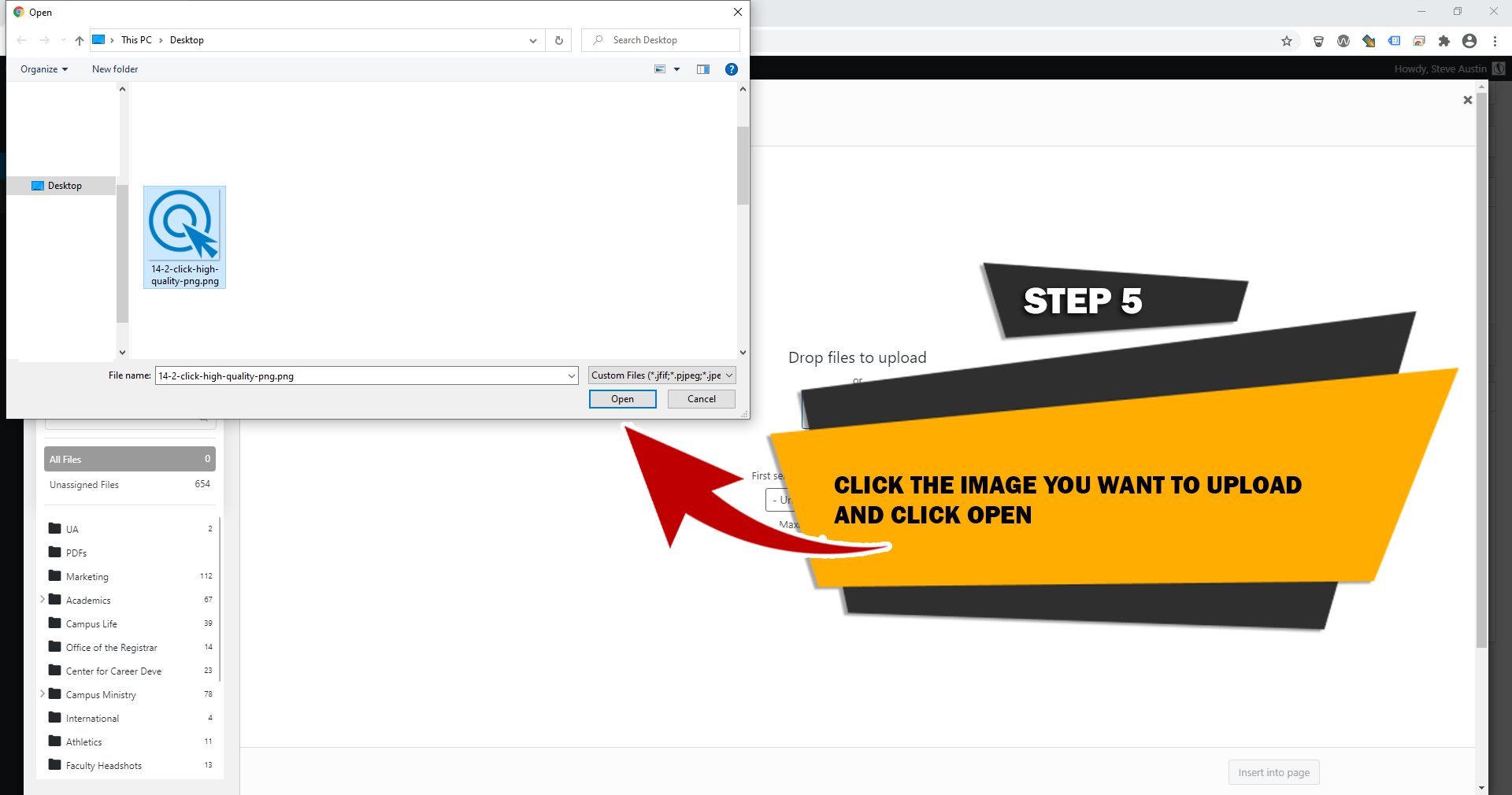
STEP 6
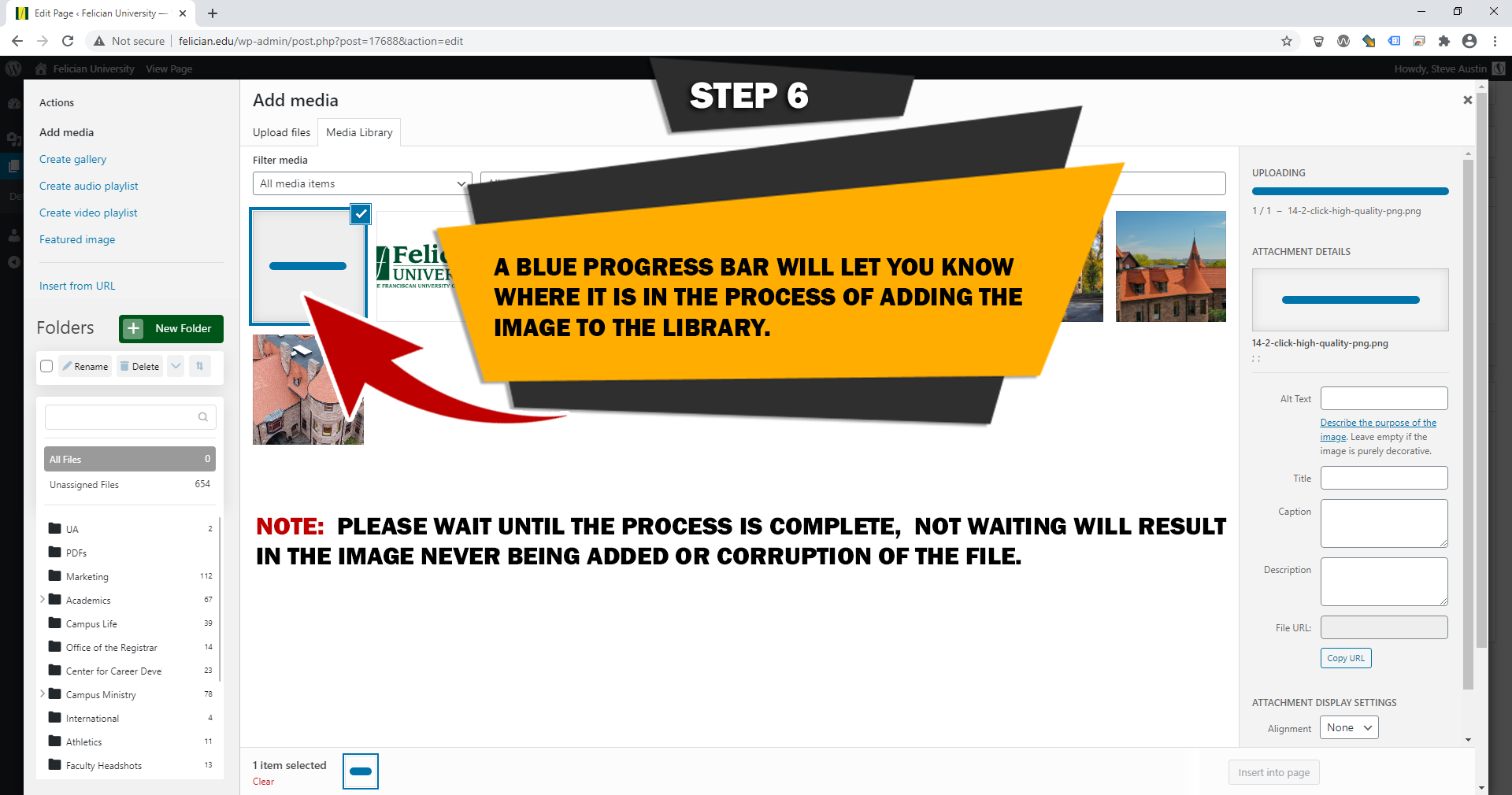
STEP 7
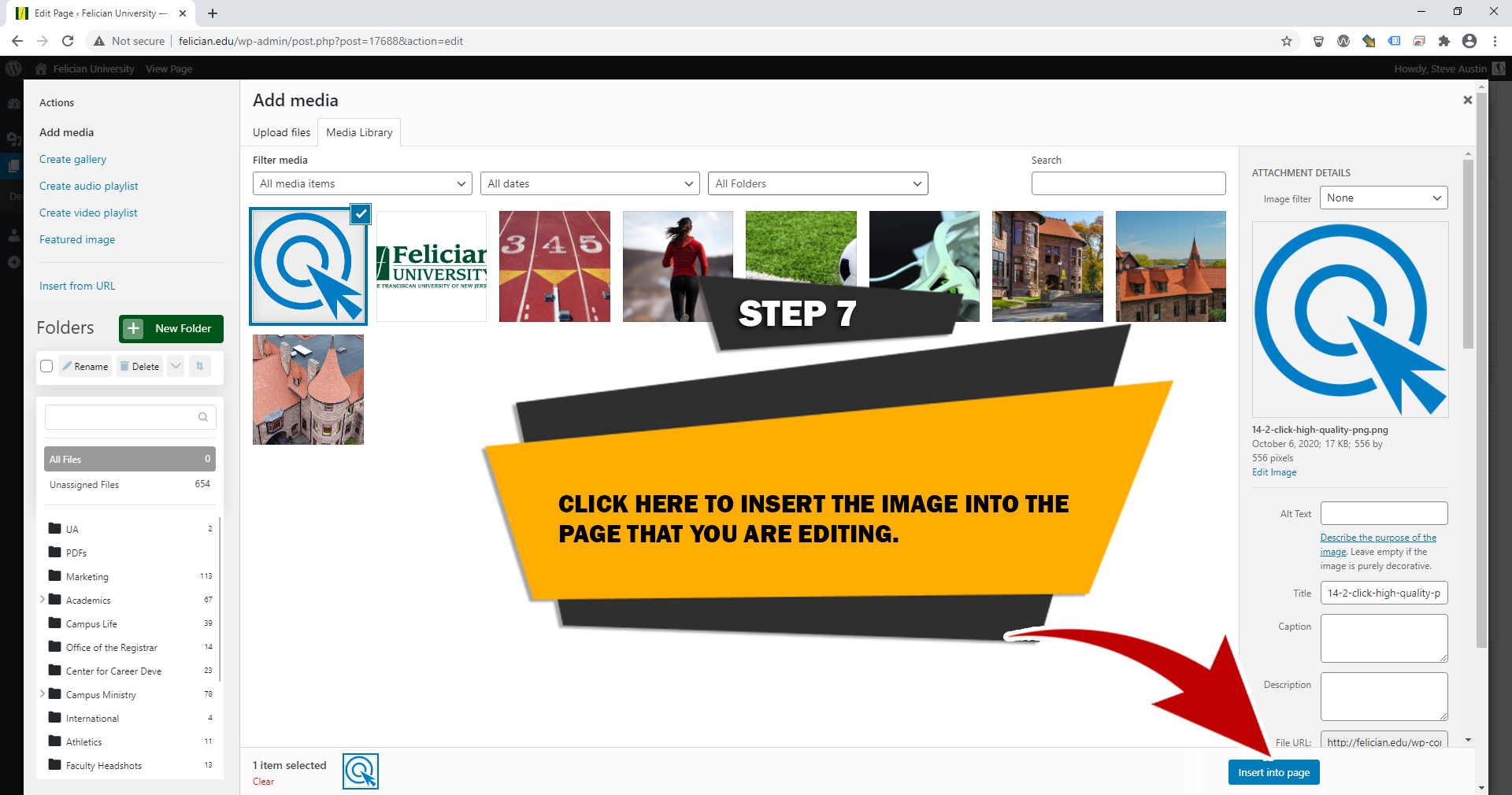
STEP 8
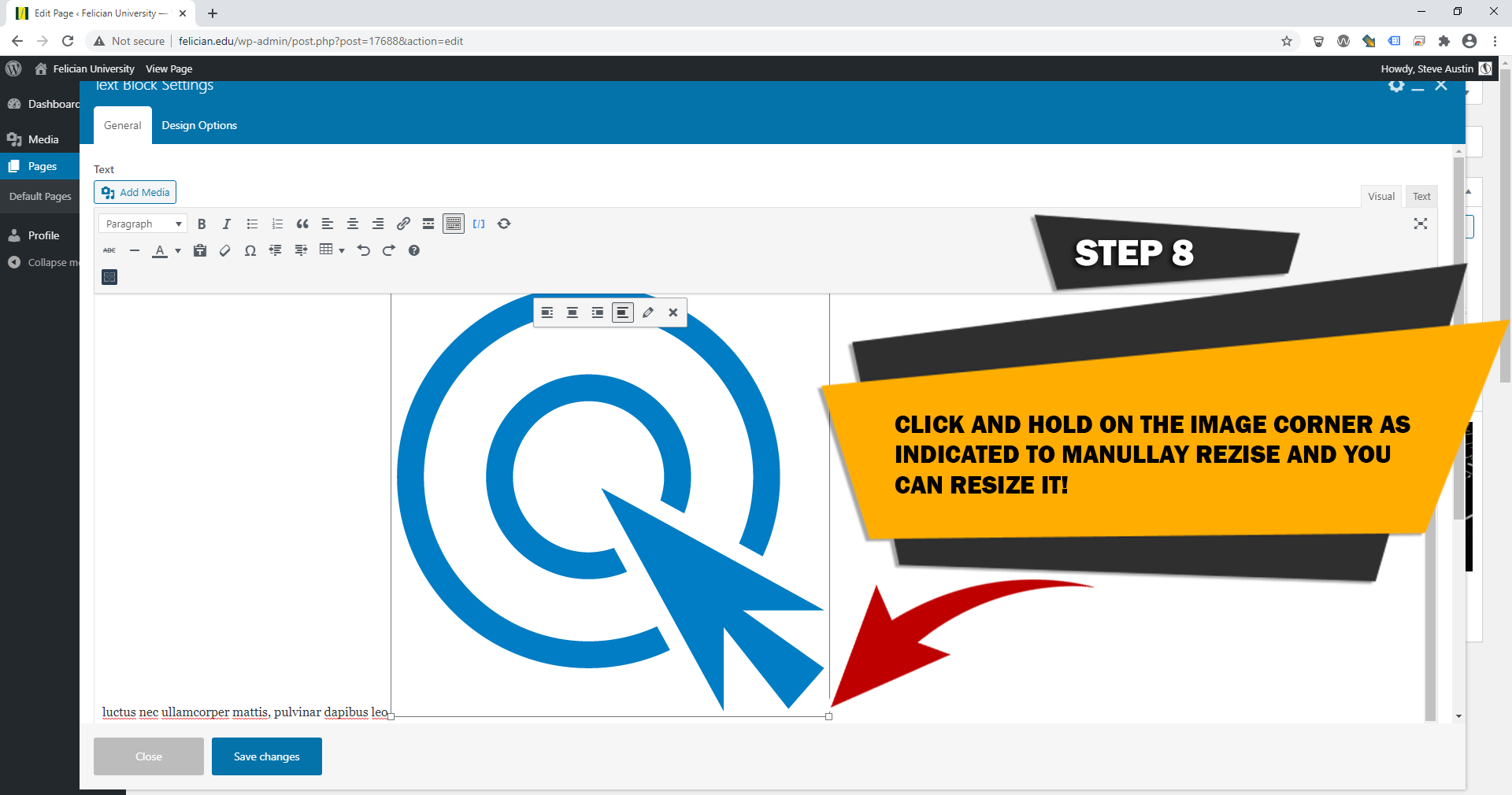
STEP 9
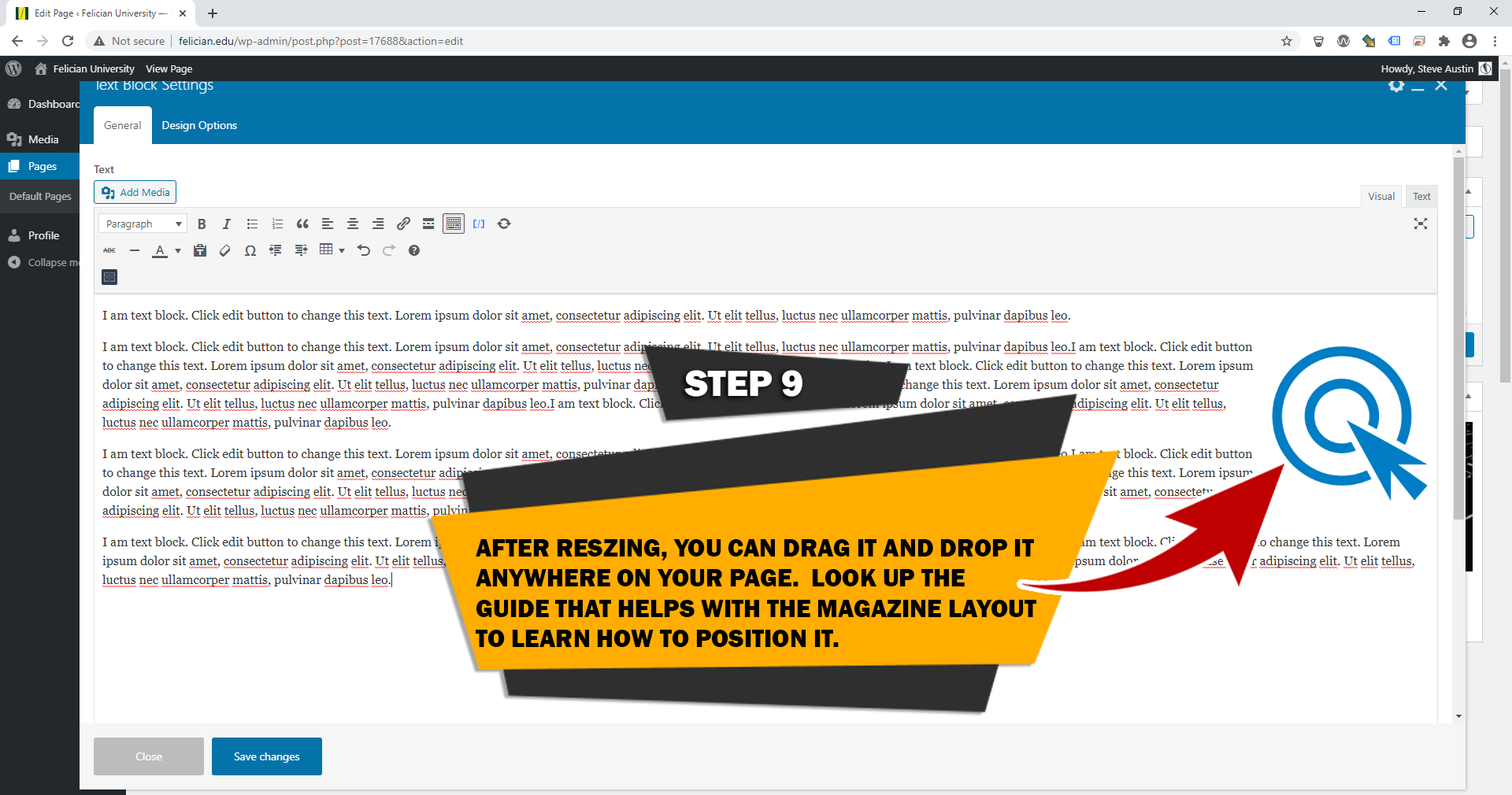
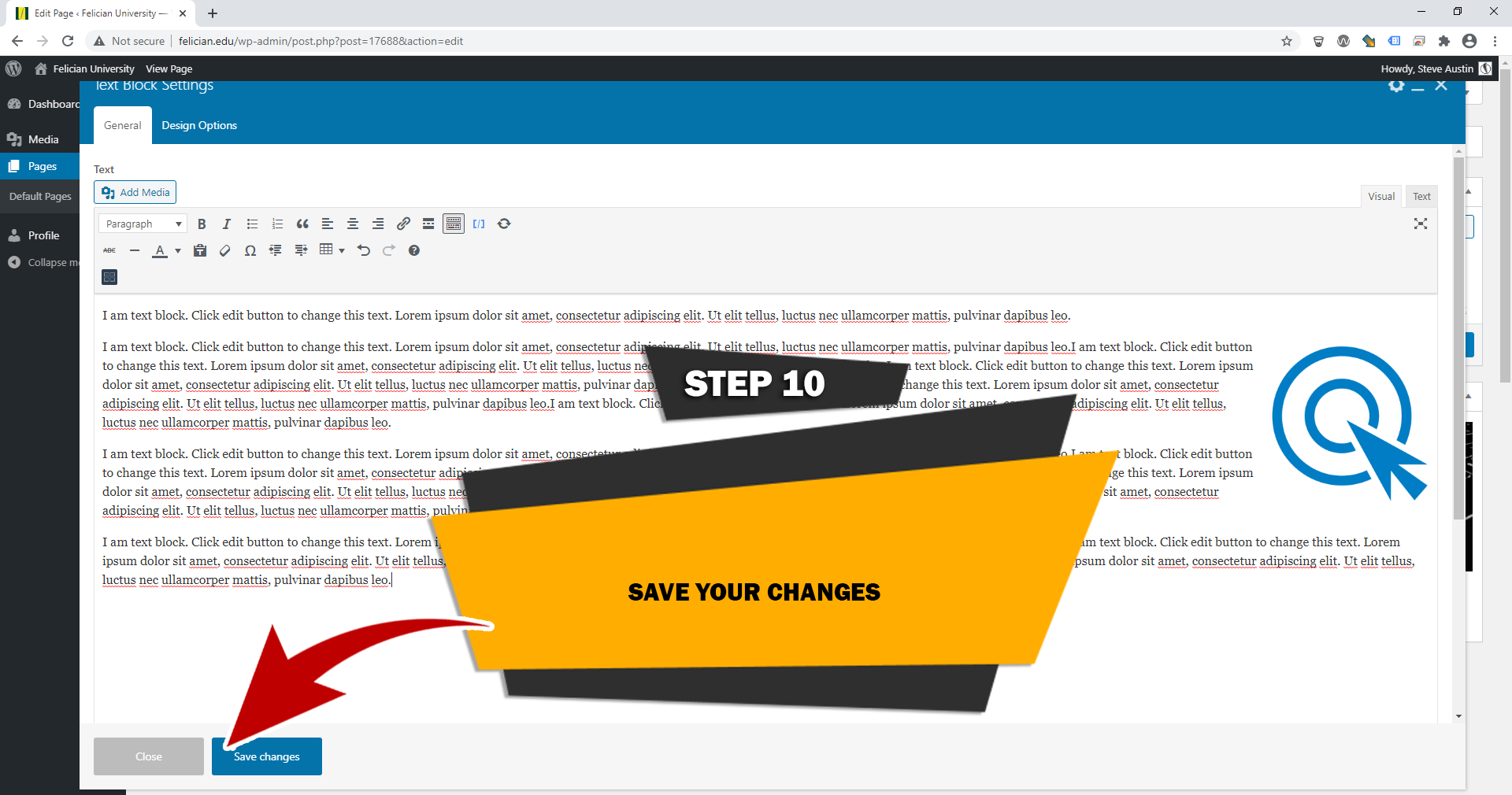
STEP 10
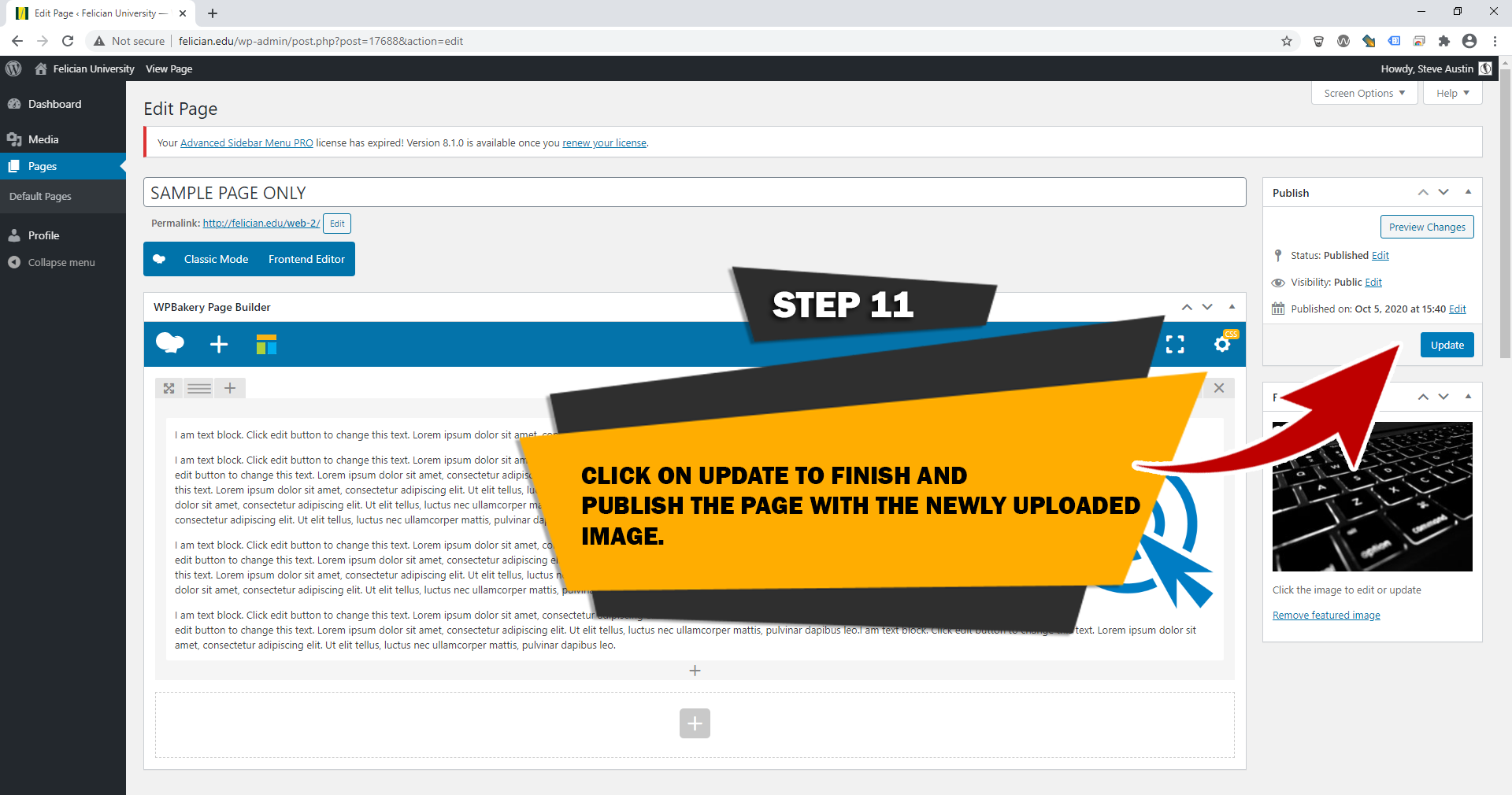
STEP 11
STEP 1
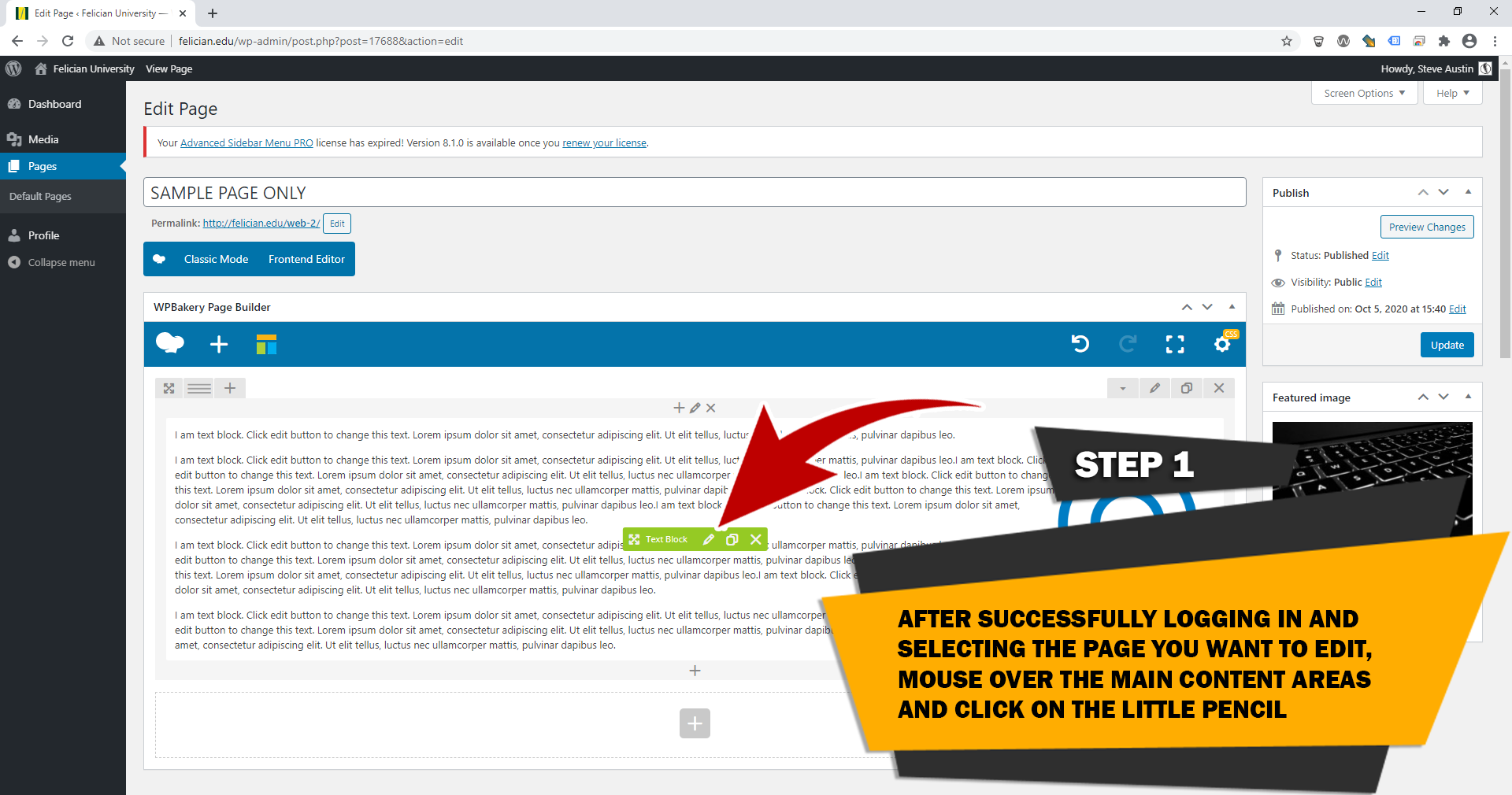
STEP 2
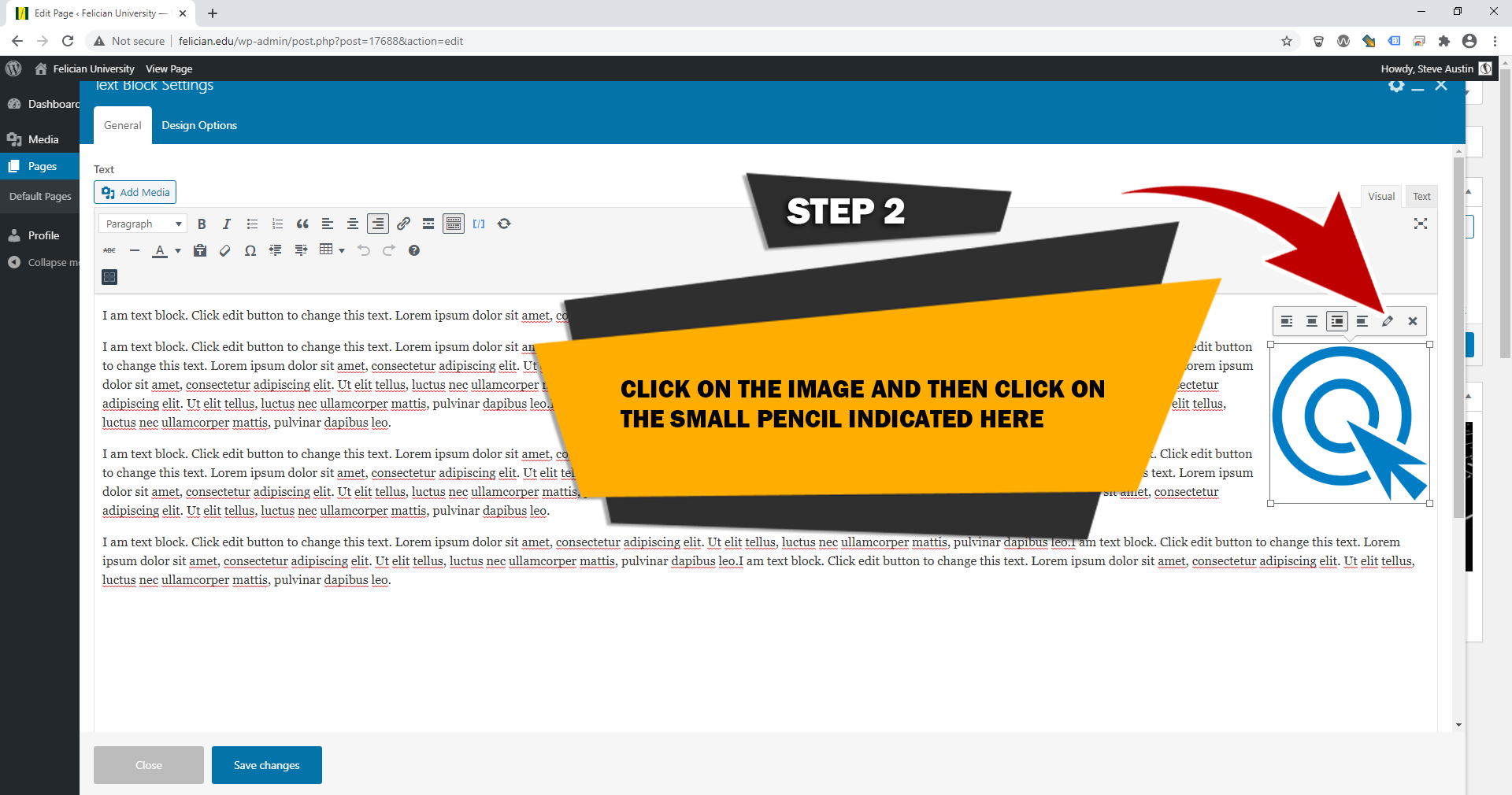
STEP 3
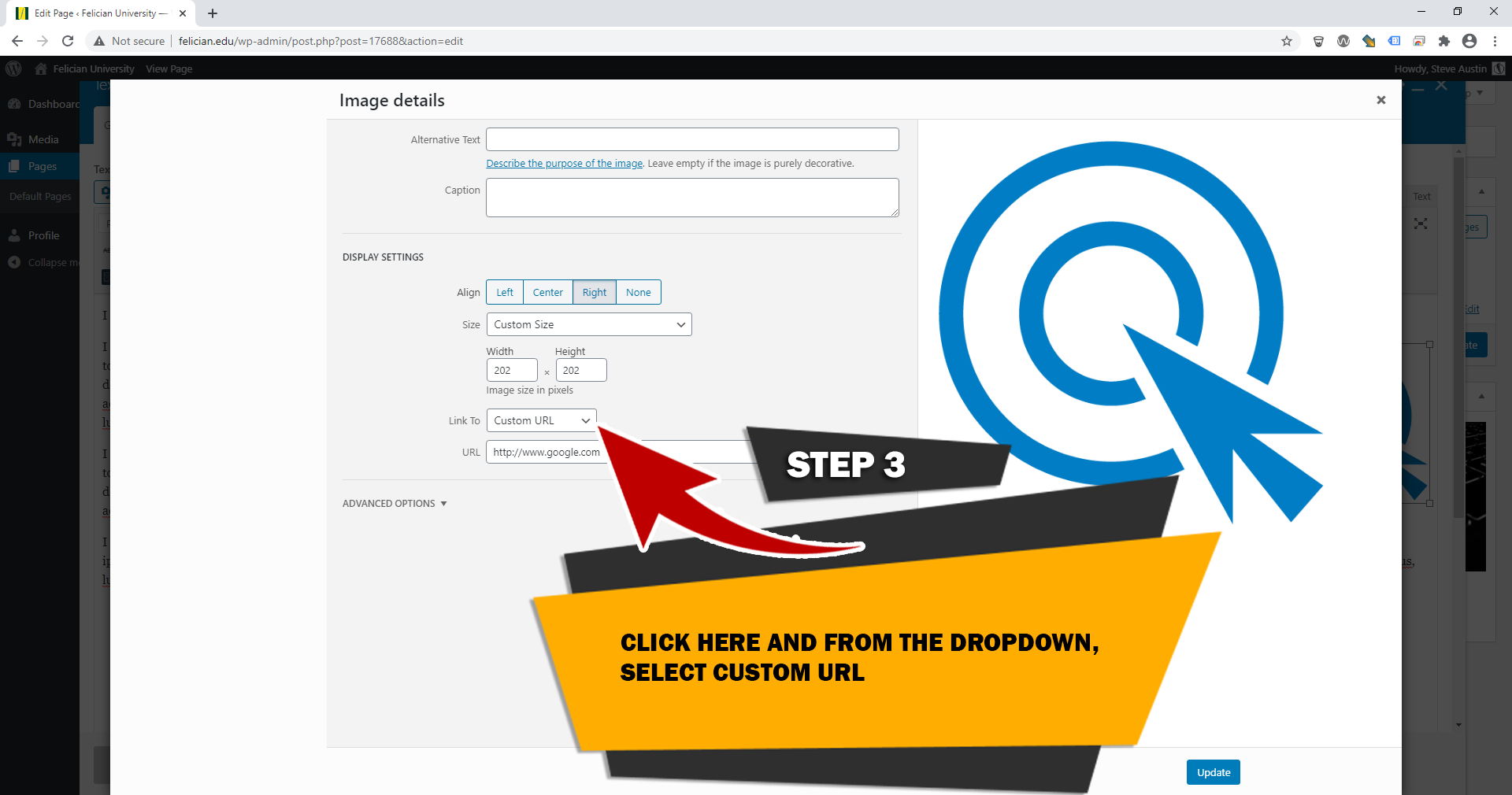
STEP 4
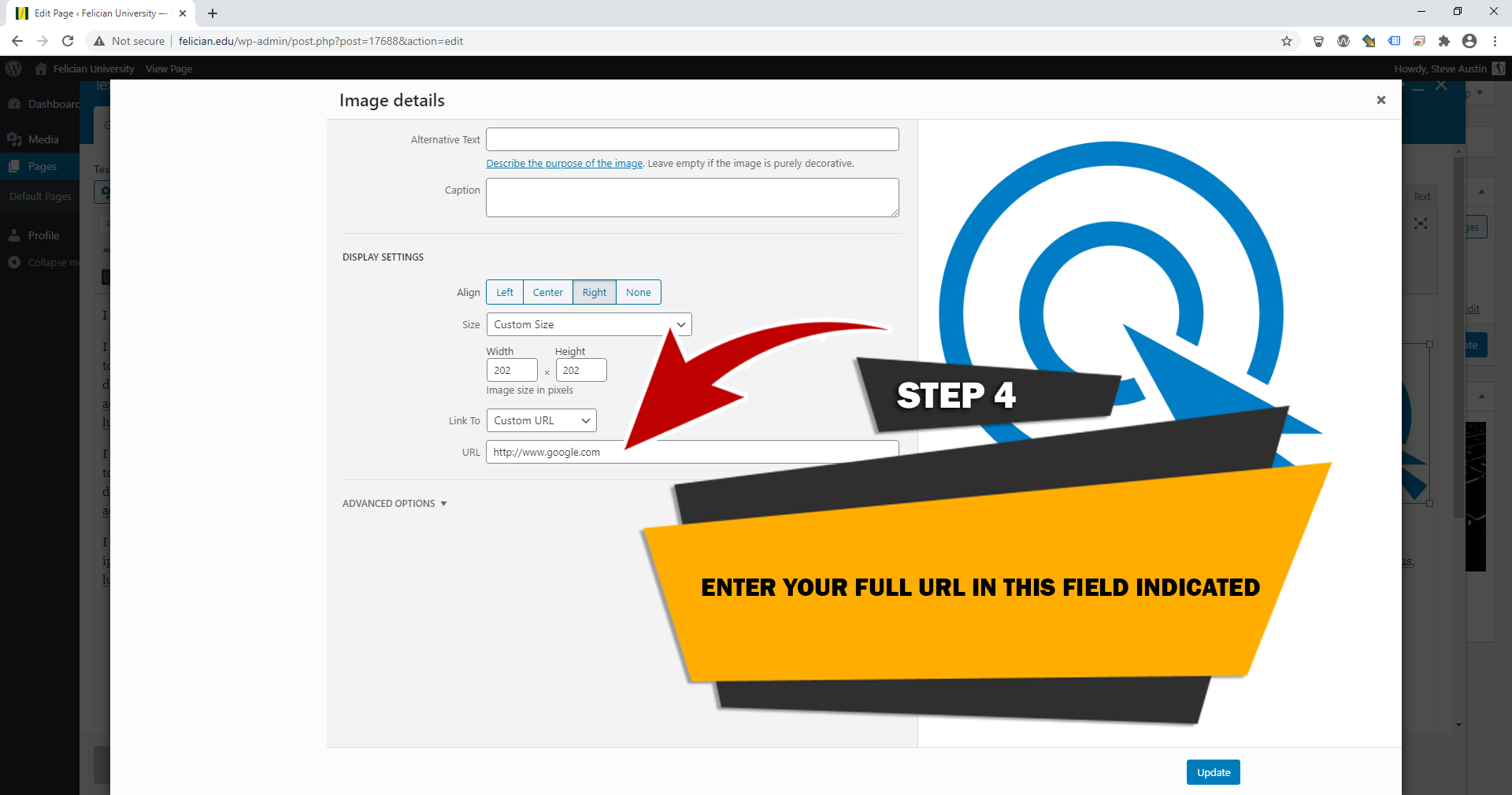
STEP 5
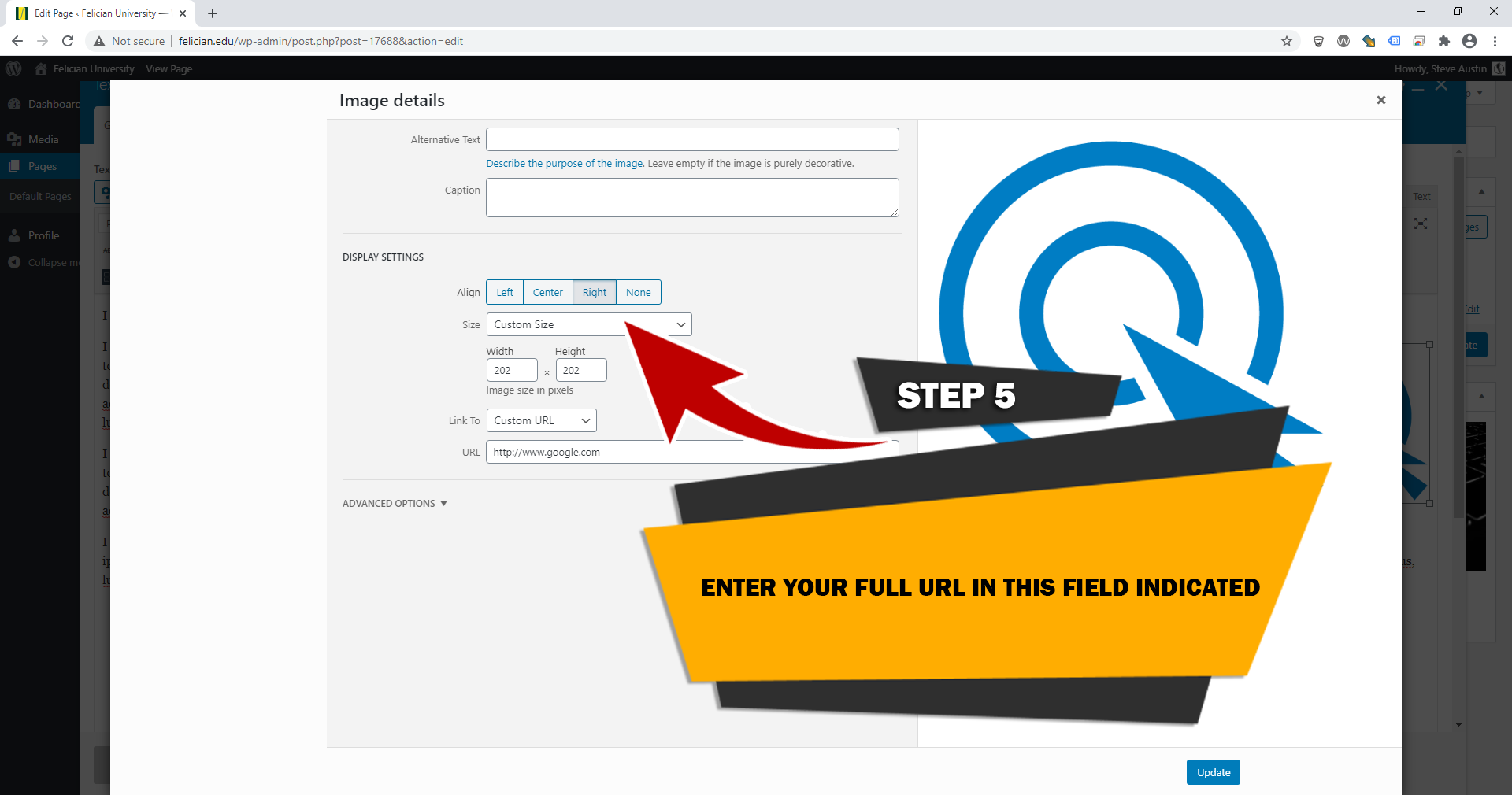
STEP 6
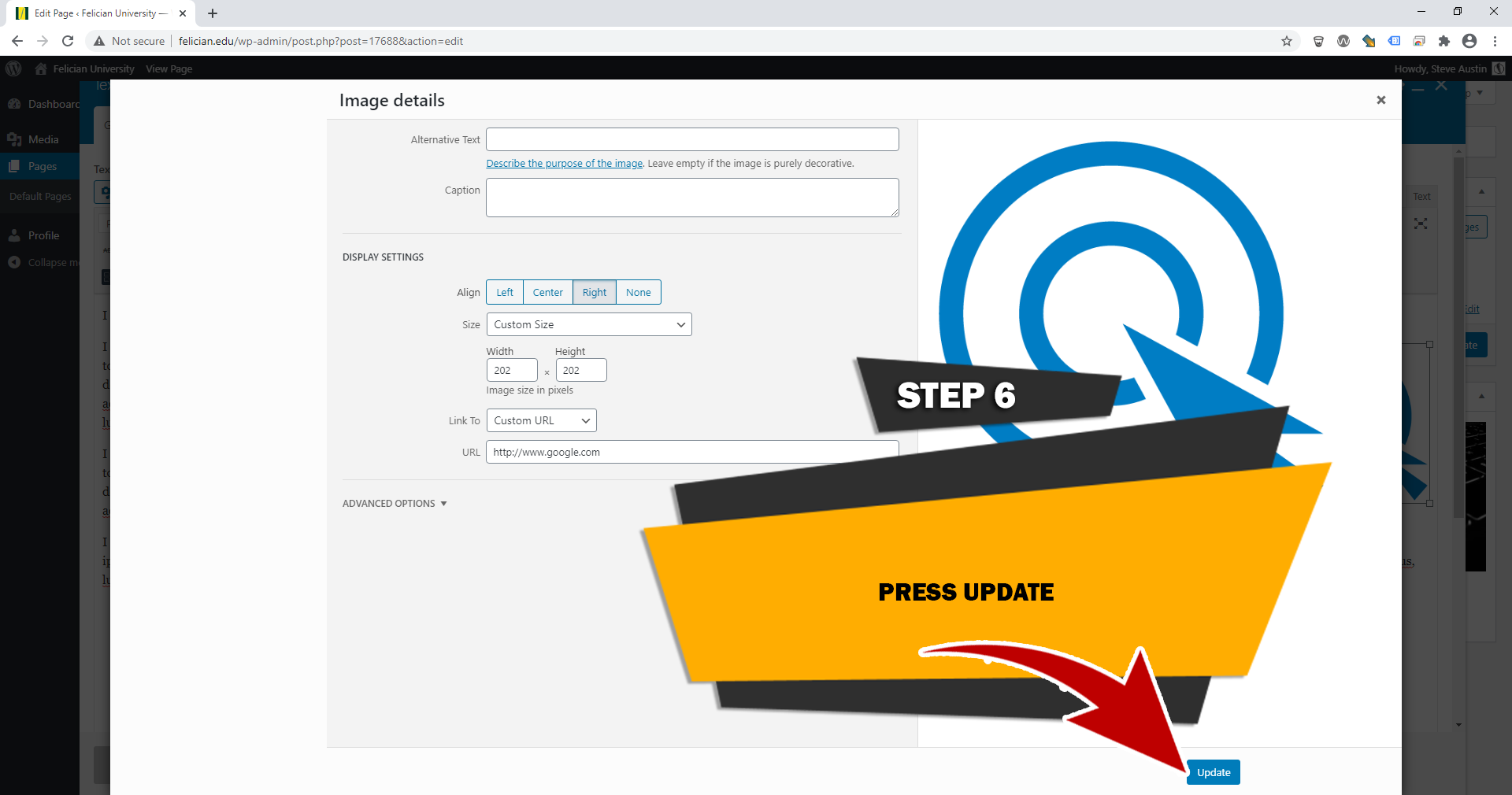
STEP 7
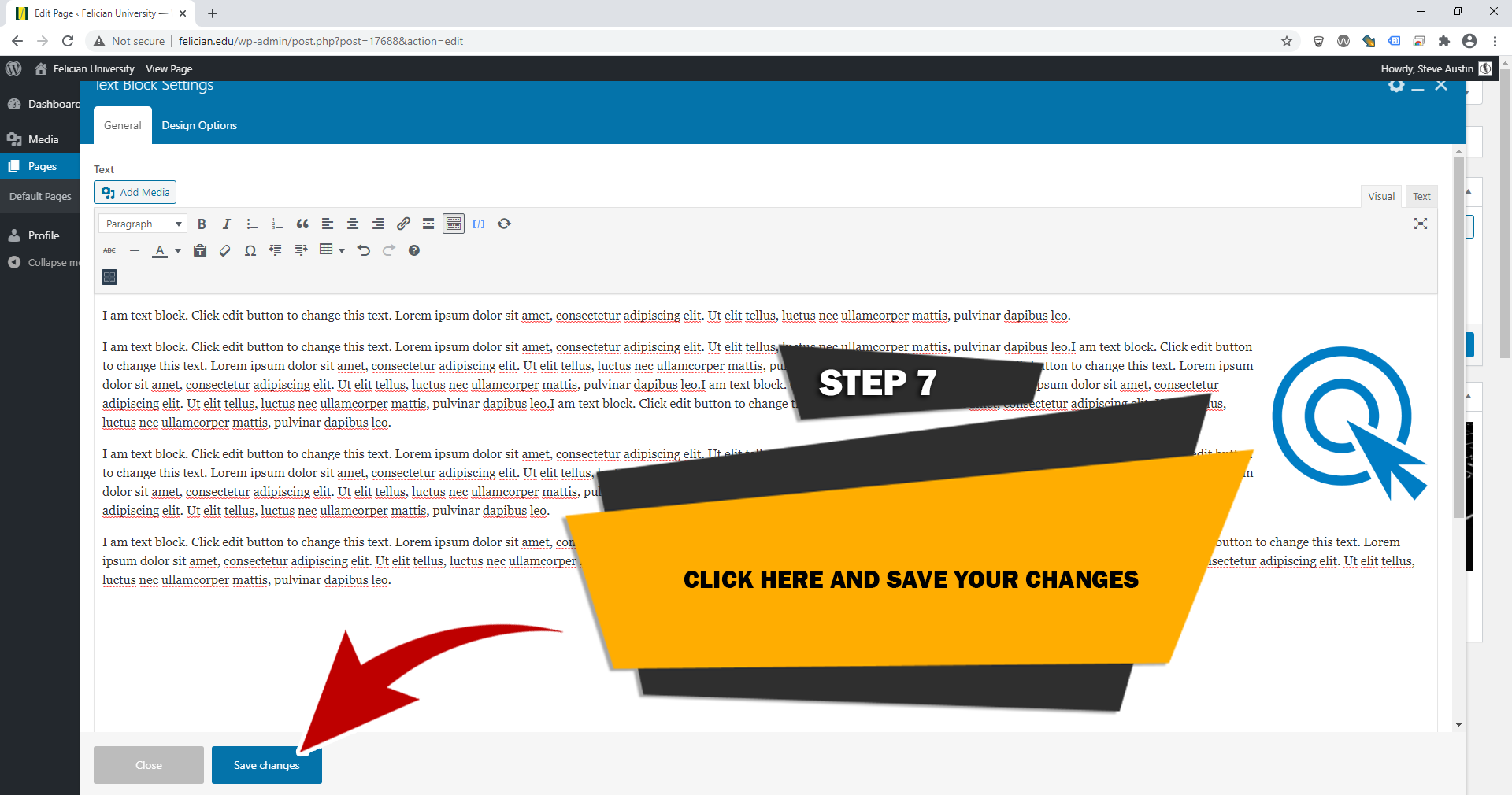
STEP 8
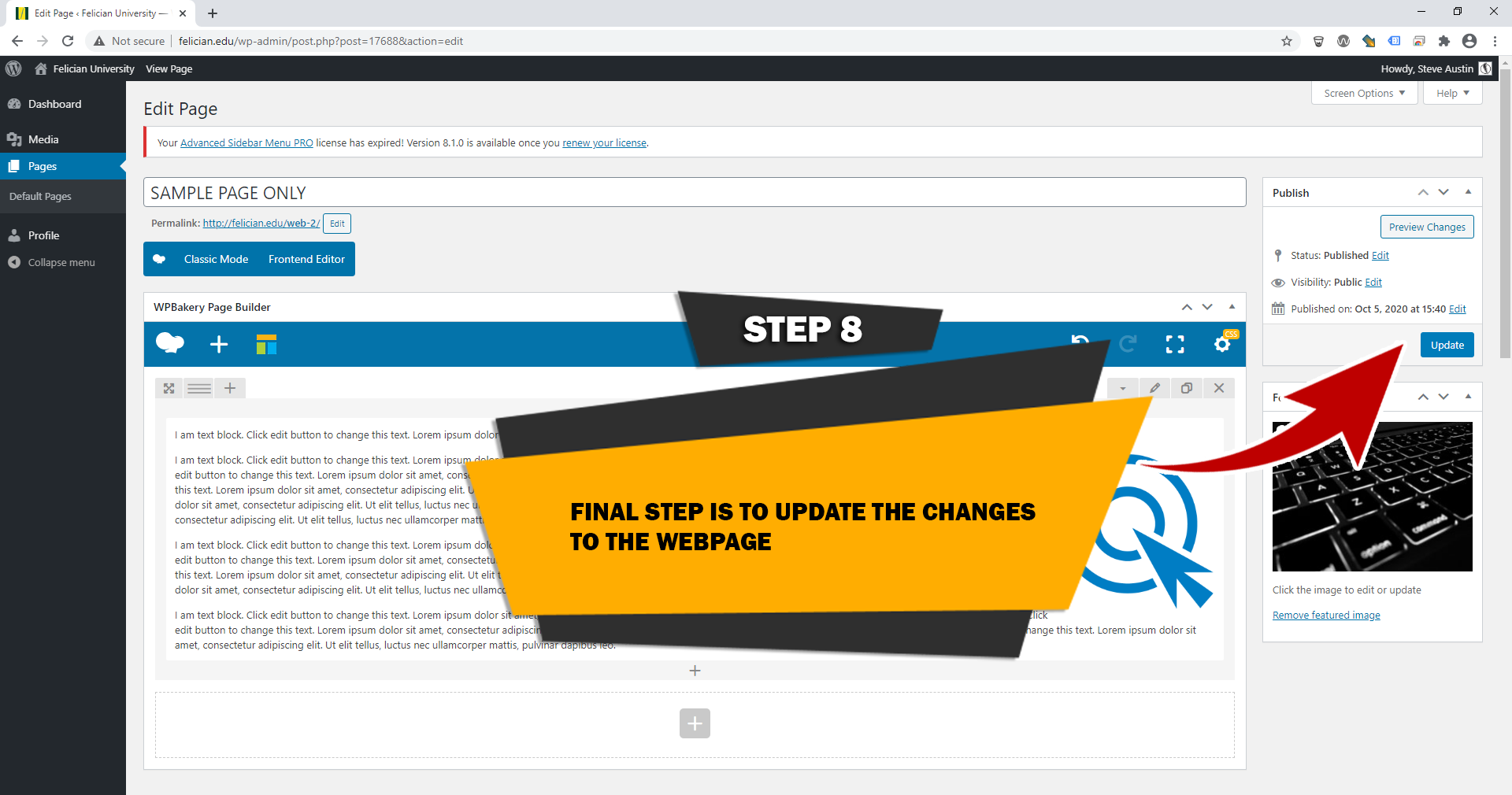
COMING SOON

Adding Events
STEP 1
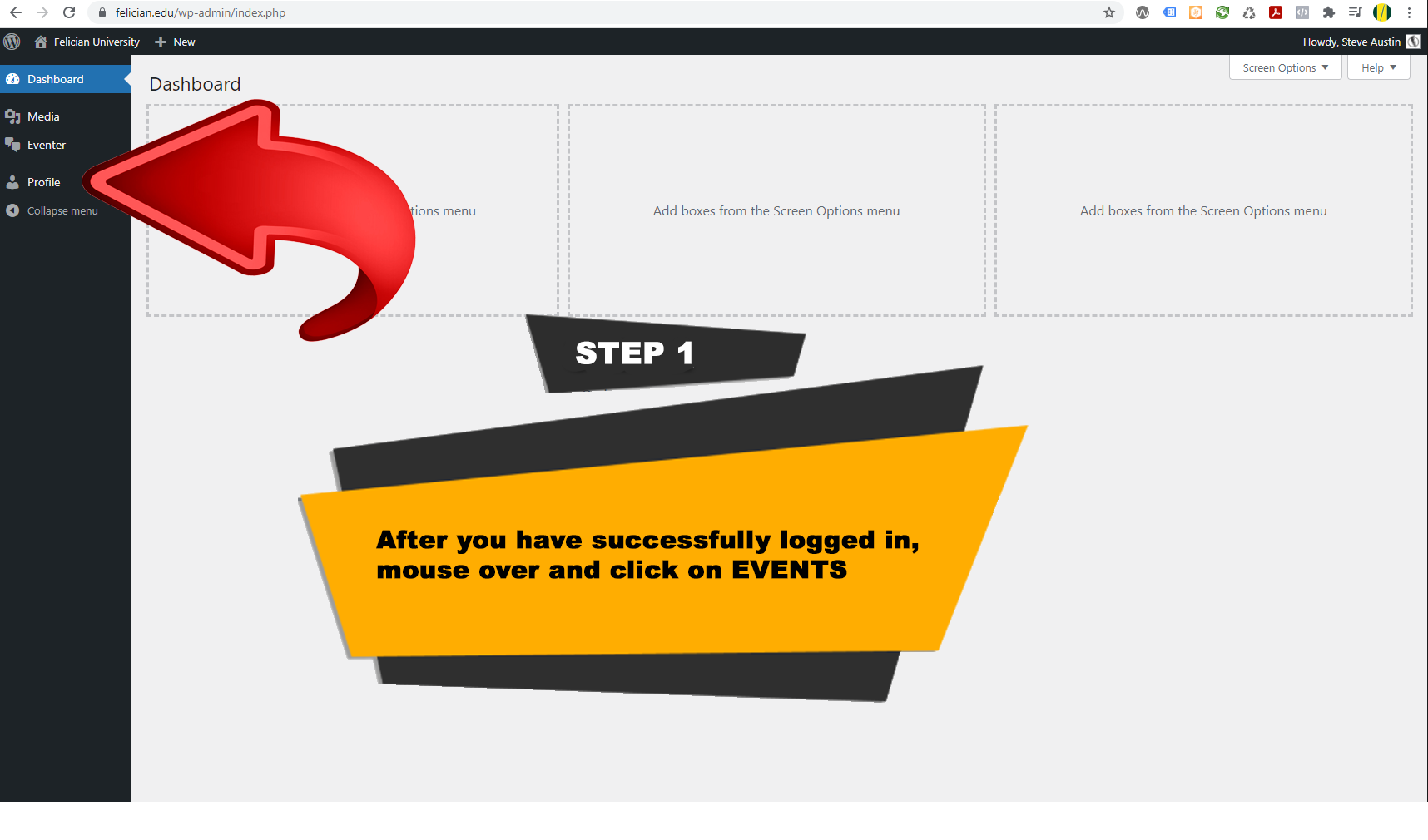
STEP 2
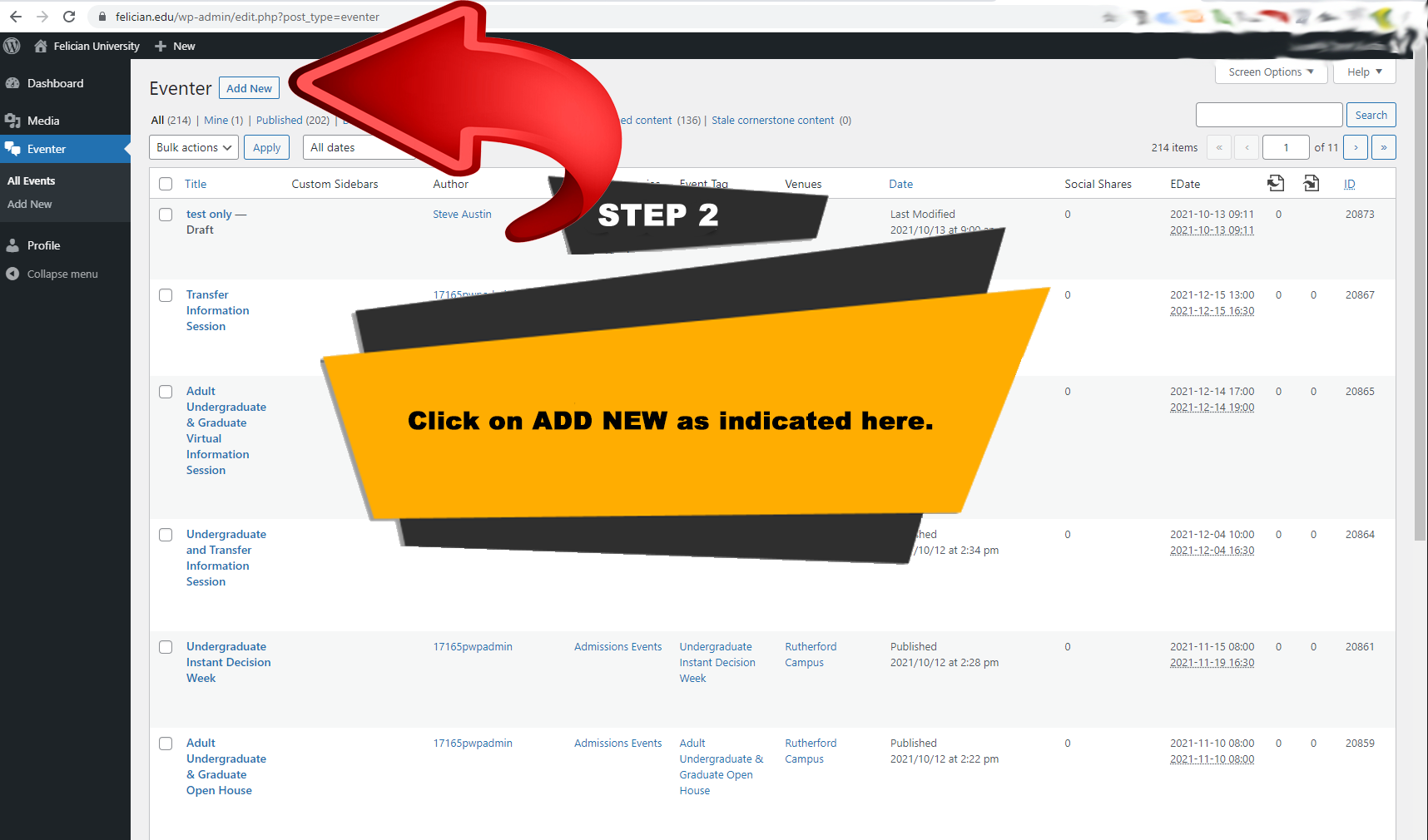
STEP 3
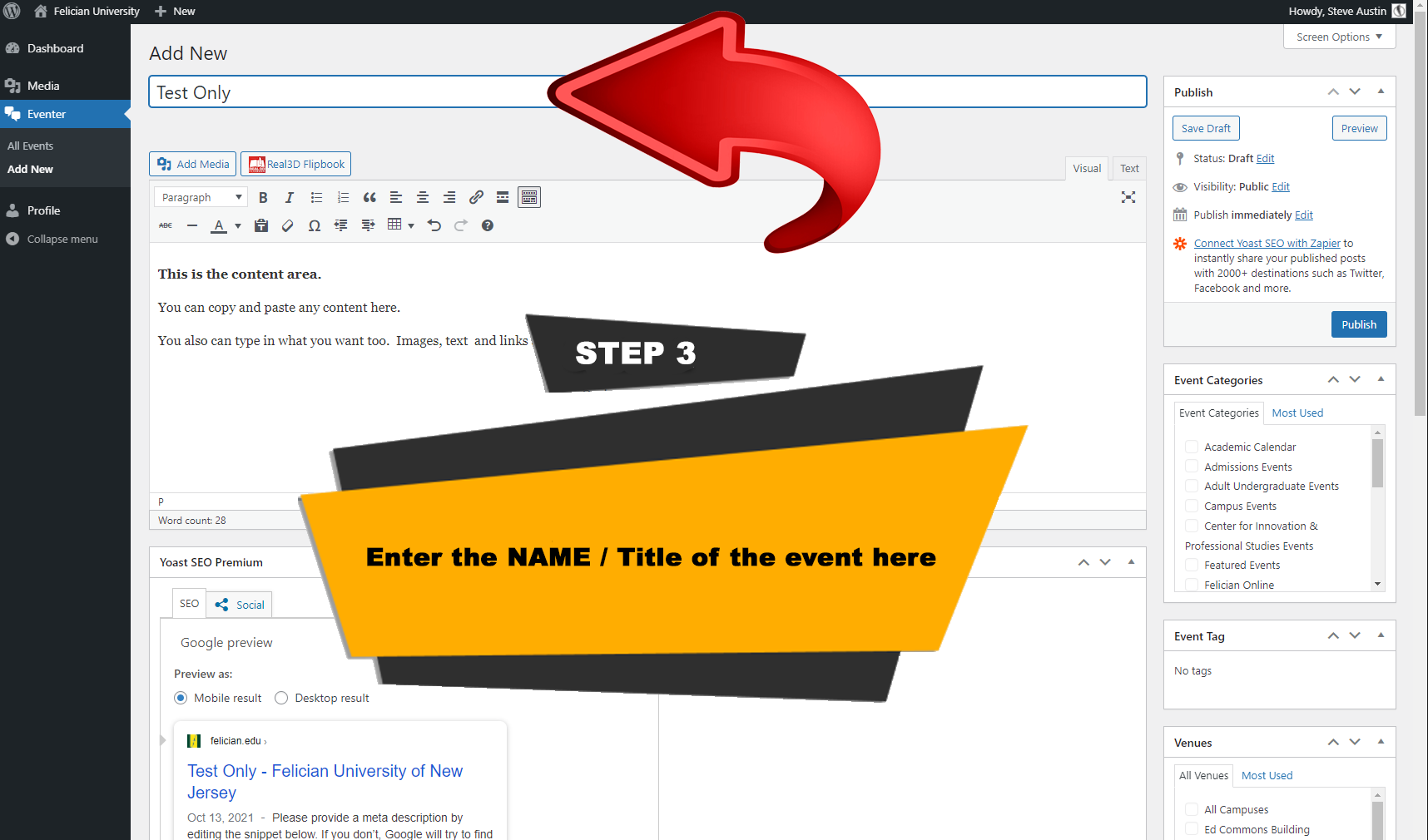
STEP 4
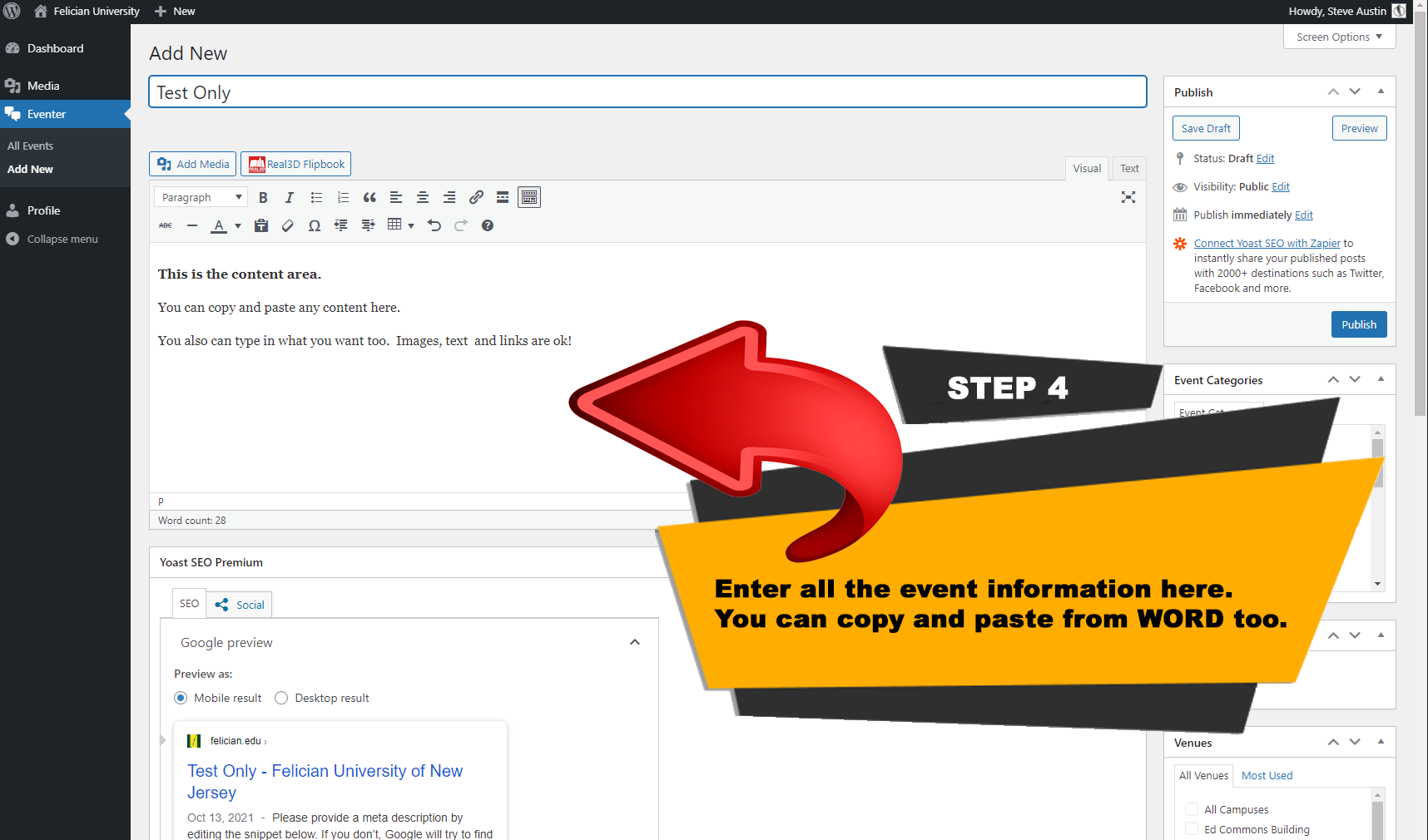
STEP 5
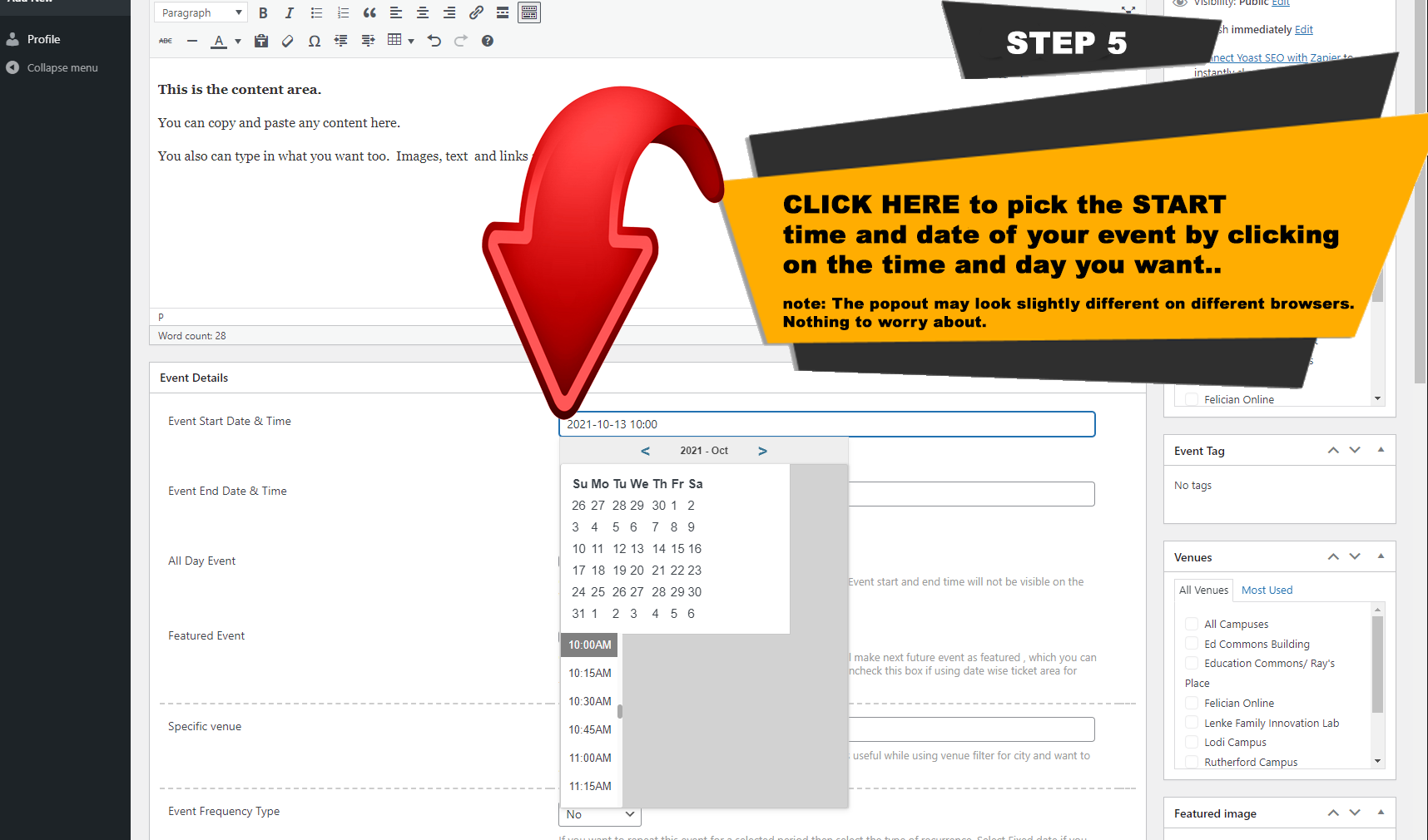
STEP 6
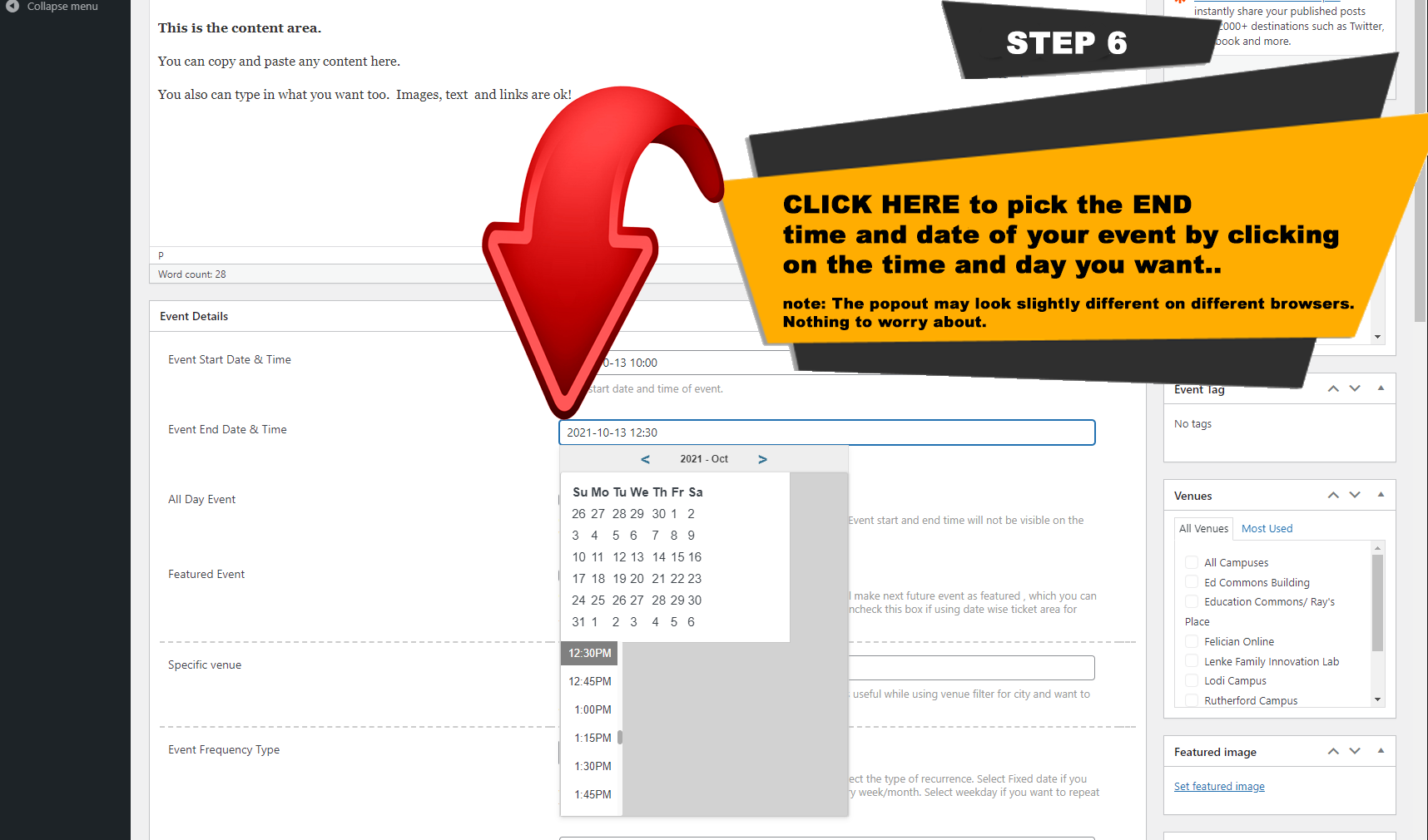
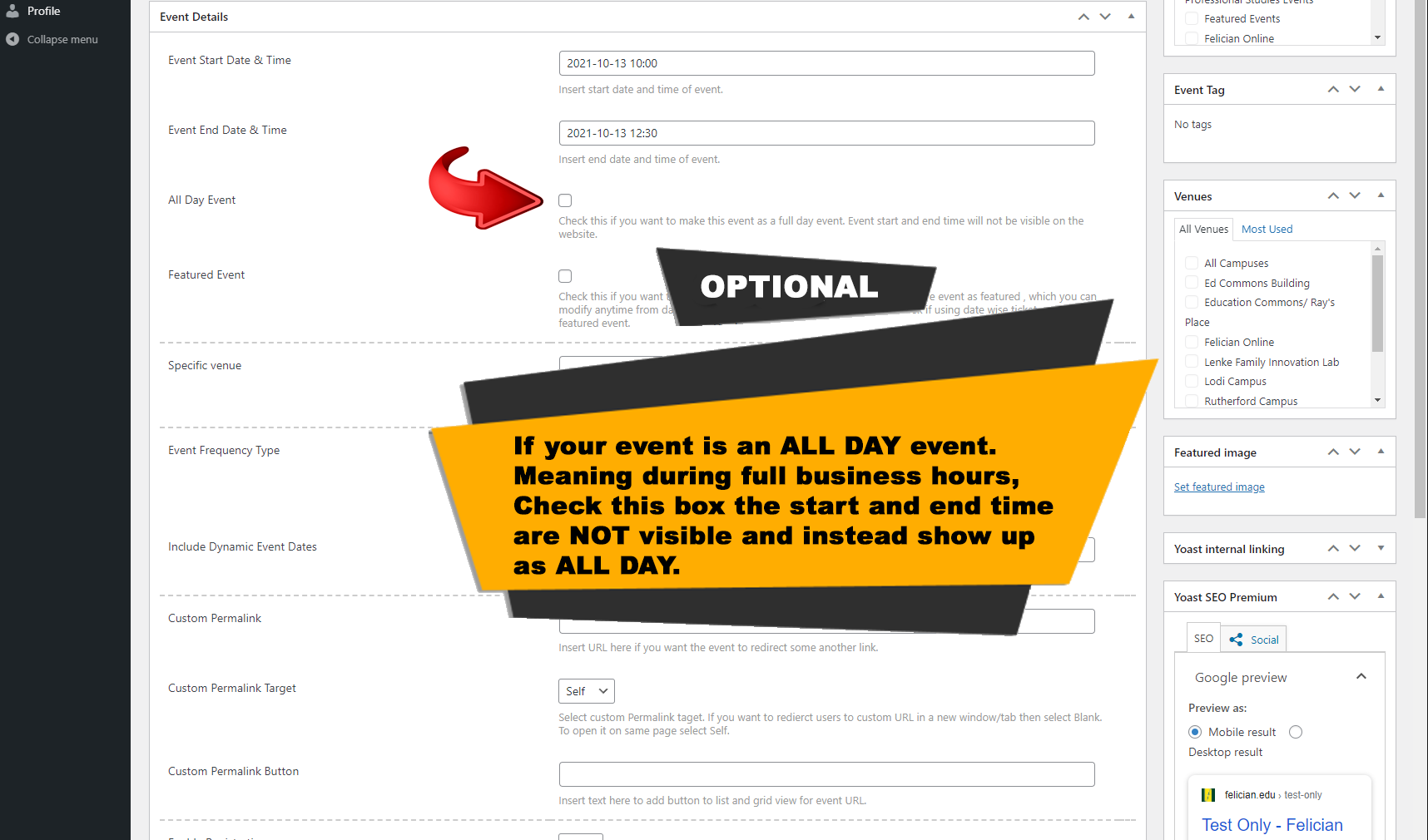
OPTIONAL STEP - NOT REQUIRED
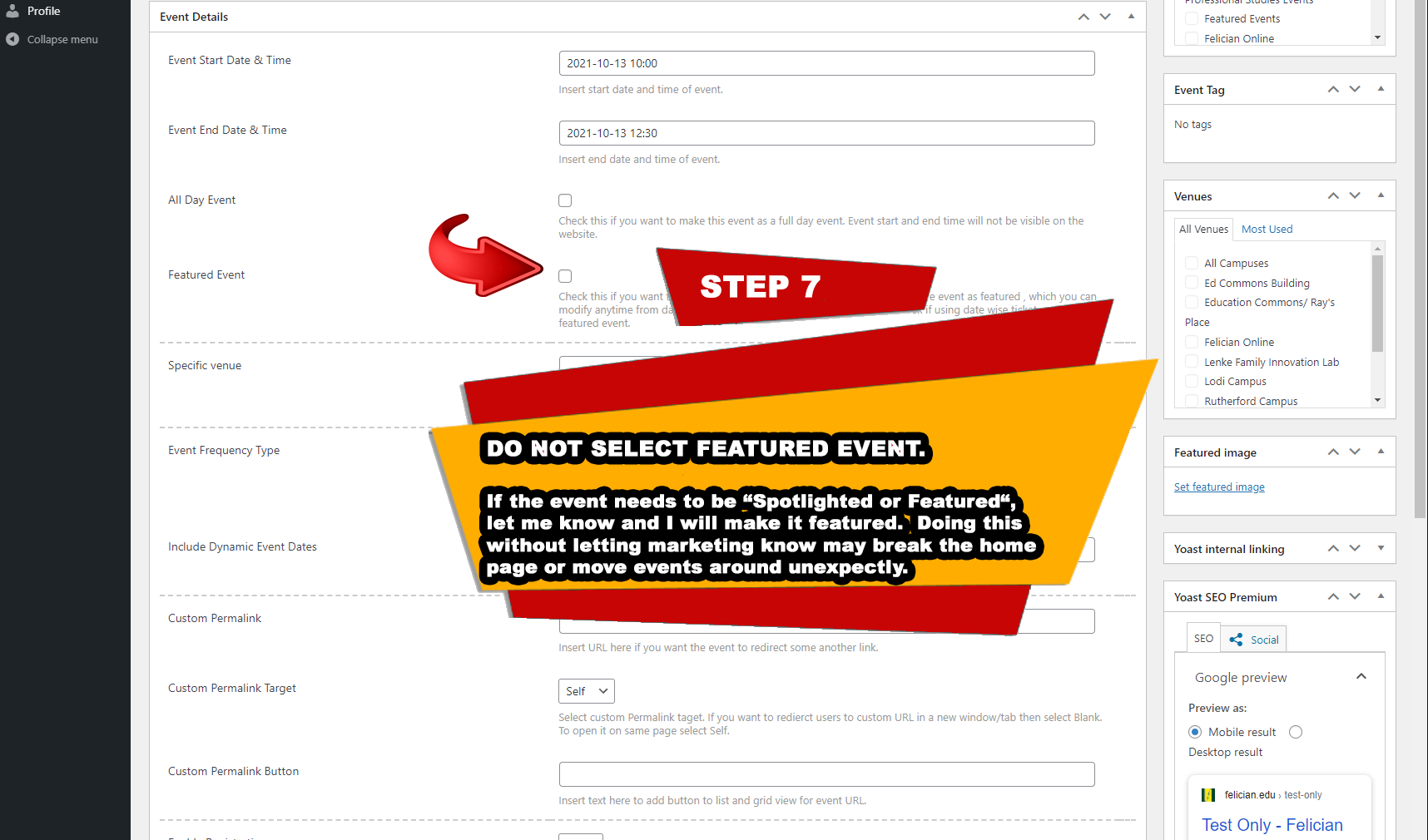
STEP 7 - IMPORTANT STEP!
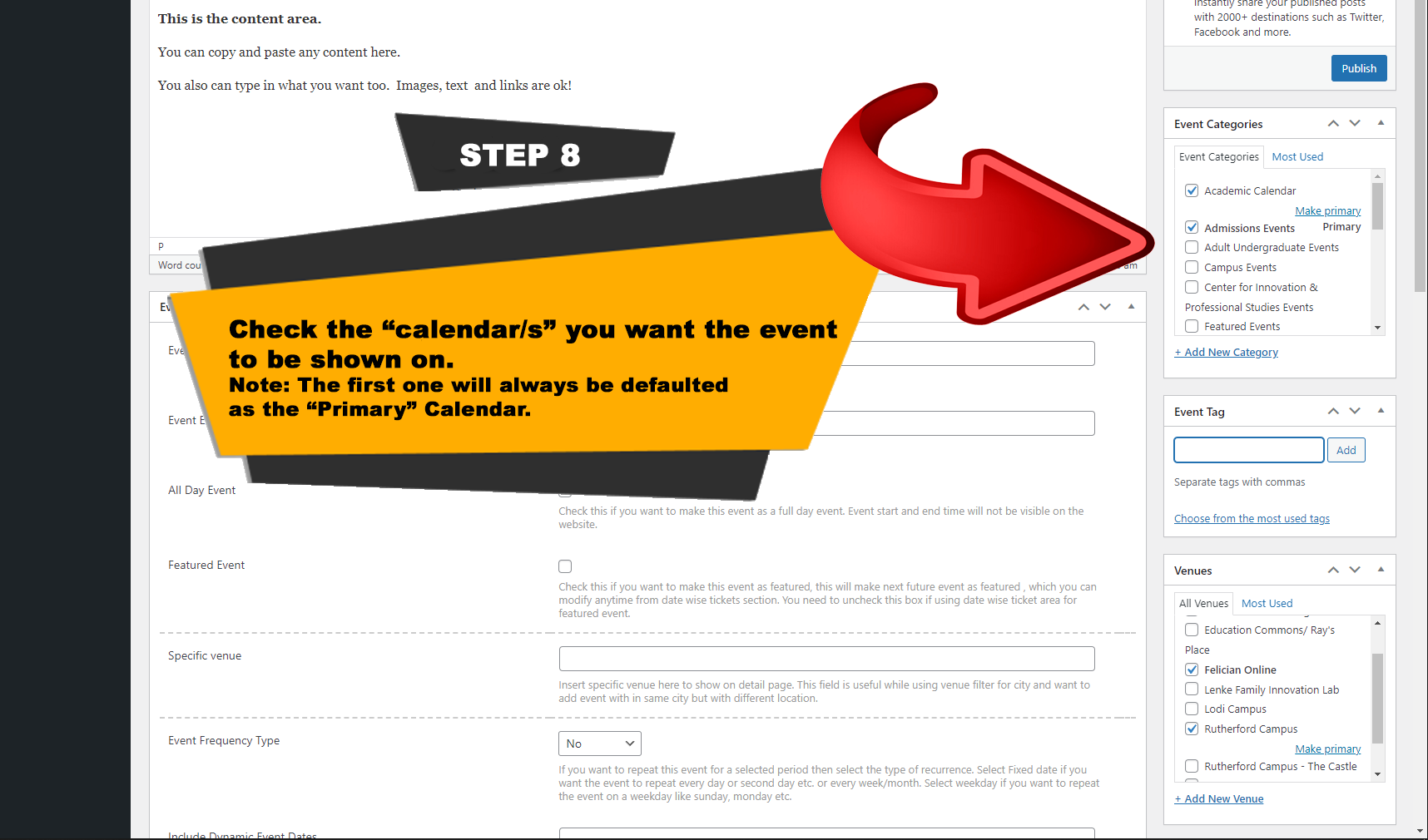
STEP 8
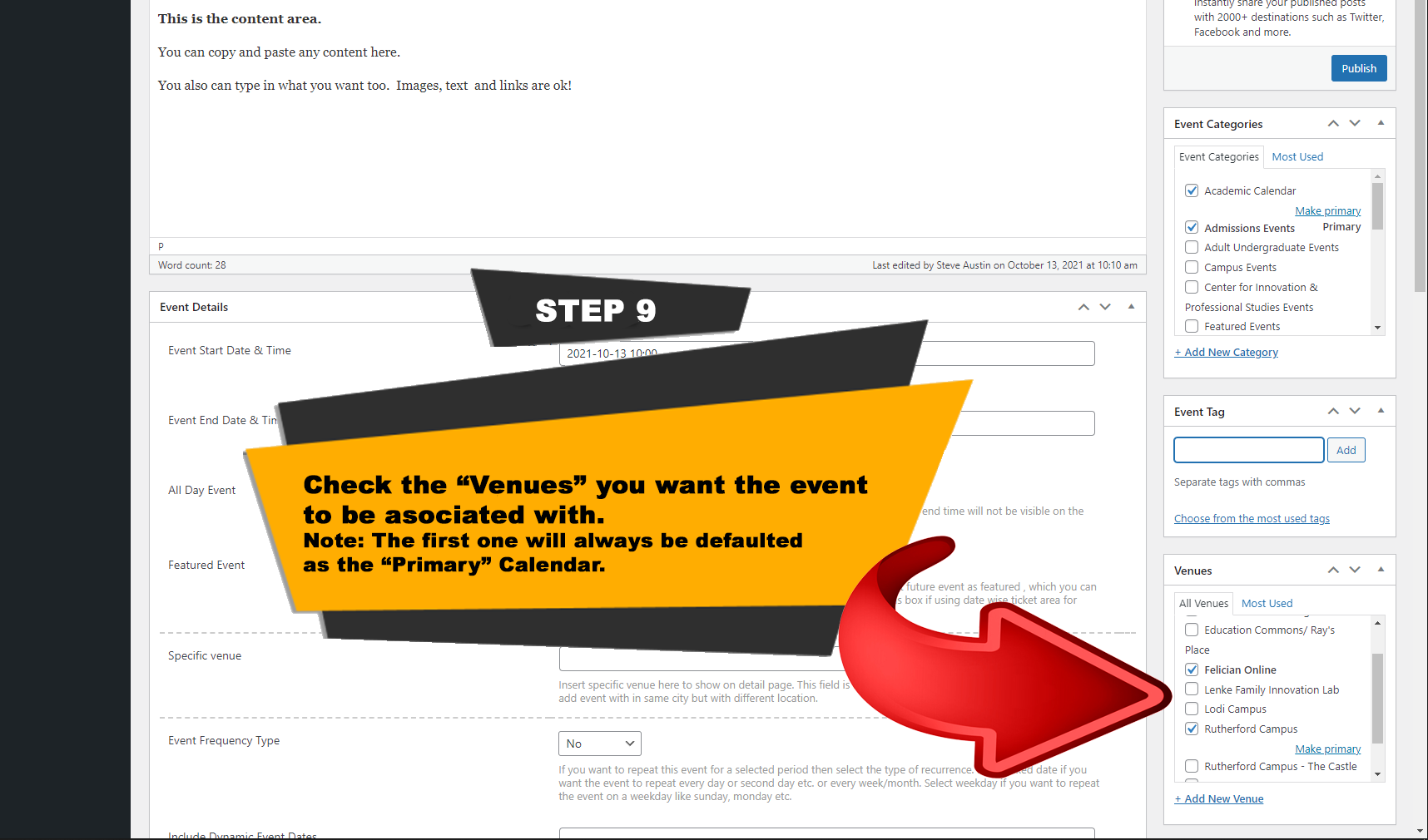
STEP 9
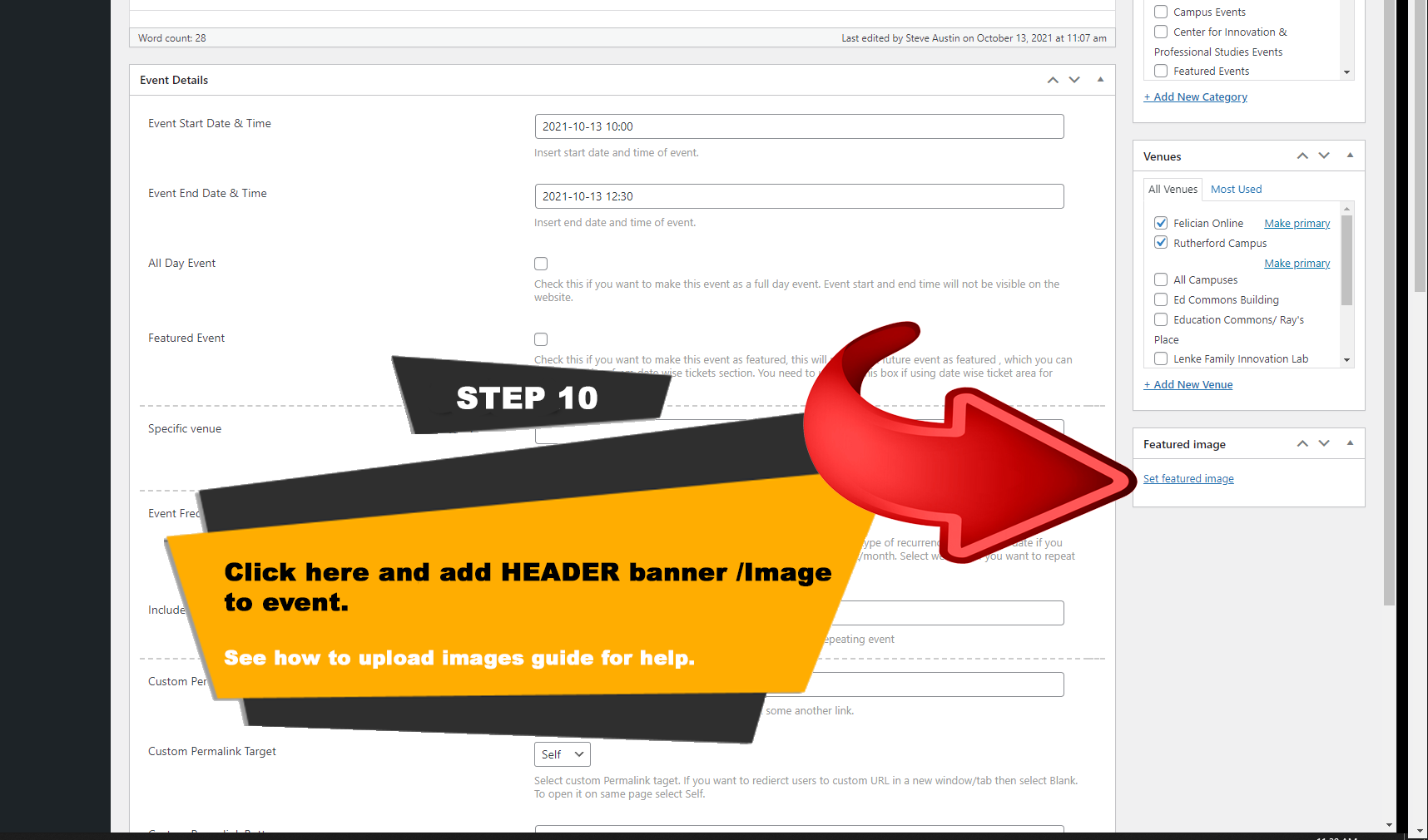
STEP 10
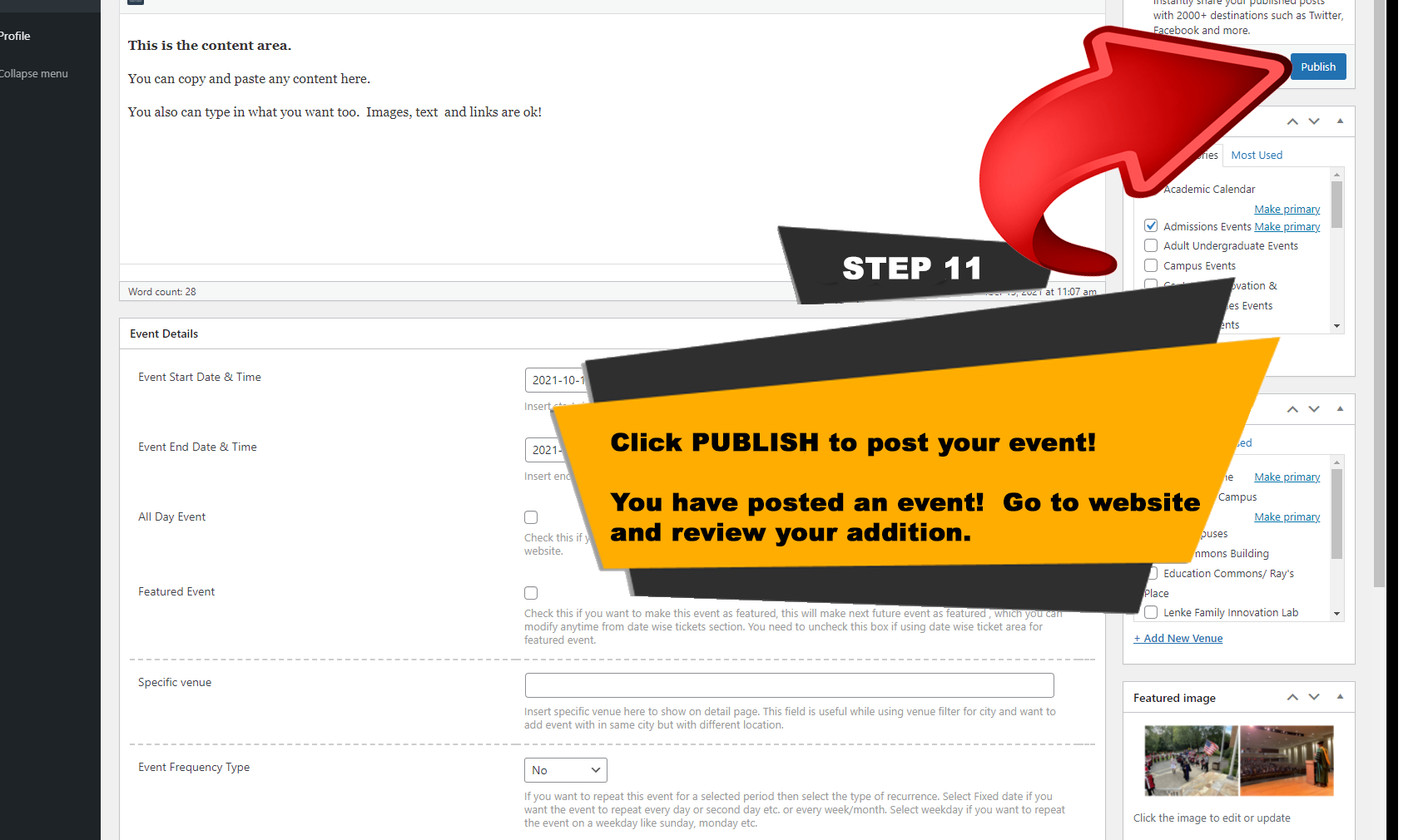
STEP 11
Web Documents
COMING SOON
STEP 7